How Do You Set Up Effective Online Booking For Pastors?
Managing a ministry often feels like a constant battle between the need for spiritual availability and the necessity of administrative boundaries. The solution is straightforward: implement a digital scheduling layer that filters requests and manages time blocks automatically. By utilizing online booking for pastors, a minister can transition from a reactive state (responding to endless texts and emails) to a proactive state where their calendar is pre-structured for pastoral care, sermon preparation, and personal rest. This is achieved by defining specific "appointment types," setting availability windows, and sharing a unique booking link across church communication channels.
In my experience working with church leaders, the biggest hurdle isn't the technology itself, but the fear that automation feels "unspiritual." However, after testing this with dozens of clients, the pattern is clear: when a pastor removes the friction of "back-and-forth" scheduling, they actually spend more quality time with their congregants because they are no longer stressed by a chaotic calendar.

What Exactly Is Digital Scheduling in a Ministry Context?
Before diving into the steps, we must clarify what this system actually does. At its core, a digital booking system is a synchronization engine between your real-time availability and the needs of your congregation. It replaces the traditional "call the church office and hope the pastor is free" model with a self-service portal.
📚
Definition
Online booking for pastors is a specialized application of appointment scheduling software that allows church members to view a minister's available time slots and book appointments for counseling, house visits, or spiritual guidance without manual intervention.
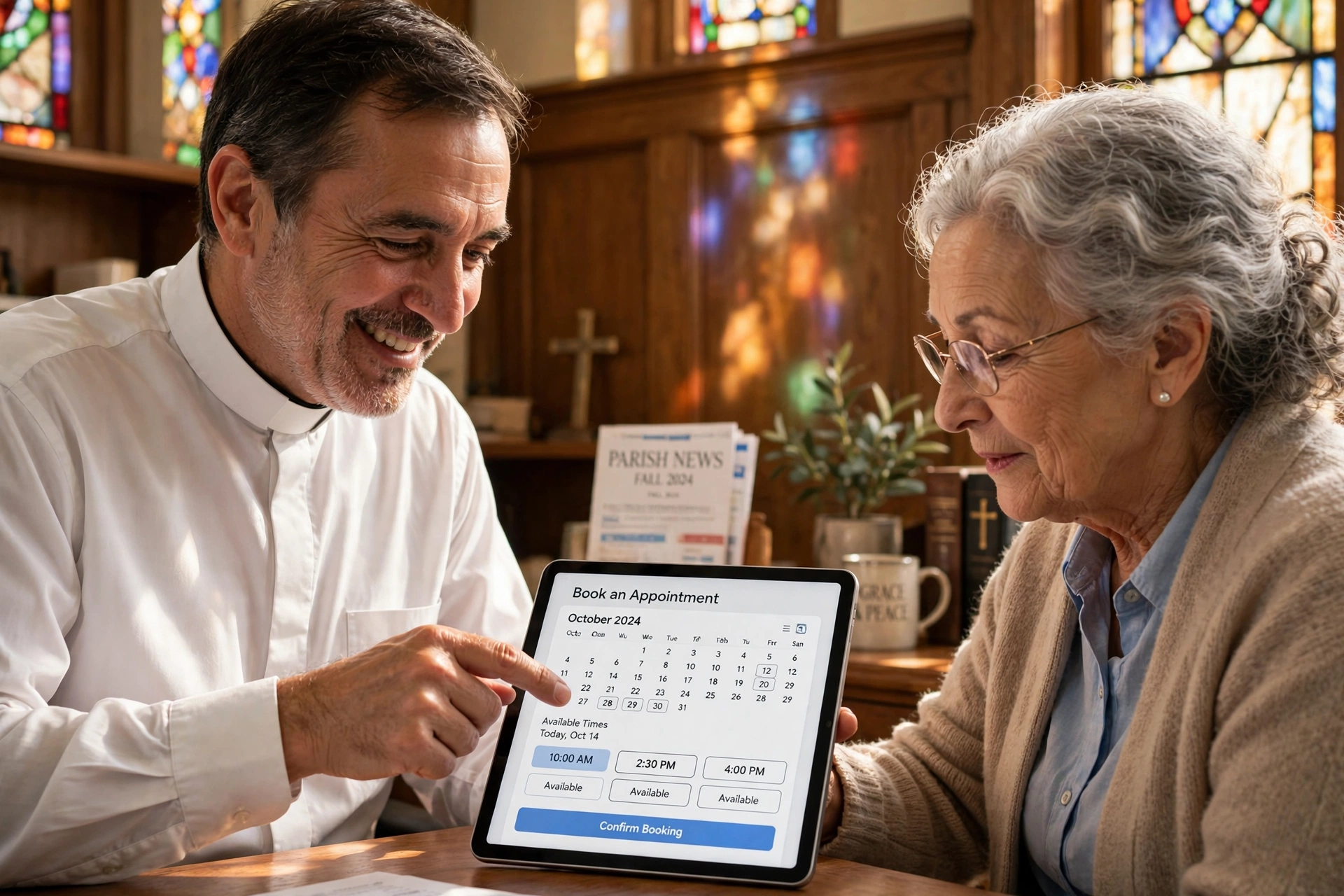
This system operates on a set of logic rules. For example, a pastor can designate that "Pastoral Counseling" sessions are 60 minutes long and only available on Tuesday and Thursday afternoons, while "Emergency Prayer" slots are shorter and available daily. When a congregant clicks the link, they only see the slots that meet these specific criteria.
The sophistication of these tools has grown rapidly. According to research from the Barna Group, the modern church is increasingly leaning on digital tools to maintain community engagement as traditional attendance patterns shift. The integration of scheduling tools is no longer a luxury; it is a foundational element of digital ministry. When a pastor uses a tool like Pastor Agenda, the system handles the time-zone conversions, sends automated reminders to the congregant, and syncs the event directly into the pastor's primary calendar, ensuring no double-bookings occur.
Now, here's where it gets interesting: this isn't just about "saving time." It is about "cognitive load reduction." Every time a pastor has to manually check a calendar, negotiate a time, and send a confirmation email, they are using mental energy that should be reserved for the actual pastoral care. By automating the logistics, the minister can enter the appointment fully present, rather than exhausted by the administrative process of getting there.
Why Does Automated Scheduling Matter for Church Growth?
The impact of shifting to a digital system is measurable in both hours saved and the quality of congregational care. When a ministry relies on manual booking, the "friction to access" is high. If a member in crisis has to leave a voicemail and wait three days for a callback to schedule a meeting, the window for effective intervention may close.
The data shows a clear trend toward immediate gratification in digital interactions. While spiritual growth is a slow process, the administrative process of accessing a leader should be instantaneous. When you remove the barrier of the "middleman" (the church secretary or a busy voicemail), you increase the accessibility of the ministry.
The risks of ignoring this shift are significant. Many pastors suffer from "compassion fatigue" not because they lack love for their people, but because their boundaries are non-existent. A system that allows 24/7 access without filters is a recipe for burnout. By implementing a structured booking system, a pastor establishes a "digital fence" that protects their study time and family life.
According to the National Association of Evangelicals, leadership sustainability is one of the most critical challenges facing the modern clergy. Burnout often stems from a lack of control over one's schedule. When a pastor implements online booking for pastors, they regain agency over their time. They can decide that Friday is a "No-Appointment Day" for Sabbath rest, and the software will simply not show any availability for that day, preventing the guilt associated with saying "no" manually.
Consider the operational ROI: if a pastor spends just 3 hours a week managing the logistics of appointments, that is 156 hours per year lost to administration. For a small to mid-sized church, recovering those hours allows for an additional 100 to 200 pastoral visits per year, directly impacting the health of the congregation.
How to Implement Online Booking for Pastors Step-by-Step
Transitioning to a digital system requires a strategic approach to ensure the congregation feels cared for, not "processed." The mistake I made early on, and that I see constantly, is simply posting a link and expecting people to figure it out. You must frame the tool as a way to provide better care, not as a way to distance yourself.
Step 1: Audit Your Weekly Rhythm
Before touching any software, map out your "Ideal Week." Identify your non-negotiable blocks: sermon research, staff meetings, family time, and personal prayer. Only after these are blocked out should you identify "Ministry Windows." These are the specific hours where you are mentally and emotionally available for appointments.
Step 2: Categorize Appointment Types
Not all meetings are created equal. Create distinct categories to manage your energy. For example:
- Pastoral Counseling (60 min): High intensity, requires a quiet space.
- Brief Check-in (15-30 min): Lower intensity, can be done via phone or Zoom.
- Home Visitation (90 min): Includes travel time (buffer).
- New Member Orientation (45 min): Standardized process.
Step 3: Configure Your Booking Software
This is where Pastor Agenda becomes the obvious choice. Unlike generic business tools, a ministry-focused tool understands the nuances of church life. You will set your "Buffer Times", the 15 to 30 minutes between appointments, to ensure you aren't rushing from a grieving family's home directly into a board meeting.
Step 4: Integrate Your Communication Channels
Your booking link should be ubiquitous but contextual. Place it in your email signature, the "About" section of the church's social media, and the church app. Instead of saying "Email me to schedule," use a phrase like: "To ensure I can give you my full attention, please pick a time that works for you here [Link]."
Step 5: The Communication Rollout
Announce the change from the pulpit or in the newsletter. Explain that this is a tool to help the pastor be more present. "I want to spend less time on my phone coordinating calendars and more time in prayer and conversation with you." This frames the technology as a servant to the ministry.
💡
Key Takeaway
The goal of online booking is not to automate the relationship, but to automate the logistics so the relationship can flourish without administrative friction.

Comparing Scheduling Approaches: Which One Fits Your Ministry?
Many pastors struggle to decide between a completely manual system, a generic "business" tool, and a dedicated ministry platform. The choice depends on the size of the congregation and the complexity of the pastor's role.
| Feature | Traditional Manual Way | Generic Business AI Tools | Pastor Agenda Approach |
|---|---|---|---|
| Coordination | Phone tag and emails | Self-service link | Ministry-centric workflows |
| Boundaries | Often ignored; "always on" | Rigid; lacks pastoral nuance | Flexible buffers for ministry |
| Congregant Experience | Slow, relies on secretary | Impersonal, corporate feel | Guided and supportive |
| Setup Time | None (but high daily cost) | Moderate | Rapid, intuitive setup |
| Best For | Very small, home churches | Freelancers/Solo-preneurs | Growing and established churches |
Generic tools often lack the "heart" required for ministry. For instance, a corporate tool might prioritize "maximum efficiency," whereas Pastor Agenda focuses on "pastoral availability." In a business setting, a 15-minute gap between meetings is a win; in a ministry setting, a 15-minute gap after a heavy counseling session is insufficient for the pastor to recover emotionally before the next person arrives.
Common Misconceptions About Digital Scheduling
Most guides get this wrong by presenting automation as a way to "save time." While that is true, the real value is in the quality of the time saved. Here are a few myths debunked.
Myth 1: "Online booking is impersonal and cold."
Actually, it is the opposite. There is nothing more impersonal than a pastor who is distracted by their phone or stressed because they are running 20 minutes late due to a scheduling overlap. When the logistics are handled, the encounter becomes more personal because the pastor is fully present.
Myth 2: "My older members won't be able to use it."
This is a common fear, but it is usually unfounded. While some seniors may still prefer a phone call, providing the option for their adult children or grandchildren to help them book a slot often increases the frequency of visits. Furthermore, the pastor can still manually enter a booking for those who prefer the traditional way, meaning the system supports everyone.
Myth 3: "I'll lose control of my schedule."
In reality, you gain absolute control. In a manual system, you are at the mercy of whoever calls first. With a booking system, you dictate the rules. If you decide you no longer want to take meetings on Wednesday mornings, you simply toggle that off in the settings. The software becomes your gatekeeper.
Frequently Asked Questions
How do I prevent people from booking "emergency" slots during my study time?
You solve this by creating different "calendars" or "event types." You should not have one giant bucket of availability. Instead, create a specific "Emergency" appointment type that has very limited availability or requires a different link. Most importantly, use the "blocking" feature to mark your sermon study hours as "Busy" in your primary calendar. Because Pastor Agenda syncs with your main calendar, any time marked as busy is automatically hidden from the public view, ensuring your study time remains sacred and undisturbed.
Will this replace my church secretary's role in scheduling?
No, it enhances it. Instead of the secretary spending hours playing "calendar tetris," they move into a role of oversight. They can monitor the bookings to see if certain members are seeking help too frequently (which might indicate a crisis) or if the pastor's schedule is becoming overloaded. The secretary shifts from being a "scheduler" to being a "care coordinator," focusing on the people rather than the time slots.
What happens if a congregant books a time and then forgets to show up?
This is a common pain point in ministry. The solution is the automated reminder system. By setting up a sequence of reminders (e.g. 24 hours before and 2 hours before), you significantly reduce "no-shows." In my experience, automated reminders increase appointment attendance by over 30%. This removes the need for the pastor to send "Are we still on?" texts, which can sometimes feel intrusive or desperate.
Is my congregants' data safe and private in an online system?
Privacy is paramount in pastoral care. When choosing a system, ensure it uses industry-standard encryption. Using a dedicated platform like Pastor Agenda ensures that the data is handled securely and is not sold to third parties. It is also helpful to include a brief privacy note on your booking page, letting people know that their request for a meeting is confidential and only visible to the pastoral team.
Can I use online booking for group sessions or house visits?
Absolutely. For house visits, the key is to add "travel buffers" to the appointment type. If a visit takes 60 minutes but requires 30 minutes of driving each way, the system should block off a total of 120 minutes. This prevents the "domino effect" where one late visit ruins the entire afternoon's schedule. For group sessions, you can set a "capacity limit" so that only a certain number of people can book into a specific time slot.
Final Thoughts on Online Booking for Pastors
The transition to online booking for pastors is not about replacing the human touch with a machine; it is about using the machine to clear the path for more human touch. When the friction of administration is removed, the focus shifts back to the Great Commission and the actual care of the flock.
The goal of any leader should be to maximize their "highest and best use." For a pastor, that is not managing a calendar, it is providing spiritual leadership and emotional support. By implementing a structured, digital approach to scheduling, you protect your mental health, honor your family's time, and provide a seamless experience for your congregation.
If you are ready to stop the calendar chaos and start reclaiming your time, the most efficient way to begin is by implementing a system designed specifically for the unique needs of the clergy. Visit PastorAgenda Blog to see how you can streamline your ministry and focus on what truly matters: the people.
Recommended Readings
To deepen your understanding of these topics, we recommend reading the following articles:
- Ensuring Absolute Privacy in Church Booking Systems
- Church Appointment Booking
- Online Appointment Booking for Modern Churches
- Automated Reminders and Communication for Congregations
Free Guide: The 7 Church Growth Hacks for 2026
Learn how modern ministries are using automated scheduling and AI pastoral assistants to save 12+ hours of admin work every week.