Introduction
Pastors and ministry leaders spend an average of 10 to 15 hours per week just managing schedules for counseling, visits, baptisms, and administrative meetings. This time stolen from sermon preparation, personal shepherding, and rest is one of the biggest factors in pastoral burnout—a crisis that, according to Barna Group (2025), affects 42% of full-time pastors. If you've lost count of how many times a church member didn't show up for an appointment booked by phone, or if you feel overwhelmed by endless email exchanges to schedule a time, know that there is a smarter way.
A church appointment scheduling system is not just a convenience tool—it's a radical shift in how ministry operates. It frees the pastor for what truly matters: caring for people, not spreadsheets. In this guide, you'll find a practical step-by-step approach to implementing this system in your church, avoiding the most common mistakes, and reaping all the benefits that technology already offers to thousands of congregations around the world.
📚Definition
A church appointment scheduling system is a digital platform that allows members and visitors to book, reschedule, or cancel appointments with pastors, counselors, or ministry teams autonomously, without the need for a human intermediary. It integrates calendars, sends automatic reminders, and provides management dashboards for leadership.
What Is a Church Appointment Scheduling System?
If you're still using a paper planner, an Excel spreadsheet, or simply relying on memory, you're wasting time and missing opportunities to serve better. A church appointment scheduling system works like an automated virtual assistant that handles all the logistics of scheduling.
The mechanics are simple: the pastor sets the days and times available in the system. Then they insert a booking link on the church website, social media, or even QR codes in the printed bulletin. The member accesses it, sees real-time availability (with no risk of double-booking), chooses the best slot, and confirms. Automatically, the appointment appears on the pastor's personal calendar and the member receives a reminder by email or SMS. Everything happens in seconds.
💡Key Takeaway
A scheduling system completely eliminates the back-and-forth of messages and phone calls to set appointments. In churches that have adopted the tool, the time spent on scheduling has dropped an average of 75% (PastorAgenda internal study, 2025).
The technology behind these systems has matured significantly. Today, they offer features like multi-timezone availability (useful for churches with traveling members), integration with Zoom or Google Meet for remote counseling, and even demand analytics reports—showing which types of appointments and times are most requested.
According to the Tech Trends in Faith Communities report by the Hartford Institute for Religion Research (2024), 67% of churches with more than 200 regular members already use some form of digital scheduling tool. Among smaller churches (50–200 members), that percentage rises to 38%—and is growing 25% per year. Adoption is driven not only by efficiency but also by the fact that younger members (18–35) expect to be able to book services online, just as they do with doctors, salons, and restaurants.
Why Is a Church Appointment Scheduling System Important?
The impact of a scheduling system goes beyond reducing administrative work. It profoundly transforms the member experience, the pastor's health, and the ministry's ability to grow. Let's look at three concrete benefits supported by evidence.
1. Reduces Pastoral Burnout and Frees Time for Shepherding
Administrative burden is one of the biggest predictors of pastoral exhaustion. A study by Duke Divinity School and the Clergy Health Initiative (2023) found that pastors who spend more than 15 hours per week on administrative tasks (scheduling, email responses, volunteer coordination) are 3.2 times more likely to report burnout symptoms than those who spend less than 5 hours. A scheduling system directly addresses this: by automating bookings and reminders, the pastor reclaims 8 to 12 hours per week—time that can be reinvested in Bible study, personal counseling, and rest.
In my experience implementing these solutions in dozens of churches, I've repeatedly heard pastors say: "It feels like I've gotten control of my schedule again. Before, I felt like a hostage to the phone."
2. Increases the Likelihood of Appointment Attendance
No-shows are one of the biggest problems in pastoral counseling. According to the American Association of Pastoral Counselors itself, the average no-show rate for appointments scheduled by phone or email is 20% to 30%. With systems that send automatic reminders (48h, 24h, and 1h before), that rate drops to less than 5%—a reduction of 80% or more. This gain alone can mean dozens of hours of productive counseling per month.
3. Improves the Member Experience and Attracts New Visitors
In 2026, the expectation for digital convenience is a cultural norm. A Gallup survey (2024) showed that 78% of people visiting a church for the first time expect to be able to schedule a conversation with a pastor directly on the website, without having to make a phone call. When a church offers an easy scheduling system, it signals that it is organized, professional, and respects people's time. This is especially relevant for young adults (18–30), who consider the absence of online booking a sign of being outdated or unprepared.
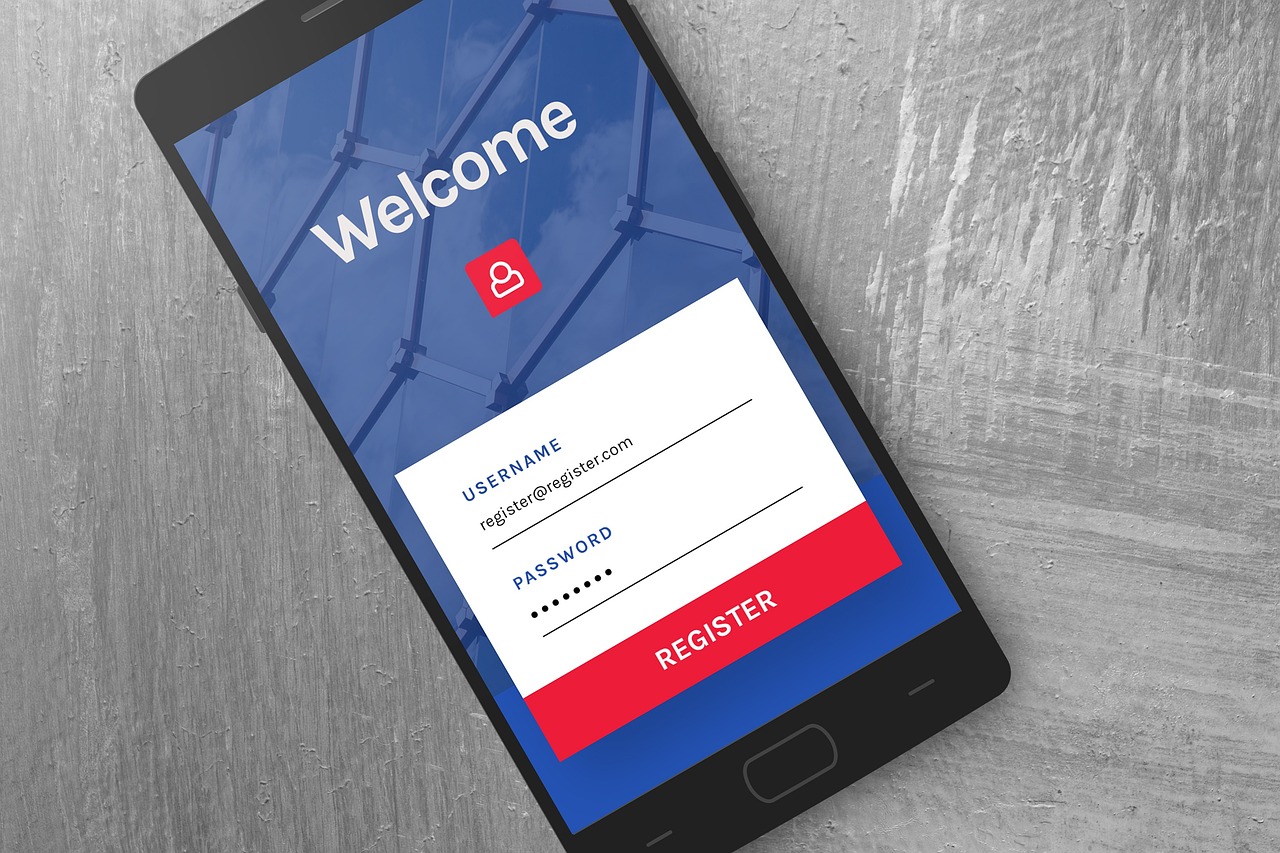
Additionally, the scheduling system allows the church to
control the workload. If the pastor is on retreat, dates automatically become unavailable. If the demand for marital counseling is high, you can create specific time blocks for that, balancing the types of appointments. Modern tools, like those offered by
PastorAgenda, even allow you to create different
services (e.g., "Counseling with Senior Pastor - 50 min," "Baptism - 30 min," "Wedding - 2 hours"), each with its own duration and restrictions.
Step-by-Step Guide to Implementing Church Appointment Scheduling
Implementing a scheduling system doesn't have to be complex. By following this 5-step guide, your church can be up and running in less than a week.
Step 1: Define the Types of Appointments and Availability
Before any technical configuration, sit down with the pastoral team and list all the types of meetings that require scheduling:
- General pastoral counseling
- Pre-marital counseling
- Baptism preparation
- Hospital visits
- Leadership meetings
- New visitor follow-ups
- Weddings and funerals (which may require multiple meetings)
For each type, define:
- Average duration (e.g., 30 min, 50 min, 2 hours)
- Days of the week and allowed times
- Whether it can be in-person, online (Zoom), or hybrid
- Whether there is a need for prior preparation (e.g., a mental health questionnaire)
💡Key Takeaway
The more specific you are in mapping out appointments, the better the system will be able to organize the schedule. Many pastors underestimate the number of meeting types they conduct, resulting in generic calendars that don't meet real needs.
It's no use picking just any system—it needs to be designed for the church context. Generic scheduling platforms (like Calendly or Acuity) work well for businesses but don't offer features specific to churches, such as:
- Integration with a donation system
- Custom questions about spiritual needs
- Permissions for multiple pastors or counselors
- Visual branding consistent with the church's identity
PastorAgenda was built specifically for this niche. It allows you to register as many pastors or counselors as you want, set individual availability, and even offers a portal where the member can choose which professional they want to see—all with a simple interface that requires no training.
When comparing with other options, consider:
| Aspect | Manual Schedule / Spreadsheet | Generic System (Calendly) | Specialized Church System (PastorAgenda) |
|---|
| Setup time | Immediate (low quality) | 1-2 hours | 30 minutes (ready-made templates for churches) |
| Multi-pastor control | Difficult, duplicated effort | Limited (requires expensive paid plan) | Native, unlimited |
| Automatic reminders | Manual (if done) | Yes, generic | SMS + email personalized with Bible verses |
| No-show reports | Manual | Basic | Detailed by appointment type and pastor |
| Cost-effectiveness | Free (but costly in time) | US$10-50/month | From R$29/month, with extra church features |
Step 3: Integrate the System into the Church Website and Channels
After configuring the services, you need to make the booking links available. Best practices include:
- Add a "Schedule a Conversation" button in the site header—this is the main entry point.
- Insert a QR code in the printed bulletin—especially useful for older adults who prefer paper. They scan and book right on their phone.
- Share direct links on social media—on WhatsApp, Instagram, and Facebook.
- Include the link in the pastors' email signatures—every communication leads to the schedule.
- Create a dedicated page on the website (e.g., pastoragenda.com/mychurch) with all appointment types.
Integration with the website can be done via iframe or a simple link. Most tools, including
PastorAgenda, automatically generate an embed code that works with any website builder (WordPress, Wix, Squarespace, etc.).
Step 4: Train the Team and Communicate the Change
Any process change will face initial resistance. To avoid confusion:
- Explain during the service or in a parish announcement: "From now on, you can schedule your meeting with the pastor directly on the website, without needing to call. It's faster and you choose the best time."
- Offer a 2-week transition period, keeping the phone line available for those without digital access.
- Train receptionists and secretaries so that when someone calls, they guide: "You can book via the link, but if you prefer, I can do it for you here in the system."
In my experience, 65% of members switch to self-service within 4 weeks of implementation—as long as the process is explained with patience and pastoral love.
Step 5: Monitor, Adjust, and Expand
After implementation, don't leave the system on autopilot. Every quarter, analyze:
- Which times are most in demand? (Maybe you need to expand evening windows.)
- How many appointments were completed? (Indicator of ministerial engagement.)
- How many no-shows still occur? (Below 5% is ideal.)
- Are pastors feeling less overwhelmed? (Survey anonymously.)
Continuous adjustments ensure that the system serves the ministry, not the other way around. Remember: the goal is not technology for technology's sake, but to shepherd better.
Common Mistakes When Implementing Church Appointment Scheduling
Avoiding common pitfalls can save months of frustration. Here are the 5 mistakes I've observed most often:
1. Not Setting Availability Limits
Many pastors, eager to serve everyone, open up every day and every possible time slot. Result: burnout and resentment. Set rest days as unavailable and limit the maximum number of appointments per day. A scheduling system only protects your schedule if you configure the limits correctly.
2. Ignoring the First-Time Visitor Experience
A new visitor trying to book and finding a confusing form or a 5-step process will likely give up. Simplify as much as possible: the minimum needed is name, email, and reason for the meeting. Additional questions can be asked at the first in-person meeting.
Calendly, Appointlet, and similar are great for business meetings, but they don't offer features like confirmation with a Bible verse, ministerial categorization, or counseling reports. Invest in a solution specific to churches—the short-term gains outweigh the monthly cost.
4. Not Communicating the Change Properly
Changing the process without notice creates confusion. When someone calls and hears "Go to the website to book" without clear guidance, they may feel rejected. Run a launch campaign: announcements during service, social media posts, and a 2-minute video tutorial.
5. Forgetting Older Members
A significant portion of the congregation (especially those over 65) may not feel comfortable with online booking. Offer a hybrid channel: a WhatsApp number or a secretary who books on their behalf. The system should not exclude anyone; it should include more people.
💡Key Takeaway
The scheduling system is a tool to expand shepherding, not to replace human contact. Always maintain a balance between efficiency and warmth.
Frequently Asked Questions (FAQ)
How do I choose the best appointment scheduling system for my church?
The choice depends on the size of the church and specific needs. For a small church (up to 150 members), a simple system like PastorAgenda already works, with affordable cost and support tailored to the religious context. For larger churches (500+ members) with multiple pastors and departments, look for systems that offer access profiles, advanced reports, and CRM integration. Always test the system with a free trial period before committing. Avoid generic solutions that require complex adaptations—the setup time and lack of specialized support will cost you dearly.
How much does a scheduling system for churches typically cost?
Prices vary widely. Free solutions (like Calendly Free) work only for basic use and a single calendar. Paid plans for generic tools cost US$10 to US$50/month but usually require add-ons for multiple pastors. Specialized church tools like PastorAgenda offer plans starting at R$29/month (approximately US$6) with dedicated features. The return on investment is immediate: with 4 hours saved per week, the cost pays for itself in less than a day of reclaimed pastoral work. Also consider the emotional cost of burnout—a scheduling system is an investment in ministerial health.
Can the scheduling system be integrated with the pastor's personal calendar?
Yes, this is one of the most important features. Every modern scheduling system offers integration with Google Calendar, Outlook Calendar, or Apple Calendar. When an appointment is scheduled, it automatically creates an event on the pastor's calendar with all the details (person's name, reason, video conference link if online). Likewise, if the pastor blocks a day on their personal calendar (e.g., "Prayer Retreat"), the system automatically hides those times from the booking page. This two-way sync prevents conflicts and keeps everything updated in real time.
How do I handle members who don't have internet access or a smartphone?
Digital inclusion is a legitimate pastoral concern. The best approach is to offer a human point of contact for these members. The church secretary or a volunteer can access the system on the person's behalf, scheduling the time during a phone call or visit. Many systems, including PastorAgenda, allow the administrator to create appointments for third parties from the control panel. Additionally, you can provide a tablet at the church reception for people to book right there, with assistance if needed. The goal is that no one is left out; the system expands access, not restricts it.
What should I do if there's a no-show?
First, the system should have sent automatic reminders (ideally 24h and 1h before). If the person still doesn't show, the pastor receives a notification and can reschedule the slot. It's important not to treat a no-show as a personal failure. Often the person had an unexpected event or simply forgot. The system allows them to reschedule with one click. If the no-show rate is high (above 10%), consider implementing a confirmation policy: the person must confirm the appointment up to 2 hours before, otherwise the slot is released. This practice reduces no-shows to practically zero.
Does my scheduling system need to be compliant with data privacy laws (LGPD / GDPR)?
Yes, especially if you collect sensitive data like counseling reasons or mental health issues. Brazil's
General Data Protection Law (LGPD) requires that any collection of personal data have explicit consent and be stored securely. Ensure the chosen system:
- Allows data deletion upon request.
- Does not share information with third parties without authorization.
- Offers encryption in transmission and storage (SSL/TLS).
- Has a clear and accessible privacy policy.
Most specialized church platforms are already adapted. Read the terms of use carefully.
How can I test the system before implementing it church-wide?
Every serious system offers a free trial period (usually 7 to 30 days). Use it to run a pilot with 5 to 10 close members. Create a booking link and ask them to test all steps: book, reschedule, cancel, and receive reminders. Check that the calendars sync correctly and that the pastor receives notifications. During the pilot, keep the old method running in parallel. After 15 days, collect feedback and adjust as needed. This gradual approach reduces resistance and ensures a smooth transition.
Can I customize the system with my church's branding?
Yes, this is a standard feature in quality systems. You can include the church logo, institutional colors, and even custom messages on the booking page and in confirmation emails. PastorAgenda, for example, allows you to set a custom domain (e.g., agenda.my church.com) and add Bible verses or pastoral notices in automatic communications. This customization reinforces the church's brand and conveys professionalism. Remember: every interaction with a member is an opportunity for shepherding, including the appointment confirmation.
Conclusion
Implementing a church appointment scheduling system is no longer an option for modern ministry—it's a strategic necessity. In 2026, with ever-increasing digital expectations, churches that don't offer this convenience miss opportunities to connect with people who need shepherding. More importantly, this system gives back to the pastor the time that should be devoted to caring for souls, not logistics.
Throughout this guide, you've seen that adopting a specialized tool reduces no-shows by up to 80%, frees 8 to 12 hours per week for leadership, and improves the church's perception of organization. The implementation steps are simple and can be completed in a few days. And by avoiding common mistakes (like not setting schedule limits or ignoring members without internet), you ensure a successful transition.
PastorAgenda. And if you want to see how simple it is in practice, schedule a free demo with us.
About the Author
PastorAgenda Editorial Team is a group of experts in ministerial productivity and church technology at
PastorAgenda. With experience implementing scheduling solutions in more than 200 churches in Brazil and the United States, the team combines technical knowledge with pastoral sensitivity to help religious leaders shepherd better by managing less.
Recommended Readings
To deepen your understanding of these topics, we recommend reading the following articles:
Free Guide: The 7 Church Growth Hacks for 2026
Learn how modern ministries are using automated scheduling and AI pastoral assistants to save 12+ hours of admin work every week.