Why Your Church Needs a Management System in 2026
- Data centralization: Integration of member histories, contributions, and event participation in one accessible location.
- Pastoral automation: Automatic reminders for visits, birthdays, spiritual follow-ups, and counseling check-ins.
- Financial transparency: Detailed reports on tithes, offerings, and organizational expenses with full traceability.
- Smart engagement: Data analysis to understand participation patterns, identify members at risk of drifting away, and target specific ministry actions.
A management system is not a luxury — it's an essential tool for any church that wants to grow healthily and sustainably in 2026. The time savings and improved communication justify the investment within a few months.
What Is Church Management Software and How Does It Work?
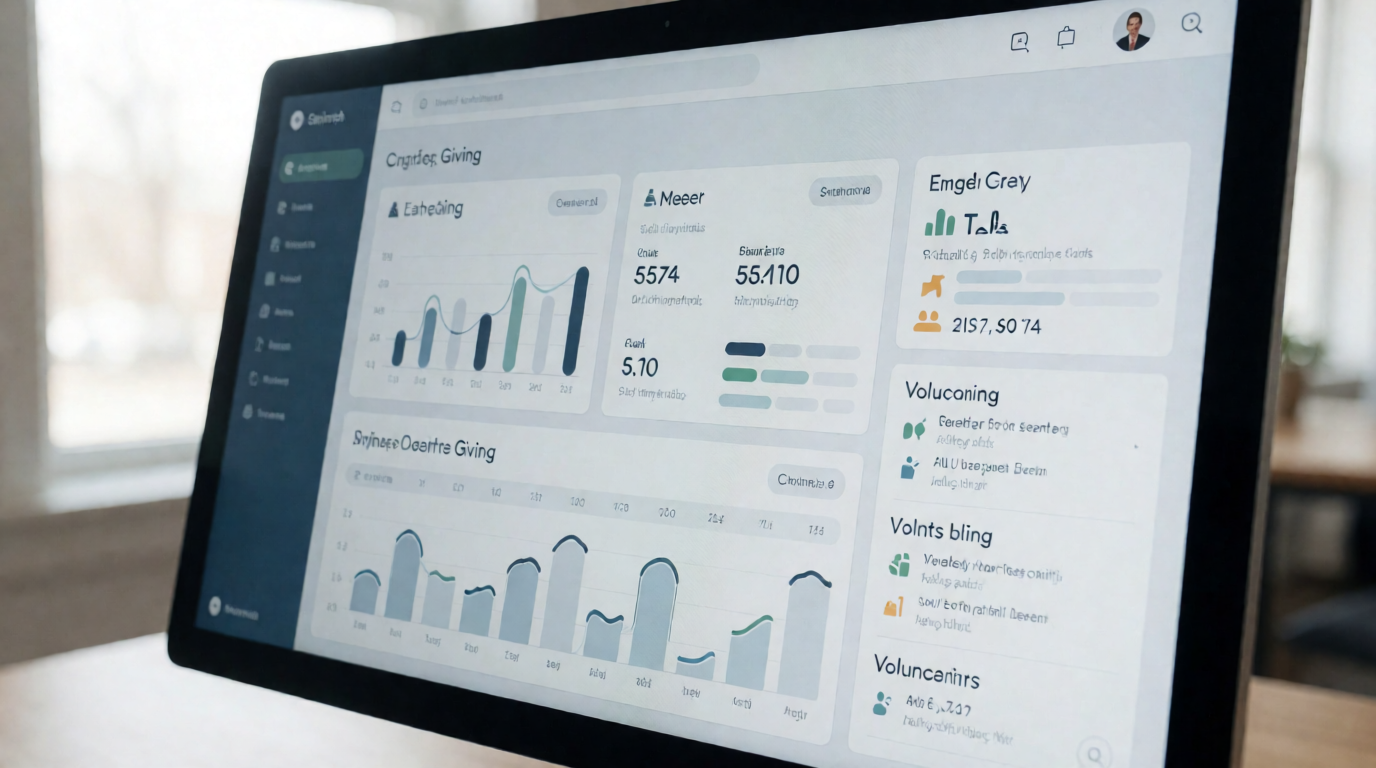
A church management system (also known as ChMS – Church Management Software) is a digital platform that centralizes all administrative operations of a congregation: member records, financial control, event scheduling, communication, and reporting.
What Are the Main Types of Church Management Systems?
| Type | Characteristics | Ideal For | Example |
|---|---|---|---|
| Cloud | Browser-based access, no installation, automatic updates, monthly payment | Churches of all sizes, especially those without an IT team | Pastor Agenda |
| On-Premise | Installed on your own server, full data control, high initial cost | Large denominations with dedicated technical teams | — |
| Hybrid | Combines cloud with some local modules | Churches with specific data security needs | — |
How to Choose the Best Software for Your Church? (Step by Step)
1. Map Your Ministry Needs
- How many active members does your church have today? And what is the projected growth for the next two years?
- How many events are held per month? Do they require registration, check-in, materials?
- What is the monthly volume of financial transactions (tithes, offerings, events)?
- How many people are on the administrative team? Are they familiar with technology?
2. Compare Essential Features
| Category | Basic Features | Advanced Features | Recommended Solution |
|---|---|---|---|
| Member Management | Basic registration, contact list | Full history, small groups, pastoral needs, check-in | Pastor Agenda |
| Financial | Manual entries, statements | Bank integration, automatic receipts, smart categorization | Pastor Agenda |
| Events | Simple calendar | Online registration, digital check-in, automatic reminders, waitlist | Pastor Agenda |
| Communication | Mass emails | SMS, push notifications, profile segmentation, WhatsApp integration | Pastor Agenda |
3. Test the Platforms Practically
- Register 50 fictitious members with varied data (families, groups, special needs).
- Create a complete event with online registration, confirmation email, and day-of check-in.
- Generate financial reports — see if you can extract a monthly statement of tithes per member.
- Test segmented communication — send an email only to cell group leaders and verify delivery.
A platform like Pastor Agenda offers a free trial with dedicated support, allowing your team to evaluate safely before deciding.
How Does Church Management Improve Communication with Members?
Implementation Guide: Stress-Free Step by Step
Phase 1: Preparation (Week 1)
- Designate an internal IT coordinator: This could be a volunteer with an affinity for technology. They will be the point of contact with the vendor.
- Digitize existing documents: Gather member lists, financial records, volunteer schedules in digital format (CSV or spreadsheet).
- Define access and permission protocols: Who can view financial data? Who can edit profiles? Define access profiles before migration.
Phase 2: Migration (Weeks 2-3)
- Import member data in phases: Start with the most critical data (names, contacts, groups). Then add contribution histories.
- Set up custom financial categories: Align the system's categories with those your church already uses (tithe, missionary offering, service offering, etc.).
- Integrate with existing tools: Sync with the church website, social media, and email marketing tools.
Important tip: Pastor Agenda performs assisted migration for free, which drastically reduces the risk of data loss and accelerates team adoption.
Phase 3: Training (Week 4)
- Role-specific sessions: The secretariat needs training focused on registrations and communication; the treasury on financial reports; pastors on scheduling and member follow-up.
- Create a quick operations manual: A one-page guide with the most common procedures (how to register a new member, generate a receipt, create an event) reduces dependence on technical support.
- Simulate practical scenarios: Create a real event (e.g., Sunday service) and train the team to execute the full flow: registration, check-in, post-event communication.
Phase 4: Optimization (Month 2 onward)
- Monthly review of key metrics: Track indicators like number of registered members, communication open rates, event attendance.
- Adjust workflows: Based on data, simplify processes that generate rework.
- Expand to advanced modules: Once the team is comfortable, activate features like predictive churn analysis or pastoral AI integration.
What Is the Return on Investment (ROI) of a Management System?
The ROI of a good church management software is positive from the first month. The cost is not an expense — it's an investment with measurable return.
Common Mistakes When Adopting a Church Management System
- Choosing without testing: Never sign a long-term contract without a real trial period using your church's data. Each congregation has peculiarities that only appear in practice.
- Ignoring the learning curve: Underestimating the time volunteers will need to adapt leads to frustration and abandonment of the tool. Plan continuous training.
- Not integrating with existing tools: An isolated system can create more data silos than it solves. Check for APIs or connectors with your website, social media, and email tools.
- Neglecting security: Verify that the system offers SSL encryption, automatic daily backups, and compliance with data protection laws (like LGPD). Member and financial data are sensitive.
- Not planning for maintenance: After implementation, you need a person or team dedicated to updates, support, and change management.
Real Cases of Digital Transformation
- 70% reduction in time spent issuing tithe and offering receipts.
- 40% increase in participation in special events, thanks to automatic reminders.
- Improved pastoral follow-up: automatic alerts for birthdays, visits, and counseling check-ins.
- Complete organization of the volunteer roster, with schedules and integrated communication.
- Financial transparency with reports accessible to members via the app.
- Integrated communication via the congregational app, reducing WhatsApp usage for announcements.
- Implementation of pastoral visit scheduling, reducing response time from 48h to 2h.
- Assisted data migration completed in just 3 days, with no data loss.
- 25% increase in tithe collection, attributed to automatic reminders and ease of online giving.
Trends for 2026 in Church Management
-
Pastoral Artificial Intelligence: Predictive analysis of growth and ministry needs. AI tools are being used to identify members at risk of disengagement and suggest personalized interventions. A 2025 Gartner report indicates that 60% of religious organizations in the US plan to invest in AI within the next two years. In Brazil, this trend is already beginning to take hold.
-
Virtual Reality for Hybrid Services: Immersive transmission of services and events, allowing members unable to attend physically to feel present. Platforms like Pastor Agenda are already beginning to integrate streaming solutions with real-time interaction.
-
Blockchain for Financial Transparency: Immutable record of tithes and offerings, increasing member trust in management. Although still incipient in Brazil, some denominations in the US are already testing this technology.
-
Integration with Mental Health and Counseling: Discreet tracking of members' emotional needs, with screening tools and referrals for pastoral or professional counseling.
Frequently Asked Questions About Church Management Software
What is the average cost of a good church management system?
How do you ensure the security of member data?
How long does it take to see practical results?
Is it possible to integrate the system with social media and the website?
How can I convince church leadership to adopt a system?
Does church management software replace personal contact?
Can small churches (under 100 members) benefit?
How does data migration from the old system work?
Conclusion
Recommended Readings
- Church management software
- Online Appointment Booking for Modern Churches
- Pastor scheduling
- Pastoral counseling scheduling
Free Guide: The 7 Church Growth Hacks for 2026
Learn how modern ministries are using automated scheduling and AI pastoral assistants to save 12+ hours of admin work every week.