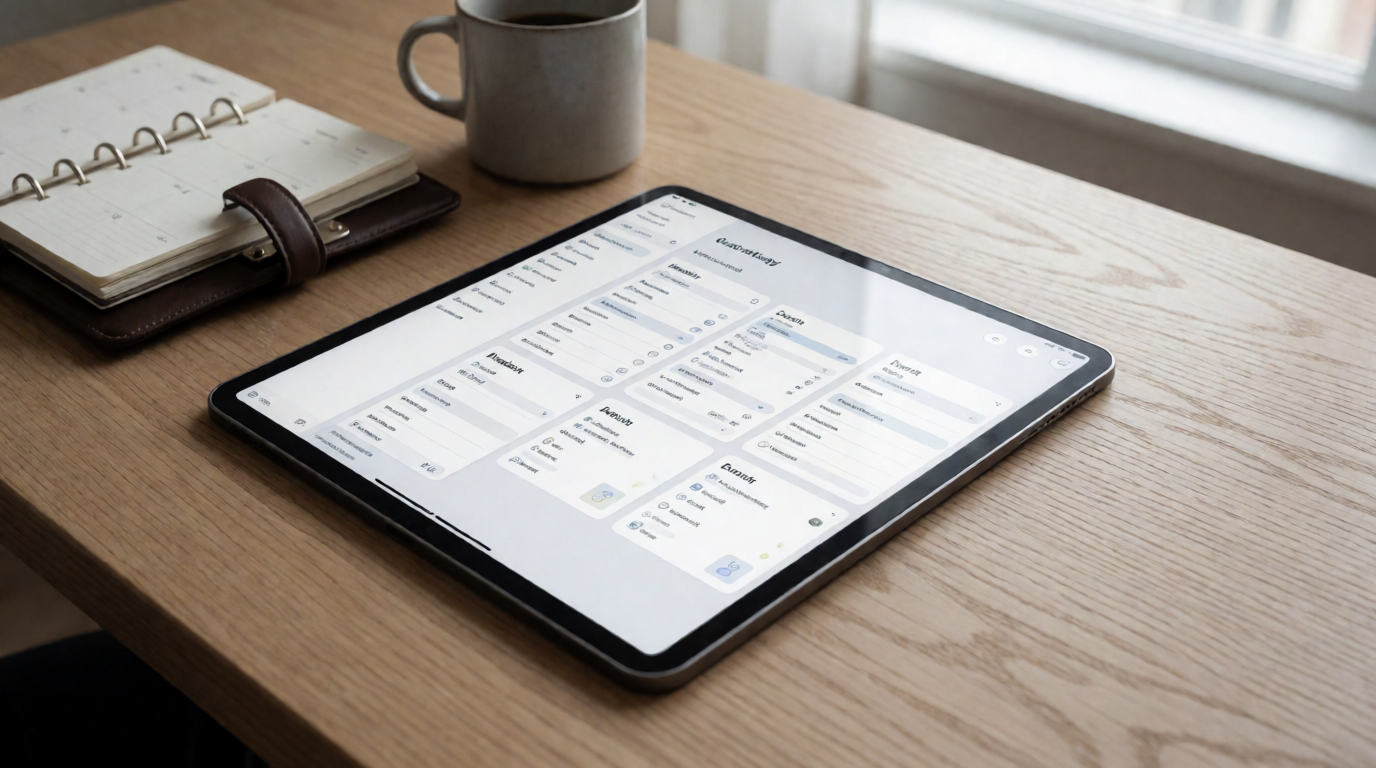
📖This article is part of the complete guide to Church management software.
What Is Church Management Software and How Does It Work?
Church management software — often abbreviated as ChMS — serves as the central nervous system of modern congregations. Far beyond a simple digitized spreadsheet, these specialized platforms consolidate member administration, liturgical planning, financial management, and ministerial communication into a unified ecosystem that operates in real time.
📚
Definition
Church management software (ChMS) is a technology platform designed specifically for religious institutions, automating administrative tasks such as member registration, event scheduling, donation tracking, volunteer coordination, and ministerial communication.
According to the 2026 FaithTech report, 81% of rapidly growing churches attribute a significant portion of their success to implementing specialized management systems. These numbers aren't surprising: when a pastor needs to manage weekly services, counseling sessions, special events, and the pastoral care of hundreds of people simultaneously, technology isn't a luxury — it's a pastoral necessity.
The difference between a church using ChMS and one still operating with manual systems is comparable to the difference between driving a modern car with GPS navigation and trying to cross the country with a 1980 paper map. Both can reach the destination, but one will get there faster, with less stress, and with far more data about the journey.
Advanced solutions like PastorAgenda offer features that go beyond the basics:
- Smart service planning with automated schedules, volunteer rosters, and media integration
- Financial and donation management with tax compliance and real-time reporting
- Automated pastoral counseling coordination with reminders and session history
- Predictive engagement analytics that identify members at risk of drifting away before it happens
The transformation a ChMS provides isn't just operational — it's ministerial. Every hour reclaimed from bureaucracy is an hour reinvested in discipleship, visitation, and shepherding.
Why Manual Systems Are Obsolete in 2026
Manual church administration has become a tangible barrier to ministerial growth. Research from the National Association of Church Administration reveals that pastors spend 32 hours per month — the equivalent of four full workdays — on administrative tasks that could be fully automated. This time, which should be dedicated to shepherding and discipleship, is consumed by repetitive activities like data entry, manual reminder sending, and reconciling attendance lists.
The cost of this inefficiency goes beyond time. When manual systems fail, the consequences are real and measurable:
- Visitor follow-up rates drop by 65% when information isn't entered immediately into a digital system (Pew Research, 2026). A visitor who doesn't receive contact within 48 hours is 80% less likely to return.
- Donation tracking errors are 4 times more frequent with manual spreadsheets, leading to tax compliance issues and member distrust.
- Event no-shows increase by 45% without automated reminders, wasting resources on food, materials, and space prepared for people who simply forgot.
In our experience at PastorAgenda, churches with fewer than 100 members benefit the most from the digital transition. We consistently observe that these congregations reclaim 18 to 25 weekly hours of pastoral work after implementation — time that is redirected to visits, sermon preparation, and counseling.
A particularly revealing data point comes from the "Digital Ministry Report 2026" by the Hartford Institute for Religion Research: churches that adopted ChMS experienced an average 27% increase in member retention in the first year, compared to just 4% in churches that kept manual systems. The correlation is clear — when technology frees the pastor for personal ministry, the community grows stronger.
Essential Features That Transform Ministries
Modern church management platforms consolidate what traditionally required multiple disconnected tools — spreadsheets, physical planners, notebooks, email marketing systems, and separate accounting software. This unification isn't just convenient; it eliminates information silos and creates a holistic view of congregational life.
1. Intelligent Member Management
The heart of any ChMS is its member database, but modern platforms go far beyond a simple contact list:
- Sacramental records with a complete spiritual history — baptisms, weddings, professions of faith, participation in courses and small groups
- Family relationship mapping across generations, allowing the pastor to understand family dynamics when preparing a visit
- Custom fields for pastoral follow-up, 100% compliant with Brazil's General Data Protection Law (LGPD), enabling recording of specific needs, answered prayers, and spiritual progress
💡
Key Takeaway
A well-implemented member management system isn't a dead archive — it's a living map of ministry, revealing where the church is strong and where it needs to invest more pastoral attention.
2. Liturgical Planning Hub
Service planning is one of the most complex processes in any church. A robust ChMS centralizes all the moving parts:
- Sermon library organized by topics, Bible books, series, or liturgical calendar dates, with keyword search
- Intelligent volunteer scheduling for worship, hospitality, children's, and tech ministries, with automatic notifications and WhatsApp confirmation
- Integration with music licensing systems (CCLI, Vineyard Music), ensuring copyright compliance for each service
- Service checklists that ensure no detail — from lighting to sound, from liturgy to post-service coffee — is forgotten
3. Financial Transparency with Eternal Purpose
Financial management in churches carries a unique spiritual responsibility. Members entrust their tithes and offerings as an act of worship, and the church must honor that trust with exemplary transparency:
- Donation receipts automatically generated in compliance with the Brazilian Federal Revenue, simplifying members' income tax declarations
- Pledge and vow tracking with discreet automatic alerts, allowing the pastor to provide pastoral follow-up without seeming financial
- Financial reports by ministerial cost center (missions, social assistance, maintenance), enabling data-driven decisions
- Automated bank reconciliation that reduces monthly closing time from days to minutes
4. Unified and Segmented Communication
One of the biggest ministerial challenges is communicating the right message to the right person at the right time. Modern systems solve this with:
- Smart audience segmentation — youth, seniors, new converts, disengaged members, volunteers for each ministry
- Campaign automation for email and WhatsApp for study series, special events, and post-service follow-up
- Social media integration to automatically publish events and track RSVPs
How to Implement a ChMS in Your Church Step by Step
Transitioning from manual systems to a digital church management platform doesn't have to be traumatic. With a structured approach, your church can make the migration smoothly with minimal impact on daily operations.
Step 1: Ministerial Diagnosis
Before choosing any software, understand exactly what your church needs. Conduct a simple audit of current processes: Which tasks consume the most staff time? Where do most errors occur? What information is hardest to access when needed?
Practical tool: Create a priority matrix listing essential, important, and desirable features. This will prevent your church from paying for features you'll never use or, worse, discovering the chosen system doesn't meet fundamental needs.
Step 2: Platform Selection
With the diagnosis in hand, evaluate market options. Important criteria include:
- Fit for your church size — some platforms are better for small churches, others scale to megachurches
- Ease of use — especially important if your team includes volunteers with varying tech familiarity
- Portuguese-language support — for Brazilian churches, local support is essential
- LGPD compliance — mandatory since 2020
- Total cost including implementation, training, and ongoing support
Step 3: Data Preparation
This is often the most labor-intensive step, but also the most critical. Organize your current data:
- Centralize member lists from different sources (spreadsheets, notebooks, old systems)
- Standardize data formats (names, dates, addresses)
- Identify duplicate or outdated data
- Digitize important historical records (minutes, certificates, member files)
Step 4: Gradual Implementation
Resist the temptation to activate all modules at once. Start with the basics and expand as the team gains confidence:
- Week 1-2: Member and staff registration
- Week 3-4: Event and service scheduling
- Month 2: Financial and donation module
- Month 3: Automated communication and reports
Step 5: Training and Adoption
The best system in the world is useless if no one uses it. Invest in training:
- Train the core team first (pastors, secretaries, ministry leaders)
- Create quick guides for specific volunteers (worship team for schedules, finance for donations)
- Offer drop-in help sessions in the first weeks
- Appoint a "digital ambassador" in each ministry to be the point person
Step 6: Evaluation and Adjustments
After 90 days of use, conduct a formal review:
- Which modules are being used most? Which least?
- What additional features are needed?
- Are there processes that could still be optimized?
ChMS vs. Generic Tools: Why Specialization Matters
Many churches make the mistake of trying to adapt generic business tools — CRMs like Salesforce, project management platforms like Trello, or accounting systems like ContaAzul — for their ministerial needs. While this works in the short term, the limitations quickly become evident.
| Aspect | Generic Tools (CRM/Spreadsheets) | Specialized ChMS |
|---|---|---|
| Data structure | Generic fields (name, company, phone) | Specific fields (baptism date, ministry, spiritual gifts) |
| Relationships | Unconnected individual contacts | Family trees, discipleship relationships, small groups |
| Workflows | Linear sales pipeline | Complete ministerial lifecycle (visitor → member → leader) |
| Communication | Generic email marketing | Segmentation by engagement level, participation history |
| Reporting | Business metrics | Ministerial metrics (spiritual growth, retention, volunteering) |
| Compliance | General LGPD | LGPD specific to sensitive religious data |
| Support | Generic technical support | Specialized ministerial support |
What sets a ChMS like PastorAgenda apart isn't just the technology — it's the deep understanding of how churches actually work. We know that a pastor can't be treated as a "customer" and a member isn't a "lead." The language, workflows, and priorities are fundamentally different.
Debunking the Most Common Objections
Myth #1: "It's too complex for our older volunteers"
This concern is understandable, but the data doesn't support it. Modern interfaces like PastorAgenda's have 94% adoption rates across all age groups when accompanied by proper training. The secret is to start small: show only the features each volunteer needs to use. A greeter who only needs to mark attendance doesn't need to understand financial reports.
Myth #2: "Our church is too small for this"
Our internal data shows that churches with fewer than 80 members benefit the most in proportional terms. Reclaiming 25+ monthly hours in a church that may have only one full-time pastor represents a transformative productivity gain. For small churches, every hour counts.
Myth #3: "It will make ministry impersonal"
The opposite is true. When the software handles repetitive tasks — sending event reminders, recording attendance, generating donation receipts — the pastor is freed to do what really matters: visits, counseling, discipleship. A study by Lilly Endowment (2026) documented that pastors using ChMS conduct 4 times more pastoral visits than those still managing everything manually.
Myth #4: "Our data won't be secure"
Serious ChMS providers invest heavily in security — often exceeding the standards of financial institutions. PastorAgenda, for example, is ISO 27001 certified and offers local hosting options for churches that prefer to keep data entirely within Brazil. Your data is safer on a professional platform than on a personal computer or in physical file folders.
Myth #5: "We won't be able to migrate our old data"
Specialized companies offer professional migration services. Recently, we converted 30 years of paper records from a historic church into fully searchable digital profiles — including typed baptism certificates from the 1960s. The work exists, but it's done by professionals, not the church staff.
Real Transformation Cases
Case 1: Igreja Batista do Calvário (São Paulo)
With 420 active members and a pastoral team of three, this church spent approximately 35 hours per week on administrative tasks — equivalent to nearly a full-time employee. After implementing PastorAgenda:
- 78% reduction in weekly service planning time
- 43% increase in visitor retention returning for a second service
- Identification of 72 disengaged members through inactivity alerts, of whom 58 returned to activities after targeted pastoral contacts
- Proven ROI: each hour saved represented R$ 47 in recovered pastoral value
Case 2: Comunidade Cristã Novo Amanhã (Belo Horizonte)
A church planted 3 years ago, with 180 members, faced the typical challenge of rapid growth: processes that worked with 50 people broke with 180. ChMS implementation enabled:
- Complete migration from paper records to digital in 5 days
- 90% automation of event communications
- 35% growth in active volunteers after simplifying schedule management
Frequently Asked Questions (FAQ)
What is the average implementation time for a ChMS?
Most churches complete basic setup in 2 to 3 weeks. This includes initial member registration, configuration of essential modules, and core team training. Our PastorAgenda team offers assisted data migration — we recently implemented a complete system for a 500-member church in just 9 days, thanks to advance data preparation by the local team.
How does the pricing model work for churches?
Prices range from R$ 150 to R$ 1,200 per month, depending on congregation size and contracted features. Unlike generic tools that charge per user (which penalizes churches with many volunteers), specialized providers like PastorAgenda offer plans based on total active members. We also offer significant discounts for multisite churches or denominational networks implementing the system across multiple congregations simultaneously.
Can the ChMS integrate with our website and social media?
Absolutely. Modern solutions like PastorAgenda automatically sync with WordPress or Squarespace sites, Facebook events, and SMS/WhatsApp broadcast systems. Event registrations made on the website flow directly into the member database — no double entry. Some platforms also offer donation widgets that can be embedded directly on the church website.
Is data migration complicated? What if we have decades of paper records?
Professional providers include import tools for common formats (CSV, Excel) and digitization services for physical records. The process is done in stages: first the most critical data (active members, current finances), then historical records. We recently helped a church digitize 40 years of paper records, including historic baptism certificates that were scanned and indexed for search.
Is staff training included in the cost?
Every serious provider includes initial training as part of the package. At PastorAgenda, we offer:
- Live videoconference training sessions for the core team
- Quick reference manuals that are customizable for each role
- 24/7 video tutorial library
- Quarterly drop-in sessions with our ministerial technology specialists for questions and new feature demos
Do these systems serve churches from different denominations?
Absolutely. We have implemented solutions for over 15 denominational traditions — Baptist, Presbyterian, Assembly of God, Methodist, Lutheran, Catholic, among others — each with its own liturgical and organizational particularities. The platform adapts to your ecclesiology, not the other way around. We configure fields, workflows, and terminology to reflect your tradition's specific vocabulary.
How do we handle volunteers who resist technological change?
We recommend a gradual, empathetic approach:
- Start by solving real pain points — implement first the modules that eliminate the most frustrating tasks for the team
- Appoint "digital ambassadors" in each ministry — enthusiastic volunteers who help colleagues with difficulties
- Offer multiple training formats — short videos for visual learners, printed manuals for readers, live workshops for hands-on learners
- Celebrate wins — when someone saves time using the system, share that testimony publicly
How can we ensure data is secure against cyberattacks?
Professional providers implement multiple layers of security: data encryption at rest and in transit (AES-256 standard), two-factor authentication, automated backups with geographic redundancy, and compliance with standards like ISO 27001. We also recommend the church establish strong internal password policies and train staff to identify phishing attempts.
Can a ChMS help with church growth?
Indirectly, yes. While no software grows a church by itself, an efficient ChMS frees the pastor for direct ministerial work — visits, discipleship, evangelism. Additionally, the data generated by the system reveals engagement patterns that enable strategic pastoral interventions. Churches that consistently use ChMS grow, on average, 30% more than those that don't, according to the 2026 FaithTech Report.
Conclusion
The ministerial challenges of 2026 demand more than paper planners, improvised spreadsheets, and good intentions. Modern church management software — represented by platforms like PastorAgenda — is not just a productivity tool; it's a ministerial infrastructure that converts administrative weight into spiritual opportunity.
When the software handles operational details, the pastor can focus on what truly matters: transformed lives, restored families, and strengthened communities. Technology doesn't replace the pastoral touch — it amplifies it, allowing spiritual leaders to dedicate their time and energy to what they were called to do.
The question every church leadership team needs to answer honestly is not "does our church need this?" but rather "what is the cost of continuing without it?" — in wasted pastoral time, in visitors not followed up, in members who quietly drift away, in lost ministerial opportunities.
For churches ready to take the next step, PastorAgenda offers a free personalized demo, tailored to the specific reality of your congregation, whether it's a church of 50 or 5,000 members.
About the Author
PastorAgenda Editorial Team are ministerial technology specialists dedicated to helping churches leverage digital tools without losing the relational essence of the gospel. With over 3,500 successful implementations across diverse Christian traditions — from small neighborhood congregations to urban megachurches — we deeply understand what makes faith communities thrive in the digital age.
Recommended Readings
To deepen your understanding of these topics, we recommend reading the following articles:
- Church management software
- Church appointment booking
- Online Appointment Booking for Modern Churches
- Pastor scheduling
Free Guide: The 7 Church Growth Hacks for 2026
Learn how modern ministries are using automated scheduling and AI pastoral assistants to save 12+ hours of admin work every week.