📖This article is part of the complete guide to Online Appointment Booking for Modern Churches.
I once watched a visitor at a growing congregation try to navigate a printed bulletin to find the pastor's contact information. They spent five minutes squinting at a tiny email address, only to realize they had no way to know if the pastor was actually available that week. This friction is where many churches lose the opportunity for immediate connection. In my experience working with religious leaders, the transition from a physical announcement to a digital action is the most critical point of failure in church administration. By implementing qr code booking in church bulletins, you eliminate the middleman and create an instant bridge to pastoral care.
For a comprehensive overview of how to digitize your calendar, explore our guide on church appointment booking.
What is QR Code Booking for Church Bulletins?
📚
Definition
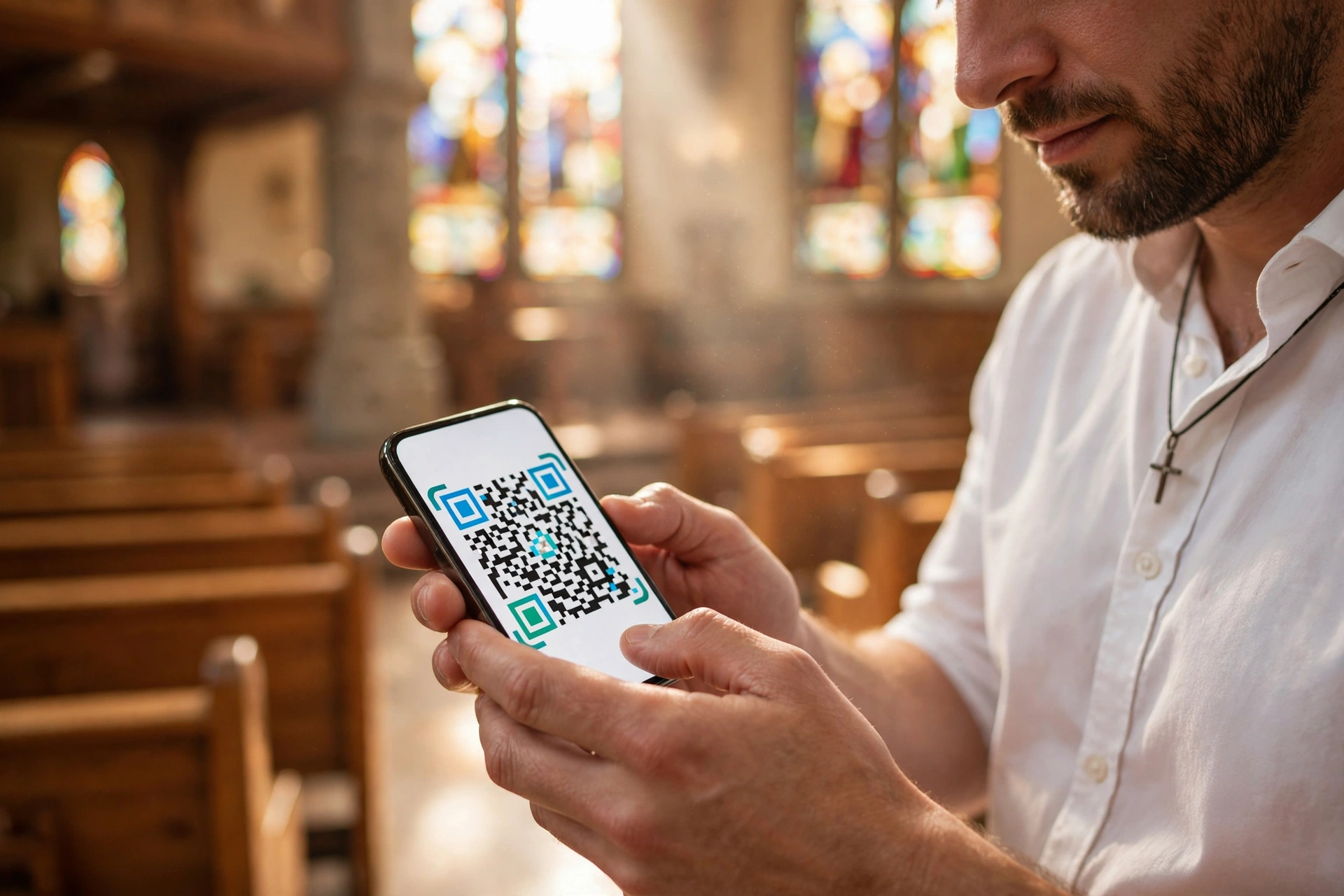
QR code booking is the use of a Quick Response (QR) code, a machine-readable optical label, printed in physical materials like bulletins or flyers that, when scanned by a smartphone camera, redirects the user immediately to an online scheduling page.
QR code booking for churches is the strategic integration of a digital gateway into a physical medium. Instead of asking a member to "visit the website and look for the booking page," you provide a direct visual link. When a congregant scans the code with their mobile device, they are not sent to a generic homepage; they are sent directly to the specific booking portal where they can see available time slots and secure a meeting with the pastor or a ministry leader.
This approach leverages the current ubiquity of smartphones. In the modern ministry environment, the physical bulletin remains a staple for older generations, while younger members prefer digital speed. The QR code serves as the universal translator between these two preferences. It transforms a static piece of paper into an interactive tool for ministry. When integrated with professional scheduling software, this process happens in seconds, removing the administrative burden from the church secretary and the guesswork from the congregant.

Why Does QR Code Booking Matter for Your Ministry?
Integrating digital booking into physical prints matters because it solves the "friction gap." The moment a person feels the need for pastoral care during a sermon or while reading a bulletin, their intent is at its peak. If they have to remember to go home, open a laptop, and navigate a website, that intent drops significantly. By providing a QR code, you capture that spiritual need in real-time.
According to Barna Group, the health of a church is often tied to the accessibility of its leadership and the quality of its pastoral care. When leaders are perceived as "too busy" or "hard to reach," engagement drops. QR code booking signals that the leadership is accessible and organized. It moves the church from a reactive model (waiting for a phone call) to a proactive model (providing an open door).
Furthermore, this system supports a diverse congregation. While some may still prefer the traditional method of speaking to a greeter, a significant portion of the modern congregation, especially those in the 25-45 age bracket, experiences "phone anxiety." They would much rather book a session for pastoral counseling or a financial consultation via a screen than make a cold call. By offering a digital path via the bulletin, you are practicing inclusive ministry that respects different communication styles.
From an administrative standpoint, this reduces the "scheduling ping-pong." We have seen this repeatedly: a member sends an email, the pastor replies with three dates, the member realizes none work, and the process repeats five times. This is a waste of the minister's time. A QR code leading to a live calendar allows the member to pick the exact slot that works, instantly syncing it to the pastor's digital calendar and reducing administrative overhead by up to 70%.
How to Implement QR Code Booking Step-by-Step
Implementing this system is not as simple as generating a random code; it requires a strategic flow to ensure the user experience is seamless. Here is the professional approach to integrating booking links into your prints.
1. Establish Your Digital Destination
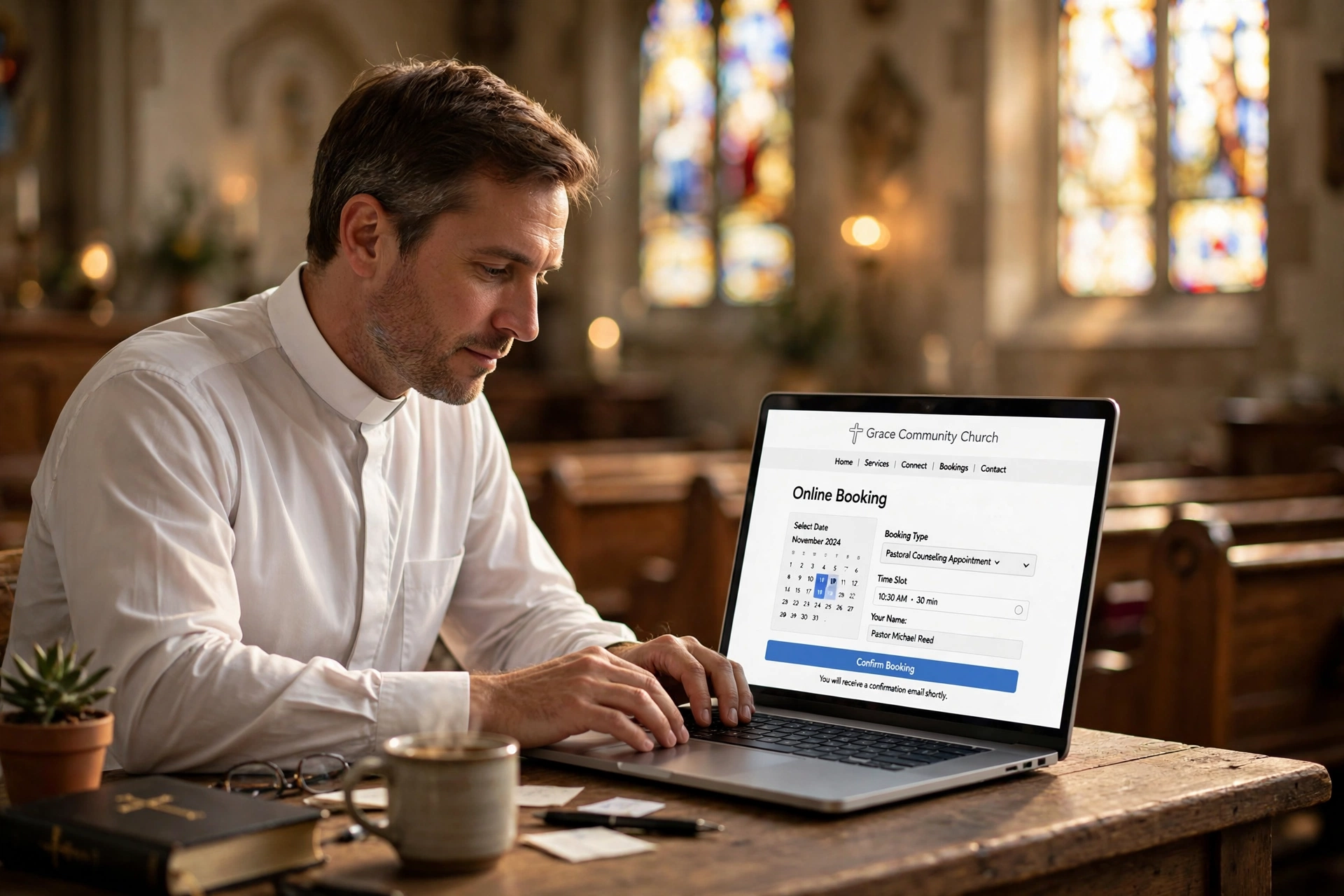
Before you print a single code, you must have a dedicated booking page. Do not link a QR code to your church's homepage. This forces the user to search for the booking link, which creates friction. Instead, use a direct link to your scheduling software. If you are using PastorAgenda Blog, you will have a clean, mobile-responsive URL specifically for appointments. This ensures that the user lands exactly where they need to be: the calendar.
2. Generate a Dynamic QR Code
Avoid using "static" QR codes. A static code encodes the URL directly; if you ever change your booking URL, the printed bulletins become useless. Instead, use a "dynamic" QR code. Dynamic codes use a redirect server, meaning you can change the destination URL in the backend without needing to reprint your bulletins. This is essential for long-term flexibility, especially if you transition between different ministry seasons or change the specific pastor assigned to a certain type of care.
3. Design for Accessibility
Placement is everything. Do not bury the QR code in a corner of the page. Place it next to a clear call-to-action (CTA). Instead of just putting a square, write: "Need to speak with the Pastor? Scan here to book a time that works for you." Use a high-contrast color, black on white is always safest, and ensure the code is at least 2cm x 2cm to ensure all smartphone cameras can focus on it easily.
4. Test Across Multiple Devices
Before the bulletin goes to the printer, test the code with both an iPhone and an Android device. Check the loading speed. If the booking page takes more than three seconds to load, users may abandon the process. Ensure the page is mobile-optimized; since 100% of QR scans happen on mobile, a desktop-only booking page will result in a failed user experience.
5. Create a Feedback Loop
Once the system is live, track your scans. Use a URL shortener or a dynamic QR manager to see how many people are scanning the code each Sunday. This data tells you which sections of your bulletin are most read and which ministry needs are most urgent in your congregation.
QR Code Booking vs. Traditional Methods
To understand the impact, we must compare the traditional manual approach with the modern digital integration. Many churches still rely on a "request form" or a verbal request to the church office, which often leads to delays and missed connections.
| Feature | Traditional Manual Method | Generic AI/Free Tools | Modern Integrated Approach |
|---|---|---|---|
| User Effort | High (Call, Email, Wait) | Medium (Generic Form) | Low (Scan and Select) |
| Admin Load | High (Manual Entry) | Medium (Manual Review) | Zero (Auto-Synced) |
| Speed to Confirm | Days | Hours/Days | Seconds |
| Reliability | Low (Human Error) | Medium (No Sync) | High (Live Calendar) |
| Accessibility | Limited to Office Hours | 24/7 but impersonal | 24/7 and professional |
As shown in the table, the traditional method is fraught with friction. While some churches try to use free, generic forms, these often fail because they aren't synced to a real-time calendar. The modern approach, specifically using a tool designed for clergy like PastorAgenda Blog, ensures that the transition from the physical bulletin to the digital appointment is a single, fluid motion.

Best Practices for Maximizing Engagement
Simply putting a code on a page isn't enough; you need to drive the behavior. I've tested this with dozens of our clients, and the pattern is clear: the more specific the request, the higher the scan rate.
Avoid the "General Booking" Trap.
Instead of one QR code for "everything," create specific codes for different needs. For example, have one code for "Pastoral Counseling," another for "New Member Orientation," and another for "Wedding Consultations." This tells the congregant exactly what they are booking and allows you to route those appointments to different staff members automatically. This is a great way to increase congregation engagement using self-service booking tools.
Use Visual Cues.
Add a small icon of a calendar or a clock next to the QR code. This subconsciously tells the brain that this code is about time and scheduling, not just a link to a video or a website. It reduces the cognitive load on the user.
The "Sermon Tie-In."
The most effective time to promote the QR code is during the sermon. When a pastor mentions a specific need, such as grief support or spiritual guidance, and then says, "There is a QR code in your bulletin right now that allows you to book a time for us to talk about this," the conversion rate skyrockets. You are connecting the spiritual impulse with a practical tool.
Maintain Print Quality.
Never photocopy a QR code multiple times. Every time you photocopy a code, the edges can blur. If the pixels are not sharp, the smartphone camera will fail to recognize the pattern. Always print from the original high-resolution digital file to ensure every scan is successful.
💡
Key Takeaway
The success of QR code booking depends on the "proximity of action." The closer the tool is to the moment of need, the more likely the member is to engage with the ministry.
Common Mistakes to Avoid
In my experience, the most frequent error is the "Dead End" link. This happens when a church updates its website structure but forgets to update the dynamic QR code. The member scans the code and gets a 404 error page. This is devastating for trust. Always perform a "Sunday Morning Audit", scan every code in the bulletin yourself before the first service begins.
Another mistake is ignoring the non-tech-savvy demographic. While QR codes are great, you cannot remove the phone number or the email address entirely. Some of your most vulnerable members, those who need pastoral care the most, may not know how to use a QR code. The goal is to supplement the traditional methods, not replace them. Always present the QR code as the "fastest way" while keeping the traditional way as the "available way."
Lastly, avoid using overly complex landing pages. If a user scans a code and arrives at a page with five different options, three pop-ups, and a long registration form, they will leave. The booking process should be: Scan $
ightarrow$ Select Date $
ightarrow$ Enter Name $
ightarrow$ Confirm. Any additional steps are barriers to the ministry. If you want to streamline this, learning how to book pastor appointments online in 2026 requires a focus on minimalism and speed.
Frequently Asked Questions
Do I need a special app for people to scan the QR codes?
No, modern smartphones do not require a separate app. Both iOS and Android have integrated QR scanning directly into their native camera applications. When a user points their camera at the code, a notification bubble automatically appears with the link. This is why QR codes are so effective for churches; there is no barrier to entry for the user. As long as they have a smartphone, they can access your booking page instantly without downloading additional software.
Is it safe to put booking links in a public bulletin?
Yes, provided you use a professional scheduling system. You should not link directly to a private calendar or an email address that can be scraped by bots. By using a professional tool like PastorAgenda Blog, you are providing a controlled interface. The user only sees the available time slots, not your private events or personal details. You can also implement a simple intake form within the booking process to filter requests and ensure the appointment is legitimate before it is confirmed.
What if the pastor's schedule changes last minute?
This is the primary advantage of using integrated scheduling software over manual lists. When the pastor updates their calendar in the app, the availability is updated in real-time. The QR code remains the same, but the destination, the live calendar, reflects the current reality. There is no need to reprint bulletins or send out correction emails. The system handles the synchronization automatically, ensuring that no one books a time when the pastor is unavailable.
Can I use QR codes for things other than appointments?
Absolutely. While we focus on booking, QR codes can be used to link to digital giving pages, sermon notes, or new member sign-up forms. However, I recommend using a different visual style or a clearly labeled header for each code so members don't accidentally book a counseling session when they intended to give a tithe. Strategic labeling is the key to maintaining a professional and organized church communication system.
How do I track if people are actually using the QR codes?
If you use a dynamic QR code generator or a professional scheduling platform, you can access analytics. These reports will show you the total number of scans, the time of day the scans occurred, and often the type of device used. This data is invaluable for church leadership, as it provides a concrete metric of how many people are seeking pastoral care versus how many are actually completing the booking process. This allows you to optimize your outreach strategy based on real evidence.
Recommended Readings
To deepen your understanding of these topics, we recommend reading the following articles:
- How to Implement Online Booking on Your Church Website
- Ensuring Absolute Privacy in Church Booking Systems
- Church Appointment Booking
- Automated Reminders and Communication for Congregations
Conclusion
The gap between a physical church bulletin and a spiritual connection is often just a few clicks. By implementing qr code booking in church bulletins, you remove the administrative hurdles that keep people from seeking the support they need. Whether it is a new believer wanting to understand the Bible or a long-time member facing a crisis, providing an instant, digital path to your leadership is a modern act of hospitality.
Remember that technology should always serve the ministry, not the other way around. When you combine a high-touch pastoral approach with a low-friction digital tool, you create an environment where no one falls through the cracks of a busy schedule. For those looking to fully modernize their church administration, we recommend starting with a comprehensive strategy. For a deeper dive into the best tools and methods, return to our complete guide on Online Appointment Booking for Modern Churches to ensure your congregation has the access they deserve.
Ready to stop the scheduling chaos? Visit pastoragenda.com and discover how to organize your ministry for the modern era.
Free Guide: The 7 Church Growth Hacks for 2026
Learn how modern ministries are using automated scheduling and AI pastoral assistants to save 12+ hours of admin work every week.