
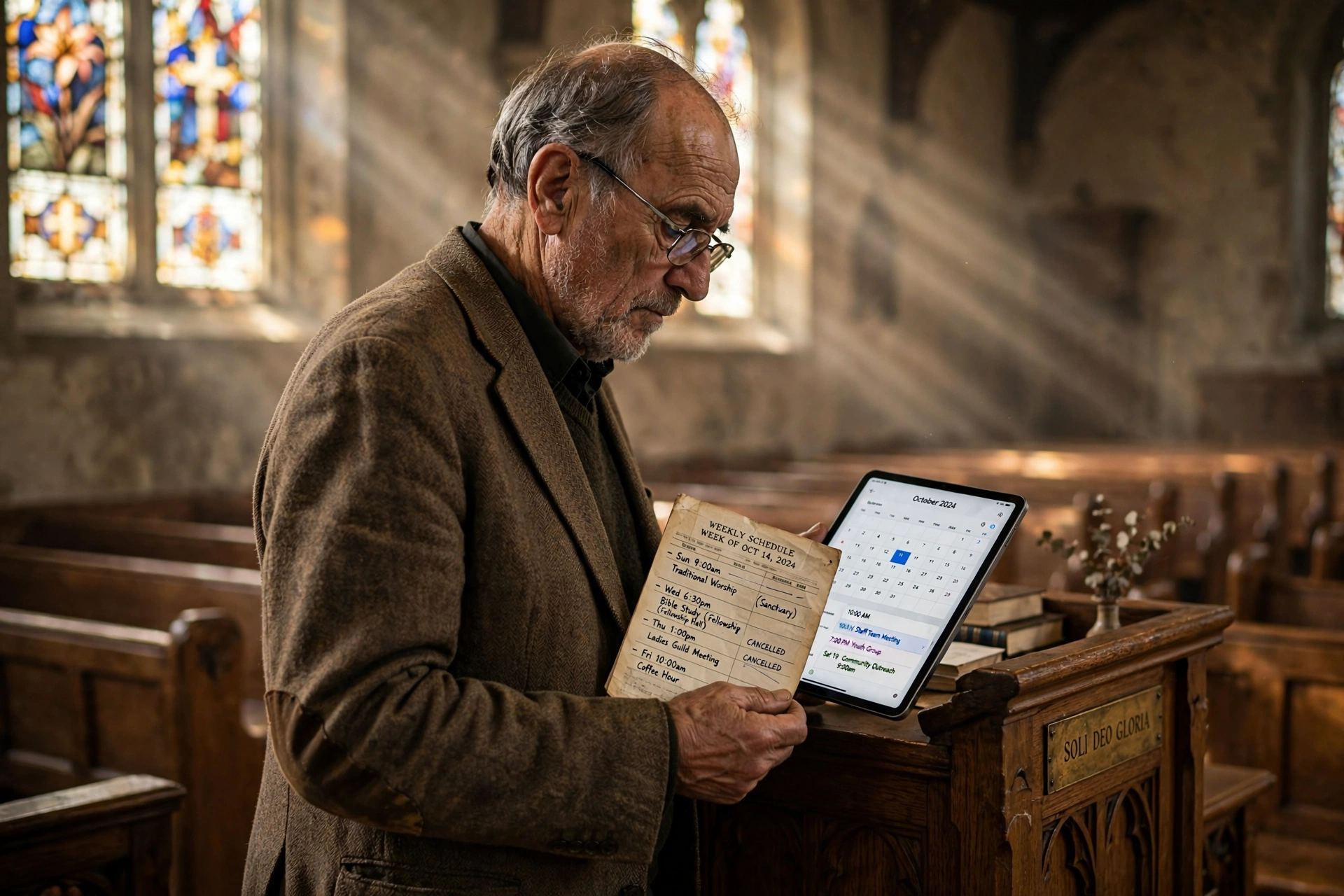
When is the Right Time to Transition Your Scheduling Process?
Managing a ministry often starts with a simple notebook or a shared digital calendar, but there comes a moment when these methods fail. The optimal time to move toward a professional system to schedule with pastor leadership is when the administrative friction begins to detract from actual pastoral care. Specifically, you should replace your current method when you experience more than three scheduling conflicts per month, spend over five hours weekly on "calendar tetris," or when congregants report difficulty in accessing your availability.
In my experience working with dozens of church leaders, the most dangerous sign isn't a full calendar, but a "leaky" one. I've seen pastors lose critical opportunities for crisis intervention simply because a member waited three days for a confirmation text that never came. When the logistics of the appointment become a barrier to the ministry of the appointment, the system is officially broken.

Identifying the Triggers for a Scheduling Upgrade
The transition from a manual process to a dedicated system isn't about adopting new technology for the sake of novelty; it is about capacity management. Most ministry leaders operate under the assumption that "more work" is a badge of honor, but administrative inefficiency is a silent drain on spiritual energy.
📚
Definition
Scheduling Friction refers to the cumulative time and psychological effort required by both the provider and the recipient to agree upon a meeting time, including back-and-forth emails, phone tags, and manual data entry.
When you evaluate your current workflow, look for "trigger events." One common trigger is the "Confirmation Loop," where a pastor spends 15 minutes coordinating a 30-minute session. If your administrative overhead exceeds 25% of the actual meeting time, you are operating at a deficit. According to research from the Barna Group, pastoral burnout is frequently linked to the blurring of boundaries between personal life and ministry demands. A system that allows you to set hard boundaries, rather than manually negotiating them, is the primary defense against this burnout.
Another trigger is the growth of the congregation. A manual system might work for 50 members, but at 200 members, the probability of double-booking increases exponentially. When you start apologizing for missing appointments, you aren't just failing a logistical task; you are inadvertently signaling to the congregation that their needs are secondary to your disorganized calendar.
Why Timing Matters for Ministry Sustainability
The cost of delaying a system upgrade is not measured in dollars, but in "ministry leakage." Every hour spent manually coordinating a schedule with pastor staff or members is an hour taken away from sermon preparation, prayer, and strategic leadership.
The implications of sticking with an obsolete system are quantifiable. Consider the "Response Time Gap." In a digital-first era, members expect near-instantaneous confirmation. When a person in crisis needs pastoral counseling, waiting 48 hours for a return call to confirm a time can result in that person seeking guidance from less reliable sources. Data from Christianity Today suggests that the accessibility of leadership is a key driver in member retention and spiritual growth within the modern evangelical church.
Furthermore, the psychological weight of an unmanaged schedule creates "Decision Fatigue." When a pastor has to manually decide where a new appointment fits, they are using cognitive resources that should be reserved for the emotional and spiritual complexity of the meeting itself. By automating the "when" and "where," the leader can focus entirely on the "who" and "why."
If you continue to use a generic calendar or a paper ledger, you risk creating a bottleneck. The pastor becomes the only point of entry for every request, creating a perception of unavailability. A professional scheduling tool transforms the pastor from a bottleneck into a resource, providing transparent availability that empowers the congregation to take initiative in their own spiritual care.
Practical Implementation: Moving from Manual to Automated
Replacing a manual system requires more than just signing up for a tool; it requires a shift in the culture of the church. The goal is to move the burden of coordination from the pastor's shoulders to a self-service interface.
The most effective way to implement this is by creating "Ministry Windows." Instead of opening your entire calendar to the public, you define specific blocks for different types of care: Tuesday mornings for counseling, Wednesday afternoons for staff meetings, and Friday evenings for hospital visits. When you use a tool like Pastor Agenda, these windows are automatically presented to the user, eliminating the need for the pastor to "approve" every single request manually.
Here is the step-by-step approach for a successful transition:
- Audit the Last 30 Days: List every appointment. Categorize them by "Planned," "Emergency," and "Administrative." This tells you how much "buffer time" you actually need between sessions.
- Define Availability Zones: Determine the exact hours you are emotionally and physically available for ministry. Be honest. If you need a nap or a gym session on Thursday at 2 PM, block it out.
- Set Up the Digital Portal: Implement Pastor Agenda to create a public-facing booking link. This link should be added to the church website, the email signature of the pastor, and the church's social media profiles.
- Communicate the Change: Tell the congregation: "To ensure I can give you my undivided attention, I'm moving to a new scheduling system. You can now see my open times in real-time and book your slot instantly."
- Enforce the Boundary: The hardest part is refusing to schedule people "on the side" via text. Gently redirect them to the link. This trains the congregation to use the system and protects your time.
💡
Key Takeaway
The success of an automated system depends on the leader's willingness to enforce the boundary. If you continue to accept manual bookings, you create a dual system that increases confusion and doubles the workload.

Comparing Scheduling Approaches
Not all solutions are created equal. Many pastors attempt to use generic business tools, only to find they lack the nuance required for a religious context.
| Feature | Manual/Paper System | Generic AI/Business Tool | Pastor Agenda Approach |
|---|---|---|---|
| Coordination Speed | Very Slow (Days) | Fast (Seconds) | Instant (Tailored) |
| Boundary Control | Low (Constant requests) | Medium (Rigid blocks) | High (Ministry-specific windows) |
| User Experience | High friction (Phone/Email) | Medium (Business-like) | Low friction (Congregation-focused) |
| Risk of Errors | High (Double-booking) | Low (Syncs with Cal) | Lowest (Built for clergy flow) |
| Best For | Tiny house churches | Small business owners | Growing ministries & professional clergy |
As the table illustrates, the "Generic" approach often feels too corporate. A member of a church isn't a "client" booking a "consultation"; they are a brother or sister seeking spiritual guidance. The interface and the flow must reflect that relationship. While a generic tool might stop the double-booking, it doesn't necessarily enhance the pastoral experience.
Common Misconceptions About Automation in Ministry
Many leaders resist moving toward a digital schedule because they believe it "de-personalizes" the ministry. Most guides on church growth get this wrong by suggesting that technology is a compromise. In reality, technology is the vehicle that enables deeper personalization.
Myth 1: "Scheduling online feels cold and impersonal."
The opposite is true. Nothing is more impersonal than a pastor who forgets an appointment or tells a member, "I'll check my book and get back to you in three days." Providing an instant way to schedule shows the member that their need is a priority and that the pastor has a dedicated space for them.
Myth 2: "I can just use a free calendar app; it's the same thing."
A calendar app tells you when you are busy; it doesn't manage how people access you. The difference is the "Booking Layer." Without a booking layer, you are still the secretary. You are still the one doing the work of checking the date and typing the confirmation.
Myth 3: "My congregation is too old for technology."
This is a common fallacy. We see grandparents using tablets to FaceTime their grandchildren every day. If the interface is simple, a single link that leads to a few clear time slots, they will use it. In fact, many older members prefer the certainty of a digital confirmation over a vague "let's touch base next week."
Frequently Asked Questions
Does automating my schedule with pastor staff reduce the quality of care?
Actually, it increases it. When the administrative burden of "finding a time" is removed, the pastor arrives at the meeting mentally fresh and fully present. The quality of care is determined by the interaction during the appointment, not by the method used to set the time. By removing the frustration of scheduling conflicts, you begin the pastoral encounter on a positive, organized note rather than one of apology and chaos.
How do I handle emergency pastoral visits in an automated system?
You should never automate 100% of your time. The key is to leave "Emergency Buffers" or "White Space" in your calendar. For example, leave every Tuesday afternoon completely blank. If a crisis emerges, you have a pre-set window to handle it. If no crisis occurs, that time becomes a gift for study or rest. The system manages the predictable, which gives you the capacity to handle the unpredictable.
Is it difficult to migrate my existing appointments to Pastor Agenda?
The transition is designed to be seamless. Most leaders start by importing their current Google or Outlook calendar to ensure no existing commitments are overwritten. From there, you simply set your future availability. In my experience, the biggest hurdle isn't the technical migration, but the habit of the pastor. Once you commit to the "Link-First" communication style, the migration feels effortless.
What happens if a member books a time that I suddenly cannot make?
Professional scheduling tools allow for "Easy Rescheduling." Instead of an awkward phone call to explain why you can't make it, you can send a reschedule request via the platform. This allows the member to pick a new time that works for them instantly. It transforms a negative (a cancellation) into a positive (an efficient solution), maintaining the professional and caring image of the ministry.
Will this system help me track how much time I spend on different types of ministry?
Yes, and this is a critical part of leadership growth. By categorizing your appointments, such as "Hospital Visit," "New Member Orientation," or "Marriage Counseling", you can run reports at the end of the month. This data allows you to see where your energy is going. If you find you are spending 80% of your time on administrative fixes and only 20% on spiritual guidance, you have a data-backed reason to delegate more tasks.
Final Thoughts on Optimizing Your Schedule with Pastor Leadership
The moment you decide to replace a manual schedule with a professional system is the moment you decide to treat your time as a sacred resource. Administrative chaos is not a spiritual gift; it is a distraction. When you eliminate the friction of scheduling, you are not just "using a tool," you are creating a sanctuary of order that allows the Holy Spirit to work without the interference of a double-booked Tuesday.
If you find yourself spending more time managing your calendar than you do managing your congregation, the timing is right. It is time to move away from the fragility of paper and the clunkiness of back-and-forth emails.
Take the first step toward a more sustainable ministry by visiting PastorAgenda Blog. Stop the "calendar tetris" and start focusing on what truly matters: the people.
Recommended Readings
To deepen your understanding of these topics, we recommend reading the following articles:
- Ensuring Absolute Privacy in Church Booking Systems
- Church Appointment Booking
- Online Appointment Booking for Modern Churches
- Automated Reminders and Communication for Congregations
Free Guide: The 7 Church Growth Hacks for 2026
Learn how modern ministries are using automated scheduling and AI pastoral assistants to save 12+ hours of admin work every week.



