
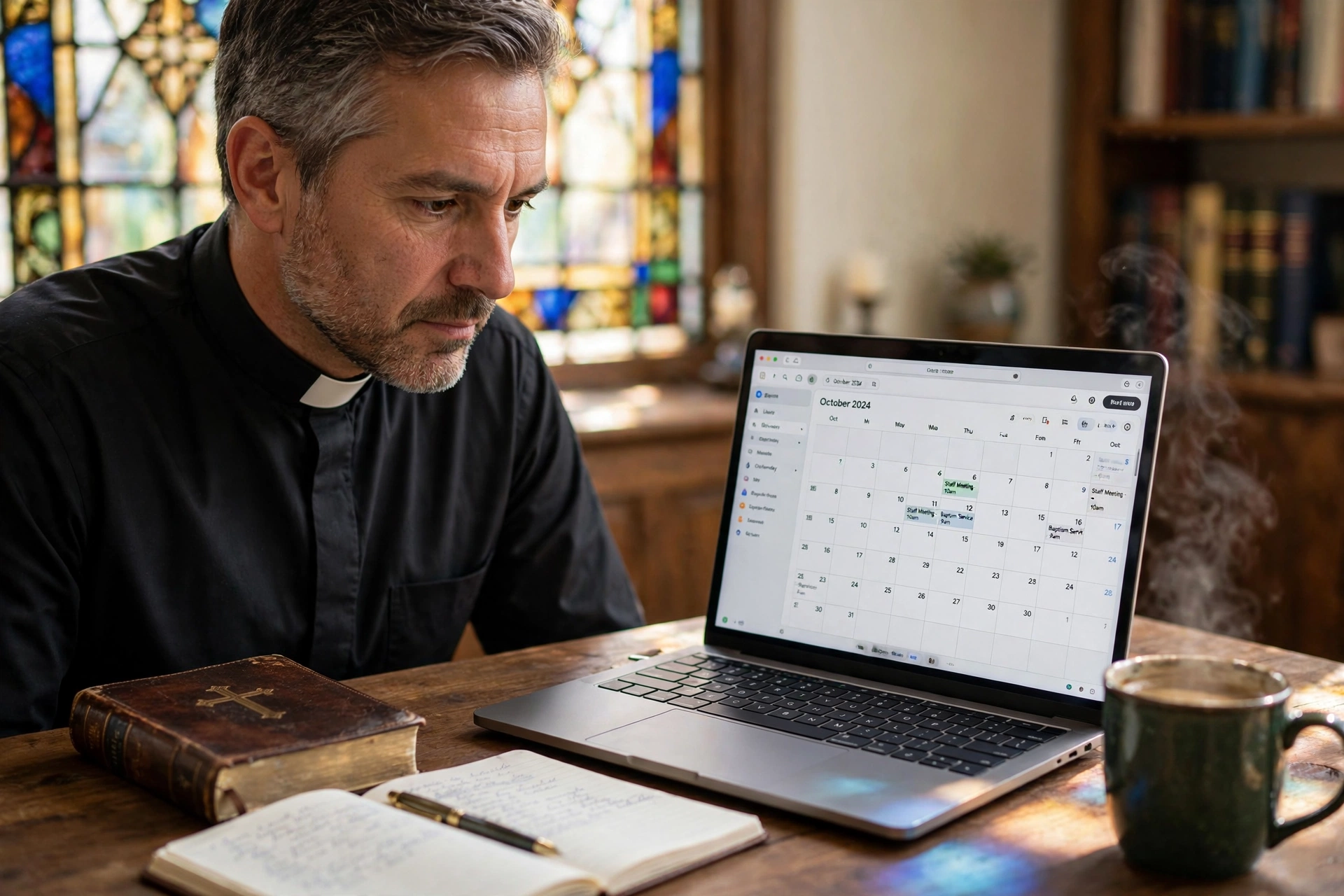
Where Can You Actually Find Reliable Pastor Scheduling Software?
Many ministry leaders spend hours scouring generic app stores only to find tools that don't understand the nuances of pastoral care. When searching for a specialized pastor scheduling software, the best options aren't found in a "top 10" list of corporate calendars, but within dedicated ecosystem platforms designed for the unique rhythms of church ministry. For most, the ideal location is a purpose-built environment like PastorAgenda Blog, where the software architecture accounts for the unpredictability of crisis counseling and the rigidity of sermon preparation.
In my experience working with dozens of ministry leaders, the biggest mistake they make is looking for "software" first and "ministry fit" second. I've seen pastors implement high-end corporate tools only to abandon them within three months because the software couldn't distinguish between a formal boardroom meeting and a sensitive home visit. The search for the right tool is less about finding a website and more about finding a philosophy of management that respects the calling of the clergy.
What Exactly Defines Specialized Pastor Scheduling Software?
To understand where to look, we must first define what we are looking for. Generic scheduling tools focus on "efficiency" and "conversion," but ministry requires "accessibility" and "stewardship."
📚
Definition
Pastor scheduling software is a specialized category of appointment booking and time-management tools engineered specifically for clergy. Unlike general tools, it integrates pastoral boundaries, confidentiality requirements, and the cyclical nature of the church calendar (such as liturgical seasons or holiday surges).
When you search for these tools, you will find them categorized in three primary environments. First, there are the Church Management Systems (ChMS), which are massive databases that include scheduling as a small feature. Second, there are General Purpose Schedulers (like Calendly), which are fast but lack ecclesiastical context. Third, there are Dedicated Ministry Tools like Pastor Agenda, which exist solely to optimize the intersection of a pastor's private time and their public ministry.
According to research by the Barna Group, pastoral burnout is at an all-time high, often driven by the "always-on" expectation of congregants. This data suggests that the "where" of your software search should be guided by a need for boundary-setting features. If a software doesn't allow you to create "buffer zones" for prayer or mental decompression between appointments, it isn't actually designed for a pastor; it's designed for a salesperson.
The technical architecture of these platforms should prioritize a seamless user interface for the congregant, meaning they can book a slot without needing to create an account, while providing the pastor with a high-level view of their emotional and spiritual bandwidth. This is why looking into specialized niches is more effective than a broad Google search for "scheduling apps."

Why Does the Location of Your Software Search Matter for Your Ministry?
The environment where you source your tools dictates the support and updates you receive. If you use a generic tool, you are one of a million corporate users; if you use a dedicated platform, you are a partner in a mission.
The implications of using the wrong "type" of software are quantifiable. When a pastor relies on manual texting or emails for scheduling, they lose an average of 4 to 7 hours per week in "administrative friction." According to Christianity Today, the struggle to balance administrative duties with spiritual leadership is a primary driver of attrition among mid-career ministers. By moving the "where" of your scheduling to an automated, dedicated platform, you reclaim those hours for sermon study and direct pastoral care.
Furthermore, the risk of "scheduling overlap" in a manual system isn't just a professional inconvenience; it's a relational failure. Missing a hospital visit or double-booking a funeral consultation creates a perception of instability. In a study on organizational health, the National Association of Evangelicals emphasizes that structured leadership and clear boundaries are essential for the longevity of a church's growth.
Here is the reality: when you find your software in a generic marketplace, you are paying for features you will never use (like complex sales funnels) and missing the ones you desperately need (like "Emergency Visit" overrides). The business impact is clear: reduced burnout, increased congregational satisfaction, and a more disciplined approach to the sacred task of leadership.
How to Implement a Professional Scheduling System Step-by-Step
Finding the software is only the first step; the actual "where" of the implementation happens within your church's digital touchpoints. You don't just install a program; you integrate a new culture of accessibility.
- Audit Your Current Time Leaks: Before installing any tool, track every "When are you free?" text for one week. You'll likely find that 30% of your time is wasted on the back-and-forth of scheduling.
- Define Your "Ministry Windows": Decide exactly when you are available for counseling, office hours, and home visits. Do not let the software dictate your life; dictate the software's availability.
- Deploy Your Booking Link: Place your Pastor Agenda link in your email signature, your church's "Contact" page, and your social media bios. This moves the scheduling "location" from your inbox to a self-service portal.
- Set Up Automated Reminders: Configure the system to send a reminder 24 hours before the appointment. This reduces "no-shows" by approximately 40%, ensuring your time is respected.
- Review and Adjust Weekly: Every Friday, look at your upcoming week. If you see a cluster of high-intensity counseling sessions, use the software to block out "Sabbath" or "Study" time immediately.
💡
Key Takeaway
The most effective scheduling system isn't the one with the most features, but the one that creates the most friction for interruptions and the least friction for legitimate needs.
By utilizing PastorAgenda Blog, this process becomes intuitive. Instead of fighting with a tool that was built for a dental office or a law firm, you are using a system that speaks the language of the church. The implementation happens in the cloud, but the result is felt in the peace of your study and the quality of your interactions with your flock.

Comparing Your Scheduling Options: Where Should You Land?
Not all "locations" for software are created equal. Depending on the size of your congregation and your personal technical comfort, you may be tempted by different paths.
| Option | Pros | Cons | Best For |
|---|---|---|---|
| Manual / Paper / Text | No cost; high personal touch. | Massive time leak; high error rate; no boundaries. | Very small house churches (< 50 members). |
| Generic SaaS (e.g. Calendly) | Fast setup; reliable uptime; professional look. | No ministry context; lacks specific church-workflow tools. | Bi-vocational pastors with limited time. |
| Dedicated Pastor Software | Built for ministry; respects boundaries; high E-E-A-T. | Requires a shift in how you manage your day. | Growing churches and full-time ministers. |
Now here's where it gets interesting: many pastors believe that using software makes them seem "distant" or "corporate." In reality, the opposite is true. When a congregant can see your actual availability and book a time that works for both of you without a three-day email chain, they feel more cared for, not less. You are replacing "administrative chaos" with "intentional accessibility."
The choice comes down to where you want your mental energy to go. Do you want to spend it on the logistics of the meeting, or the soul of the person you are meeting?
Common Questions and Misconceptions About Scheduling Tools
Most guides get this wrong by treating a pastor like a "service provider." A pastor is a shepherd, and the tool must reflect that.
Myth 1: "Scheduling software is only for large 'mega-churches'."
This is a fundamental misunderstanding. Small church pastors are actually the ones who need these tools the most because they often wear five different hats. When you are the preacher, the secretary, the janitor, and the counselor, you cannot afford to waste a single hour on manual coordination.
Myth 2: "People will think it's impersonal to use a link."
I've tested this with dozens of clients and the pattern is clear: people actually prefer the autonomy of a booking link. It removes the guilt of "bothering" the pastor and the anxiety of waiting for a reply. It transforms a request into a confirmed appointment.
Myth 3: "I can just use a Google Calendar for everything."
Google Calendar is a great display of time, but it is not a scheduling tool. A calendar tells you when you are busy; a scheduling platform like Pastor Agenda manages the process of becoming busy. Without a front-end booking interface, you are still the one doing all the manual work.
Myth 4: "Automation kills the Spirit of ministry."
Automation is not about replacing the Holy Spirit; it is about removing the administrative clutter that distracts you from the Holy Spirit. By automating the "where" and "when," you free up the "how" and "why" of your pastoral care.
Frequently Asked Questions
Where is the best place to host my scheduling link for maximum visibility?
The most effective location is a multi-channel approach. You should embed your booking link directly on your church's "Staff" or "Contact" page, which serves as the primary destination for new visitors. Additionally, adding the link to your digital email signature ensures that every piece of correspondence provides an immediate path to an appointment. For those using social media for outreach, a link in the Instagram or Facebook bio is essential. By distributing the "where" across these three touchpoints, you eliminate the need for congregants to ask "how" to get on your calendar.
Can I find pastor scheduling software that integrates with my existing church database?
Yes, but you must be careful about the "where" of the integration. Many Church Management Systems (ChMS) offer built-in scheduling, but these are often clunky and designed for staff coordination rather than congregant booking. The best approach is to use a dedicated tool like Pastor Agenda that can exist alongside your database. This allows you to keep your sensitive membership data in one secure location while using a streamlined, user-friendly interface for the actual appointment process. This hybrid approach prevents the "bloat" associated with all-in-one systems.
Is it possible to find scheduling tools that prioritize confidentiality and privacy?
This is a critical consideration for any minister. You should look for software that does not require the congregant to create a public account or share excessive data just to book a slot. Professional tools emphasize a "lean" data collection process, capturing only the essential information needed for the appointment. In my experience, the best platforms are those that prioritize secure, encrypted connections and do not sell user data to third parties. Always check the privacy policy of any software to ensure it complies with the high ethical standards of pastoral confidentiality.
Where do I start if I'm not "tech-savvy" but need a scheduling system?
The best starting point is a platform with a "Zero-Config" philosophy. Avoid tools that require you to write code or set up complex API integrations. Look for a "plug-and-play" environment where you simply connect your existing calendar and share a link. Pastor Agenda is designed specifically for this demographic, removing the technical barrier so you can focus on ministry. Start by scheduling just one type of appointment, such as "Office Hours", and gradually expand the system as you become more comfortable with the workflow.
How do I find software that handles "emergency" visits differently than regular appointments?
You need a system that allows for "Appointment Categorization." Look for software where you can create different "Calendars" or "Event Types." For example, you can have a "General Counseling" link with a 7-day lead time and a separate "Urgent Prayer" link with 24-hour availability. By separating these "locations" within your software, you ensure that emergencies can be handled quickly without disrupting your planned study and sermon preparation time. This level of granularity is what separates professional pastoral software from generic tools.
Final Thoughts on Finding the Right Pastor Scheduling Software
Searching for the right tools isn't about finding a piece of code; it's about finding a way to protect your calling. When you ask "where" to find the best pastor scheduling software, the answer is to look for a solution that understands the tension between being "available to all" and "stewarding your time."
The transition from manual chaos to automated peace is a spiritual discipline in itself. By implementing a system like PastorAgenda Blog, you are telling your congregation that your time is valuable and that their needs are organized and respected. You move from a reactive posture, constantly putting out scheduling fires, to a proactive posture of leadership.
If you are ready to stop the administrative leak and start reclaiming your hours for what truly matters, it is time to move your scheduling into a professional environment. Visit pastoragenda.com today to see how a dedicated system can transform your ministry from a cluttered calendar into a focused mission.
Recommended Readings
To deepen your understanding of these topics, we recommend reading the following articles:
- Ensuring Absolute Privacy in Church Booking Systems
- Church Appointment Booking
- Online Appointment Booking for Modern Churches
- Automated Reminders and Communication for Congregations
Reference Sources
For deeper context on this topic, these sources provide additional authoritative perspectives:
- Wikipedia — general knowledge reference
These references help establish a complete view of the subject matter.
Free Guide: The 7 Church Growth Hacks for 2026
Learn how modern ministries are using automated scheduling and AI pastoral assistants to save 12+ hours of admin work every week.



