
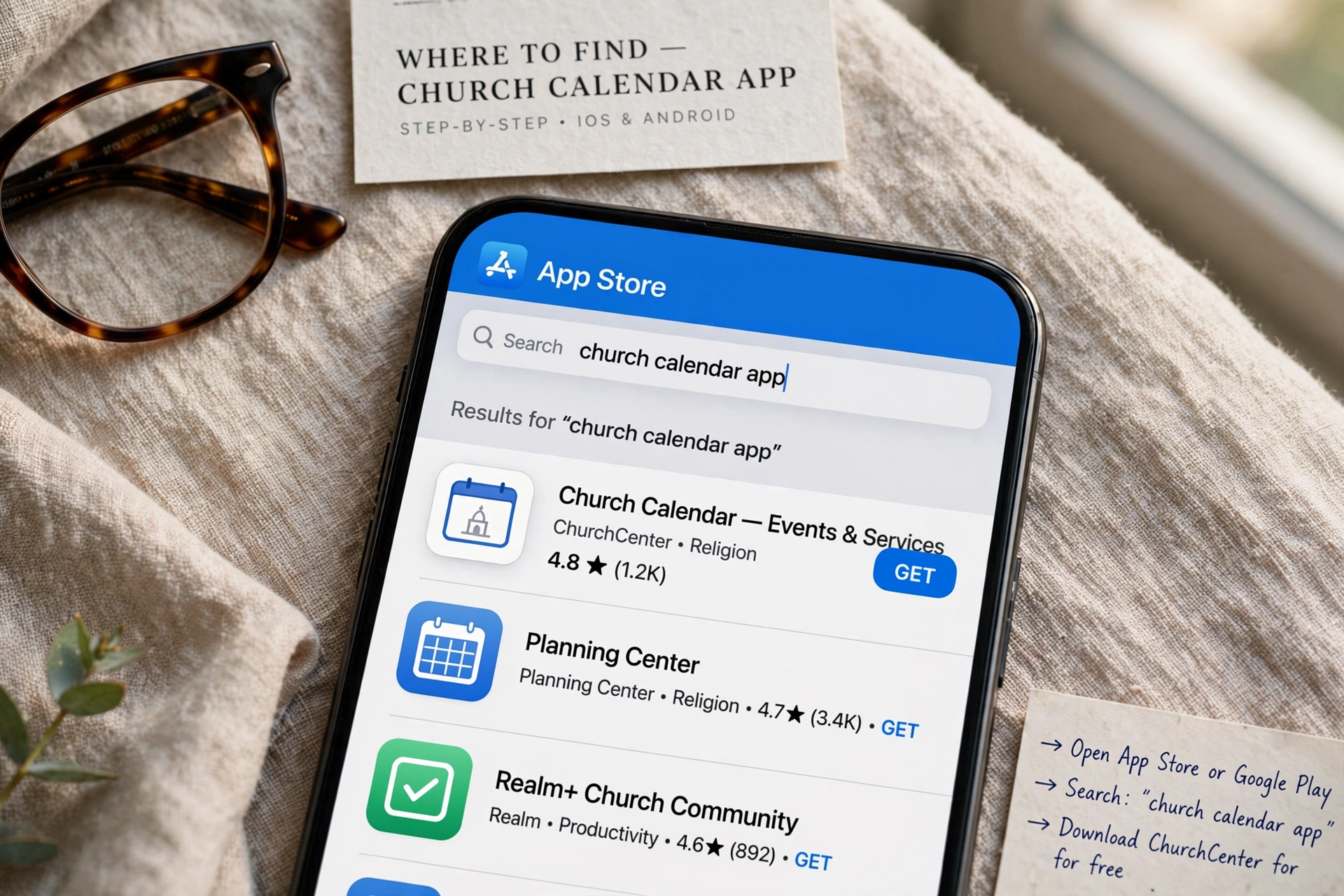
Where to Find the Right Church Calendar App for Your Ministry?
The search for a reliable church calendar app usually begins in the App Store or Google Play, but the most effective tools aren't always the ones with the most downloads. In my experience working with dozens of religious leaders, the mistake I see constantly is treating a ministry's scheduling needs like a personal productivity problem. A church isn't a business with a linear 9-to-5 schedule; it is a living ecosystem of worship, pastoral care, and community service that requires a specialized environment for coordination. If you are looking for where to locate these tools, you will find them in three primary environments: dedicated SaaS (Software as a Service) platforms, integrated Church Management Systems (ChMS), and generic scheduling wrappers.

What Exactly Defines a Specialized Church Calendar App?
When leaders ask where to find a tool that actually works, they are often looking for more than just a digital grid of dates. They are looking for a system that understands the nuance of ecclesiastical life. A generic calendar tells you when a meeting is; a ministry-focused tool tells you who is leading the worship, which room is reserved for the youth group, and how a member can book a session for pastoral counseling without needing a phone call.
📚
Definition
A church calendar app is a specialized digital coordination tool designed to synchronize liturgical dates, facility usage, and pastoral appointments while providing a public-facing interface for congregation engagement.
Most generic tools fail because they lack "resource logic." For example, if you use a standard consumer app, you can mark a date for a sermon series, but you cannot easily prevent two different ministries from booking the sanctuary at the same time. This is why the "where" of your search should move away from general app stores and toward specialized ministry ecosystems. According to Barna Group, the digital transformation of the church is no longer optional, as members increasingly expect the same "frictionless" booking experience in their faith community that they receive from their healthcare providers or banks.
Now here's where it gets interesting: the most effective tools are those that integrate the "back-end" (administrative planning) with the "front-end" (member access). If the tool is hidden behind a password and only accessible to the secretary, it isn't a community tool; it's just a digital ledger. A true church calendar app creates a bridge between the pulpit and the pew, allowing for real-time updates on service changes or emergency prayer meetings.
Why the Location of Your Scheduling Tool Impacts Ministry Health
The environment where your scheduling lives directly affects the burnout rate of your clergy. When a pastor's calendar is a chaotic mix of handwritten notes, emails, and fragmented digital entries, "decision fatigue" sets in. This isn't just a matter of convenience; it is a matter of stewardship. When administrative friction increases, the quality of pastoral care typically decreases because the leader is spending more time managing the process of meeting than the person they are meeting.
Research into organizational health suggests that administrative inefficiency is a primary driver of burnout in non-profit leadership. According to Christianity Today, pastoral burnout is often exacerbated by "invisible labor", the endless coordination of volunteers and facility management that happens outside of formal sermon preparation. By moving these tasks into a dedicated church calendar app, you migrate the cognitive load from the pastor's brain to a system that handles the logic automatically.
Consider the financial and temporal impact. If a church office spends just five hours a week playing "phone tag" to schedule counseling sessions, that is 260 hours a year lost to inefficiency. In a professional setting, that is the equivalent of over six full work weeks wasted on manual data entry. When you find a tool that allows for self-scheduling, you aren't just buying software; you are reclaiming time for the actual ministry.
Moreover, the lack of a centralized, transparent calendar often leads to "facility friction." I have seen countless disputes between the youth ministry and the choir because both believed they had the fellowship hall on a Tuesday night. This type of conflict erodes the culture of collaboration within a church. A centralized digital environment eliminates this ambiguity by providing a single "source of truth" for every room and resource in the building.
How to Implement a Digital Scheduling Ecosystem Step-by-Step
Once you know where to find these tools, the challenge shifts to implementation. Many pastors make the mistake of trying to move the entire church to a new system overnight. This creates resistance from less tech-savvy members and leads to "shadow scheduling," where people continue to use old paper calendars because they find the app intimidating.
The most effective approach is a phased rollout. Start by digitizing the internal administrative calendar. Ensure that the leadership team and the church secretary are aligned on the tool. Once the "core" is stable, open the system to ministry leaders (Youth, Worship, Outreach). Finally, release the public-facing booking side to the congregation.
When you implement a solution like Pastor Agenda, the process becomes significantly streamlined. Instead of building a complex database from scratch, you utilize a framework specifically designed for the pastoral workflow. This means you can set "buffer times" between counseling sessions, ensuring the pastor has time to pray and reset between appointments, rather than having meetings back-to-back with no breathing room.
💡
Key Takeaway
Successful implementation requires shifting from "administrative control" to "community empowerment." The goal is to allow the congregation to find the information they need without requiring a human intermediary.
Here is the professional workflow for a high-functioning ministry:
- Audit Your Resources: List every room, vehicle, and piece of equipment that requires scheduling.
- Define Availability: Establish "blackout dates" for the sanctuary and set specific windows for pastoral availability.
- Automate Reminders: Use a tool that sends automated SMS or email reminders to members, reducing "no-shows" for counseling or volunteer shifts.
- Public Integration: Embed the calendar directly into the church website so it is the first thing visitors see.
- Feedback Loop: Every quarter, ask your ministry leads where the system is failing and adjust the permissions or categories accordingly.

Comparing Your Options: Where Should You Actually Buy?
Not all "church calendars" are created equal. Depending on the size of your congregation and your technical appetite, you will find yourself choosing between three distinct tiers of software. The "best" option is not the most expensive one, but the one that fits your current stage of growth.
| Option | Pros | Cons | Best For |
|---|---|---|---|
| Generic Scheduling (e.g. Calendly) | Fast setup, familiar interface, low cost. | No room management, no "church" logic, feels corporate. | Solo practitioners or very small house churches. |
| Full ChMS (e.g. Planning Center) | Comprehensive data, member directories, financial tracking. | Steep learning curve, "overkill" for simple scheduling, expensive. | Large multi-staff churches with complex hierarchies. |
| Pastoral-Centric Tools (e.g. Pastor Agenda) | Designed for ministry flow, intuitive booking, balances care and admin. | Focused specifically on scheduling/care rather than full CRM. | Mid-to-large churches prioritizing pastoral health and member access. |
Most guides get this wrong by suggesting that a full Church Management System (ChMS) is the only way to go. In reality, many churches find themselves paying for 50 features they never use while struggling with a calendar that is too complex for the average member to navigate. If your primary pain point is "where do I put my appointments and how do people book them," a streamlined tool like Pastor Agenda is often the more surgical and effective choice.
The "corporate" approach to scheduling, using a generic app, often creates a cold experience. When a member of the congregation is in a crisis and needs pastoral care, being sent to a generic, sterile booking page can feel impersonal. A tool designed for the church allows you to maintain the warmth of ministry while utilizing the efficiency of technology.
Common Misconceptions About Digital Church Calendars
There is a persistent myth that moving to a digital calendar "de-personalizes" the church. I hear this from senior pastors frequently: "I don't want my members to feel like they are booking a doctor's appointment." This is a fundamental misunderstanding of what technology does in a ministry context.
The reality is that the friction of scheduling is what de-personalizes the experience. When a member has to leave a voicemail, wait two days for a call back, and then reschedule three times because the pastor's paper calendar was out of date, that is a failure of care. Providing a clear, accessible way to secure a time for prayer or counseling is actually an act of hospitality. It says, "I have reserved this time specifically for you, and I am prepared for our meeting."
Another common misconception is that "we are too small to need an app." This is actually when you need it most. In a small church, the pastor often wears ten different hats, preacher, counselor, janitor, administrator, and treasurer. The cognitive load is higher in a small church because there is no administrative staff to buffer the chaos. A church calendar app acts as a "digital secretary," freeing the pastor to focus on the spiritual needs of the people.
Finally, some believe that a digital calendar is only for "events." This is a narrow view. A truly effective system manages three distinct layers:
- The Liturgical Layer: Fixed dates like Easter, Christmas, and Communion.
- The Facility Layer: Who is using the youth room on Wednesday?
- The Care Layer: Private, confidential appointments for pastoral counseling.
If your current "system" only handles the first layer, you aren't actually scheduling; you are just publishing a newsletter.
Frequently Asked Questions
How do I ensure the privacy of pastoral counseling appointments in a church calendar app?
Privacy is the most critical concern in any ministry tool. A professional church calendar app handles this by separating "Public Events" from "Private Appointments." While the congregation can see that the sanctuary is booked for a "Prayer Meeting" (Public), they cannot see that the pastor is in a "Counseling Session" (Private). Only the administrator and the pastor have visibility into the specific details of care appointments. When choosing a tool, ensure it has granular permission settings so that volunteers cannot accidentally see confidential member data.
Can a church calendar app integrate with the pastor's personal Google or Outlook calendar?
Yes, and it absolutely should. The "where" of your scheduling needs to be synchronized across all devices to prevent double-booking. A high-quality tool provides a two-way sync, meaning if the pastor adds a family doctor's appointment to their personal phone, that time slot automatically becomes "unavailable" for church bookings in the app. This prevents the embarrassment of a member booking a session only to be told later that the pastor is unavailable, which can be perceived as a lack of care or organization.
Is it better to have a public calendar or a booking system for members?
The most effective churches use both. A public calendar is for "Information" (e.g. "The potluck is this Sunday at 2 PM"), while a booking system is for "Interaction" (e.g. "I need 30 minutes of the pastor's time for a spiritual guidance session"). If you only have a public calendar, you still have to manage the "back-and-forth" of scheduling. By integrating a booking system, you remove the middleman and allow the member to take the initiative, which often increases the number of people seeking pastoral care.
Where can we host the calendar so that elderly members can still access it?
Accessibility is a common hurdle. The best way to handle this is through "Omnichannel Distribution." While the app is the engine, the output should be available in multiple formats. You can embed the calendar on your website, print a monthly "snapshot" for the church bulletin, and send a weekly email summary. By using a tool like Pastor Agenda, you manage the data in one place but distribute it in whatever format your members are most comfortable with, ensuring no one is left behind by the digital divide.
How does a church calendar app help with volunteer management?
Many people forget that volunteers are the backbone of the church. A calendar app allows you to create "volunteer slots" for specific roles, such as sound technicians, greeters, or nursery workers. Instead of the pastor texting ten different people to see who can serve on Sunday, the app allows volunteers to see the open slots and "claim" them. This shifts the responsibility of scheduling from the pastor's shoulders to the volunteers' initiative, significantly reducing the administrative burden on the leadership team.
Final Thoughts on Finding Your Church Calendar App
Finding the right church calendar app is not about searching for the most "powerful" software, but about finding the environment that matches the heartbeat of your ministry. Whether you are a small plant or a multi-site congregation, the goal is the same: to remove the administrative noise so that the spiritual signal can be heard clearly.
When you move your scheduling from fragmented emails and paper notes into a dedicated system like PastorAgenda Blog, you are making a strategic decision to prioritize your health as a leader and the experience of your members. Stop spending your energy on the "where" and "when" of meetings, and start spending it on the "who" and "why" of your calling.
Recommended Readings
To deepen your understanding of these topics, we recommend reading the following articles:
- Ensuring Absolute Privacy in Church Booking Systems
- Church Appointment Booking
- Online Appointment Booking for Modern Churches
- Automated Reminders and Communication for Congregations
Free Guide: The 7 Church Growth Hacks for 2026
Learn how modern ministries are using automated scheduling and AI pastoral assistants to save 12+ hours of admin work every week.



