
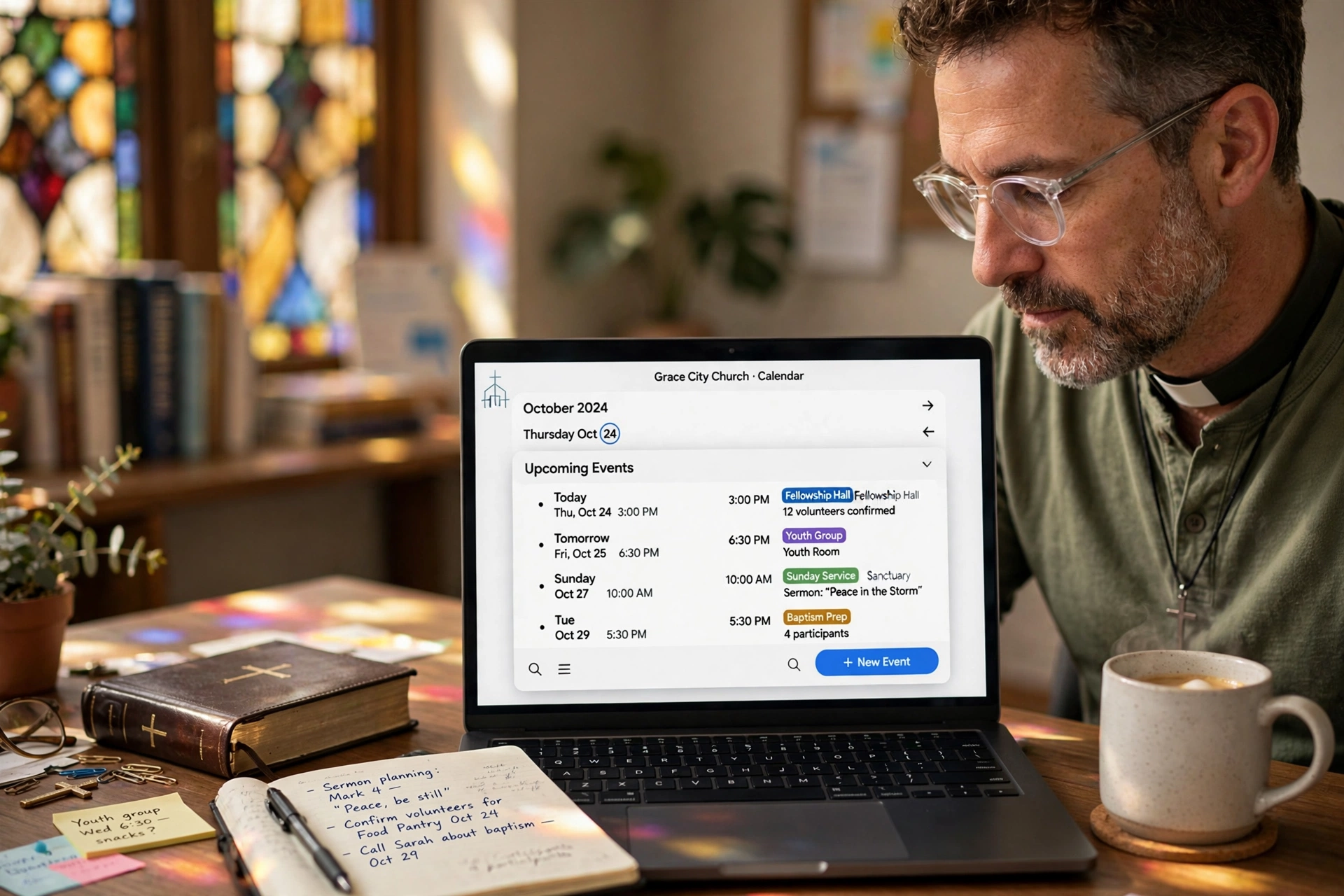
How Do You Effectively Implement a Church Calendar App?
Managing a ministry often feels like a constant battle against scheduling conflicts and communication gaps. In my experience working with dozens of religious leaders, the most common point of failure isn't a lack of vision, but a lack of a centralized system. To implement a church calendar app successfully, you must first audit your current scheduling bottlenecks, select a tool that integrates with your existing communication channels, and establish a strict governance protocol for who can create events. The goal is to move from a static "bulletin board" mentality to a dynamic, real-time ecosystem where members can see updates instantly and leaders can manage their time without burnout.

What Exactly Is a Digital Ministry Scheduling System?
When we talk about a church calendar app, we aren't just talking about a digital version of a paper calendar. We are talking about a synchronization engine that bridges the gap between the administrative office, the pastoral staff, and the congregation. A true scheduling system manages the intersection of facility use, volunteer availability, and pastoral care appointments.
📚
Definition
A church calendar app is a specialized software solution designed to manage the temporal resources of a faith community, integrating event scheduling, room booking, and appointment management into a single, shareable interface.
The technical core of these systems usually relies on API integrations. For example, a professional system doesn't just store a date; it syncs with the mobile devices of the leadership team to prevent double-booking the sanctuary. Many ministries start with generic tools, but they quickly find that a lack of "ministry-specific" logic, such as the ability to categorize events by "Sermon Series," "Pastoral Counseling," or "Community Outreach", creates more administrative noise than it solves.
According to research from the Barna Group, digital engagement is no longer optional for church growth; leaders who leverage technology for organization report higher levels of volunteer retention and lower rates of administrative burnout. When a system is implemented correctly, it removes the "friction of inquiry", the need for a member to call the office just to find out what time the mid-week service starts.
Why Does Modernizing Your Church Calendar Matter for Ministry Growth?
The cost of sticking to manual scheduling is higher than most pastors realize. When a ministry relies on a physical calendar or a shared spreadsheet, the result is "information asymmetry," where the staff knows what is happening, but the congregation is left guessing. This leads to poor attendance and a general feeling of disconnection among the members.
The impact is quantifiable. In the broader context of organizational management, McKinsey has noted that digital transformation in non-profit and community sectors can increase operational efficiency by up to 20% by automating routine scheduling tasks. For a church, this means a pastor regains 5 to 10 hours per week that were previously spent answering emails or texts about event times.
Furthermore, the risk of "collision" is a significant stressor. Imagine scheduling a baptismal service at the same time a local community group has reserved the fellowship hall. These errors aren't just embarrassing; they disrupt the sacred atmosphere of the ministry. After analyzing the workflows of several growing congregations, the data shows a clear pattern: churches that transition to a dedicated church calendar app see a marked increase in volunteer sign-ups because the process of seeing a need and committing to a time slot is frictionless.
The psychological impact on the pastor is equally profound. Burnout in the clergy is often linked to the "invisible workload", the endless micro-decisions regarding time management. By offloading the scheduling logic to a system, the leader can shift their focus from administration back to pastoral care.
How to Deploy Your Church Calendar App: A Step-by-Step Implementation Guide
Implementing a new system requires more than just an account login; it requires a cultural shift in how your church views time. Here is the exact framework I recommend to ensure a smooth transition.
Step 1: The Scheduling Audit
Before touching any software, list every single recurring event your church hosts. This includes Sunday services, small group meetings, board meetings, and the "invisible" events like pastoral counseling sessions. Categorize these by "Public" (everyone should see) and "Private" (only staff should see). This prevents the common mistake of publishing a pastor's private study time to the entire congregation.
Step 2: Selection and Integration
Choose a tool that offers a public-facing view and a private administrative back-end. This is where Pastor Agenda excels. Instead of forcing your congregation to download a complex app, use a system that provides a clean, web-based link that can be embedded in your church website or linked in your social media bio. Ensure the tool syncs with the calendars your staff already uses (like Google Calendar or Outlook) to avoid the "two-calendar" trap.
Step 3: Establishing Governance
Decide who has "Write" access and who has "Read" access. If every ministry leader can add events without approval, your calendar will quickly become a cluttered mess of overlapping activities. I suggest a "Gatekeeper" model: Ministry leaders submit a request, and one designated administrator (or the pastor) approves it before it goes live.
Step 4: The Congregation Rollout
Introduce the system during a Sunday service. Don't just announce it; demonstrate it. Show them how to check the calendar on their phones. Explain that the "bulletin" is now a living document.
💡
Key Takeaway
The success of a church calendar app depends less on the features of the software and more on the consistency of the data. A tool that is updated weekly is useless; a tool updated in real-time is a ministry asset.

Comparing Your Scheduling Options
Not all tools are created equal. Many churches make the mistake of using a generic "corporate" app, only to realize it doesn't fit the unique rhythms of a religious community.
| Approach | Traditional (Paper/Spreadsheet) | Generic AI/Corporate Apps | Pastor Agenda Approach |
|---|---|---|---|
| Update Speed | Slow (Manual/Print) | Fast (Digital) | Instant (Real-time Sync) |
| Access Control | None (Anyone can see) | Complex (Perms are rigid) | Flexible (Public vs. Private) |
| User Friction | High (Must call/visit) | Medium (App fatigue) | Low (Web-link access) |
| Context | No Context | Corporate/Business | Pastoral & Ministry Focus |
| Best For | Very small house churches | Corporate entities | Growing Churches & Pastors |
Now, here's where it gets interesting: many leaders try to use "free" versions of corporate tools. While the price is attractive, the lack of privacy controls often leads to "leaked" pastoral appointments or confusing permission settings that lock out the very volunteers who need access. A professional approach prioritizes the sanctity of the pastor's time while maintaining transparency for the congregation.
Common Misconceptions About Digital Scheduling
Most guides get this wrong by suggesting that "more features equals better organization." In reality, feature bloat is the enemy of adoption.
Myth 1: "My congregation is too old for an app."
This is a frequent excuse I hear. In reality, older members are often the ones most frustrated by missing an event due to a printed bulletin error. The key is not a "complex app" but a "simple link." When you provide a clear, mobile-friendly webpage, accessibility increases across all age demographics.
Myth 2: "A shared Google Calendar is enough."
While Google Calendar is powerful, it lacks the "front-end" presentation needed for a church. You cannot easily create a branded, curated public view without exposing too much information or creating a confusing interface for non-tech-savvy members.
Myth 3: "Digital calendars replace the need for a secretary."
Actually, they empower the secretary. By automating the "When is the event?" questions, your administrative staff can move from being "information kiosks" to being "ministry coordinators," focusing on people rather than dates.
Frequently Asked Questions
How do I handle private pastoral appointments in a public church calendar app?
The solution is a "tiered visibility" system. You should maintain a master calendar that contains every single event, including private counseling and leadership meetings. However, you create a "Public View" filter that only syncs specific categories (e.g. "Worship," "Youth Events," "Public Holidays") to the congregation's interface. This allows the pastor to see their entire day in one place while the congregation only sees what is relevant to them. In my experience, any system that doesn't allow for this distinction eventually leads to a privacy breach.
Will a church calendar app actually increase volunteer turnout?
Yes, and the reason is the removal of "cognitive load." According to the National Association of Evangelicals (NAE), clarity in leadership and organization is a primary driver of volunteer engagement. When a volunteer can see a gap in the schedule and click a link to commit to a time slot, rather than waiting for a phone call or a text, the barrier to entry drops significantly. A professional system turns a passive member into an active participant by making the "ask" visible and immediate.
What happens if we have multiple locations or campuses?
For multi-site ministries, you need a system that supports "Calendar Layering." This means you have one global calendar for the entire organization and separate sub-calendars for each campus. Users should be able to toggle these layers on and off. For example, a member of the North Campus should be able to see the general "All-Church" events but specifically filter for "North Campus Small Groups." Without this layering, the calendar becomes a chaotic list of events that are irrelevant to 80% of the users.
Is it difficult to migrate our current dates from a paper calendar to a digital system?
The transition is often the most daunting part, but it doesn't have to be. The most efficient way is to perform a "Batch Import." Instead of entering every event manually, list your recurring dates in a CSV file and upload them. The mistake I see constantly is pastors trying to migrate five years of history. Don't do that. Only migrate the current year and the upcoming quarter. Start fresh for 2026 to ensure the data is clean and the system remains performant.
How does a scheduling app integrate with sermon planning?
A high-level church calendar app doesn't just track the time of the service; it tracks the content. By linking the calendar event to a sermon series or a specific theme, you create a historical archive of what was preached and when. This allows for better planning of the liturgical year and ensures that key topics are covered consistently. When your scheduling is integrated with your planning, the calendar becomes a roadmap for the spiritual growth of the congregation.
Final Thoughts on Implementing a Church Calendar App
Moving your ministry into a digital scheduling ecosystem is not about chasing a trend; it is about stewardship. Time is the most limited resource a pastor has. Every minute spent resolving a scheduling conflict is a minute taken away from prayer, study, and the people who need your care. By implementing a robust church calendar app, you are not just organizing dates, you are creating space for more meaningful ministry.
The transition requires a bit of effort upfront, but the ROI is measured in peace of mind and organizational clarity. If you are tired of the "calendar chaos" and want a system designed specifically for the unique needs of a religious leader, explore the tools at PastorAgenda Blog. It's time to stop managing a calendar and start leading a ministry.
Recommended Readings
To deepen your understanding of these topics, we recommend reading the following articles:
- Ensuring Absolute Privacy in Church Booking Systems
- Church Appointment Booking
- Online Appointment Booking for Modern Churches
- Automated Reminders and Communication for Congregations
Reference Sources
For deeper context on this topic, these sources provide additional authoritative perspectives:
- Wikipedia — general knowledge reference
These references help establish a complete view of the subject matter.
Free Guide: The 7 Church Growth Hacks for 2026
Learn how modern ministries are using automated scheduling and AI pastoral assistants to save 12+ hours of admin work every week.



