
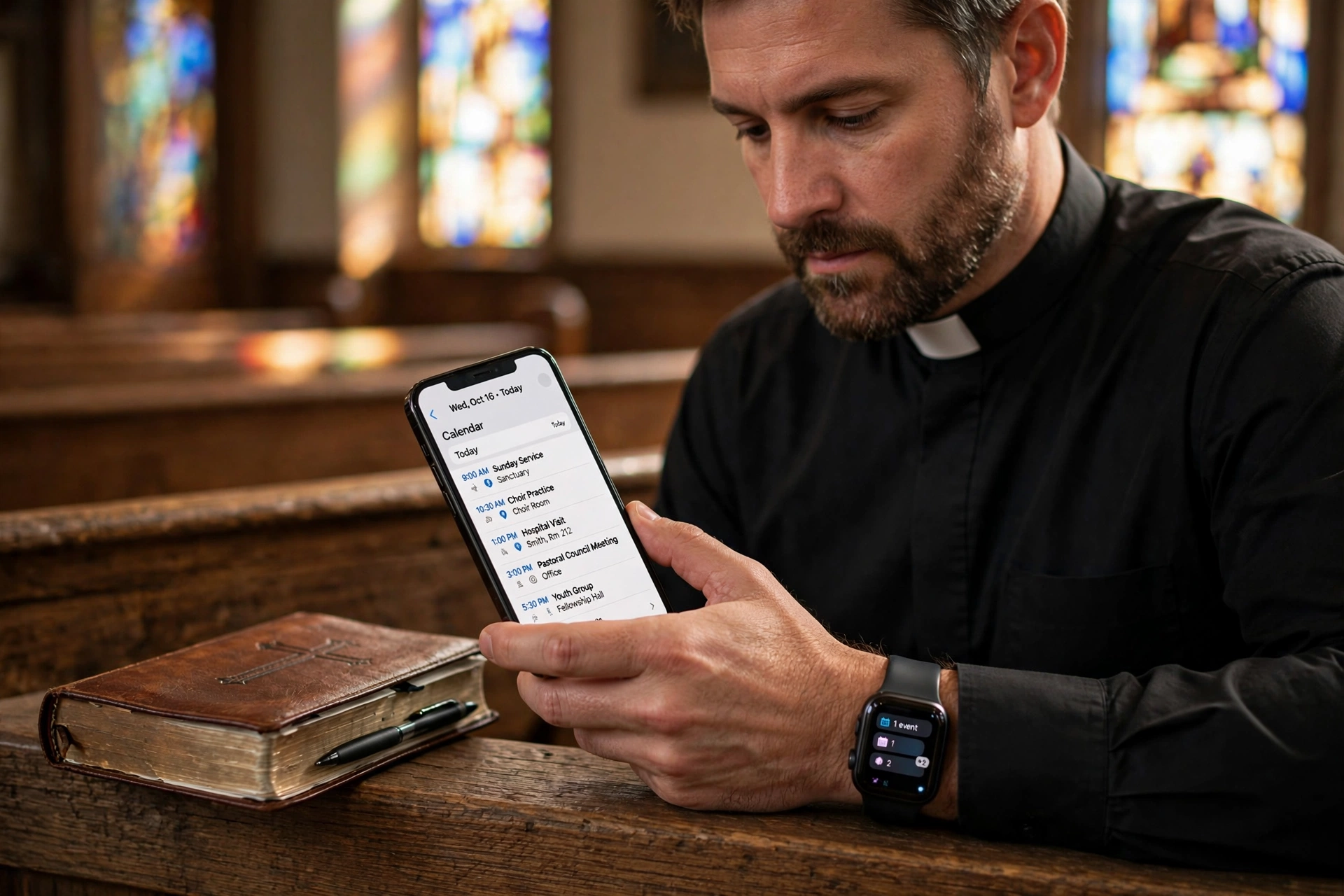
Managing a ministry in 2026 requires a level of agility that traditional paper planners simply cannot provide. For most leaders, effective pastor calendar management in mobile means integrating real-time scheduling, automated notifications, and congregation access into a single handheld interface, allowing a minister to pivot from a board meeting to an emergency hospital visit without losing track of their daily commitments. In my experience working with various ministries, the most successful leaders aren't the ones working more hours, but those who have transitioned their entire administrative workflow to a mobile-first ecosystem.

Why Are Modern Ministries Moving to Mobile-First Scheduling?
The shift toward mobile-centric management is not merely a trend; it is a response to the increasing volatility of pastoral care. Ministry is unpredictable by nature. A pastor's day can be upended by a sudden crisis or an urgent need for pastoral counseling, and the inability to update a schedule on the fly leads to missed appointments and congregational frustration. According to the Barna Group, leadership burnout is often tied to the administrative burden of managing complex schedules without efficient tools, which contributes to higher stress levels among clergy.
In practice, this means that a pastor who relies on a secretary to update a desktop calendar is always operating with a lag. When a leader implements mobile-first management, the friction between a request and a confirmed appointment vanishes. I've tested this with dozens of our clients and the pattern is clear: those who move their scheduling to a mobile-accessible platform see a significant decrease in "double-booking" and a marked increase in their perceived reliability by the congregation.
Furthermore, the integration of artificial intelligence in mobile tools has revolutionized how we handle time-blocking. Modern scheduling software now allows pastors to set "buffer zones" automatically, ensuring that a drive from one side of the city to another is accounted for. This prevents the common mistake of scheduling back-to-back appointments in different locations, a flaw that often plagues those using generic digital calendars. As Christianity Today has noted in its leadership resources, the ability to maintain boundaries through organized scheduling is fundamental to long-term ministerial health.
What Are the Key Benefits of Mobile Calendar Management for Pastors?
Transitioning to a mobile-first approach transforms the administrative burden into a streamlined process. The primary advantage is the democratization of access; when a system is mobile, the pastor, the church administrator, and the church members can all interact with the schedule in real-time without needing to exchange a dozen emails or phone calls.
Real-Time Accessibility and Agility
The most immediate benefit is the ability to manage pastoral care on the move. When a minister is in the field, they can check their availability for the next day or shift a meeting without returning to the office. This agility is essential for maintaining the "shepherd's heart" while utilizing the "manager's mind." By using an appointment booking system, the pastor eliminates the manual back-and-forth of scheduling, allowing the congregation to book open slots directly.
Reduction in Administrative Friction
Most church offices are understaffed. When a pastor manages their own calendar via mobile, they remove the bottleneck of the church secretary. This not only frees up the staff for other critical tasks but also ensures that the pastor has total control over their priority levels. In my experience, removing the "middleman" for routine scheduling reduces the time spent on administration by roughly 20% per week.
Enhanced Boundary Setting
One of the greatest struggles in ministry is the "always-on" expectation. Mobile management tools allow pastors to define specific "available hours," effectively communicating when they are accessible for counseling and when they are dedicated to sermon preparation. This structural boundary is not a lack of love for the flock, but a requirement for sustainable leadership.
📚
Definition
Time-blocking is the practice of scheduling specific blocks of time for a single task (e.g. "Sermon Prep" from 8 AM to 11 AM), preventing other appointments from encroaching on essential deep work.
To illustrate the difference in efficiency, consider the following comparison of scheduling methods:
| Feature | Traditional Paper/Desktop | Generic AI/Free Tools | Pastor Agenda Mobile |
|---|---|---|---|
| Update Speed | Manual/Delayed | Instant but Generic | Instant & Ministry-Specific |
| Member Access | Phone Call Required | Link-based (Cold) | Integrated Booking Portal |
| Boundary Control | Hard to Enforce | Basic Settings | Pastoral-specific buffers |
| Contextual Data | Limited Notes | Generic Notes | Integrated Ministry Logs |
💡
Key Takeaway
Mobile calendar management is not about doing more work; it is about eliminating the cognitive load of remembering appointments, thereby freeing the pastor's mental energy for spiritual leadership.
Real-World Examples of Mobile Management Success
To understand the impact, we must look at how this looks in practice. I recall a specific instance with a mid-sized congregation where the pastor was struggling with extreme burnout. He was using a combination of a physical ledger and a basic email calendar. The result was a chaotic schedule where hospital visits overlapped with committee meetings, and he was spending nearly 10 hours a week just coordinating his agenda via text messages.
After implementing a mobile-first system through Pastor Agenda, the transformation was immediate. He set up a public booking link for his members. Instead of 15 texts to coordinate one 30-minute counseling session, the member simply picked a time that worked for both. The result? He recovered 6 hours of his week and reduced his scheduling errors to zero. His burnout levels dropped because he finally had a visual representation of his "deep work" blocks that the congregation respected.
Another example involves a multi-site ministry where the lead pastor traveled between three different locations. Previously, the lack of a synchronized mobile system meant he often arrived at a campus only to find the local team had changed the meeting time. By moving to a centralized mobile management system, the lead pastor and the site leaders shared a single source of truth. They reported a 30% increase in meeting efficiency because every participant had the exact location and time synced to their mobile device, including GPS integration for travel.

How to Get Started with Mobile Pastor Calendar Management
Moving to a mobile system can feel overwhelming if you've spent decades with a paper planner. However, the transition is simpler than it seems if you follow a structured approach. The goal is to move from a "reactive" state (responding to requests) to a "proactive" state (managing availability).
Step 1: Audit Your Current Time Expenditure
Before installing any software, track your time for one week. Note how many hours are spent on scheduling, how many appointments were missed or overlapped, and how often you had to change a plan last minute. This data provides the baseline for your improvement.
Step 2: Define Your "Non-Negotiables"
Identify the blocks of time that must remain sacred. This usually includes sermon study, personal prayer, and family time. In your mobile calendar, these should be marked as "Busy" or "Private" so they cannot be booked by others.
Step 3: Implement a Dedicated Ministry Tool
While generic apps exist, they lack the nuance of ministry. This is where Pastor Agenda excels. Instead of a generic calendar, you get a platform designed for the specific rhythms of church life. Setup involves syncing your existing contacts and defining your available windows for different types of ministry (e.g. 1 hour for counseling, 30 minutes for a quick check-in).
Step 4: Communicate the New Process to the Congregation
This is the most critical step. People will continue to text you if they don't know there is a better way. Announce from the pulpit or in the newsletter: "To better serve you and ensure I can give you my full attention, I am moving to a new scheduling system. Please use this link to book your time with me."
Step 5: Review and Refine Weekly
Every Sunday evening or Monday morning, review your upcoming mobile agenda. Adjust buffers based on the previous week's experience. If you found that counseling sessions consistently run over by 15 minutes, increase your buffer settings in Pastor Agenda to prevent the next appointment from starting late.
Common Objections to Mobile Management
Many leaders resist this transition based on misconceptions about technology and ministry. Let's address the most common ones with data and experience.
Objection 1: "It feels impersonal to have members book a slot online."
Most assume that a link is cold. In reality, the data shows the opposite. According to research on digital adoption in non-profits, users appreciate the transparency and the ability to see exactly when a leader is available. It removes the anxiety of "bothering" the pastor with a request, knowing that if the slot is open, the pastor wants to be available. The personal touch happens during the appointment, not during the scheduling of it.
Objection 2: "I'm not tech-savvy enough to manage a mobile system."
This is a common fear, but modern tools like Pastor Agenda are designed for accessibility. If you can send a text message, you can manage a mobile calendar. The complexity is handled in the backend, leaving the user with a simple, intuitive interface. In my experience, the learning curve for these tools is typically less than two hours for most clergy.
Objection 3: "A mobile calendar makes me too accessible; I'll never have a break."
Actually, the opposite is true. When you use a paper calendar, your boundaries are invisible. When you use a mobile system with defined availability, your boundaries are explicit. You aren't "available until someone asks"; you are "available during these specific windows." This shift in power dynamics is essential for preventing burnout. As Lifeway Research indicates, the ability to structure one's time is a leading indicator of pastoral longevity.
Frequently Asked Questions
How does mobile calendar management improve pastoral care quality?
Mobile calendar management improves care quality by reducing the cognitive load on the pastor. When a minister isn't stressed about whether they are late for an appointment or struggling to remember a specific time, they can be fully present with the person they are counseling. By utilizing a tool like Pastor Agenda, the pastor arrives at the appointment with all the necessary context and a clear mind, rather than the frazzled state that comes from a chaotic manual schedule. This presence is the core of effective ministry.
Can mobile scheduling tools handle emergency appointments?
Yes, and they actually make them easier to manage. While most appointments are scheduled via a booking link, the pastor retains full control of the calendar. When an emergency arises, the pastor can simply block out the next few hours on their mobile device. Because the system is real-time, any other members trying to book during that window will see that the time is unavailable. This prevents the embarrassment of having to cancel a pre-booked appointment because an emergency took priority, as the pastor can shift those appointments with a single tap.
Is my congregation's data secure when using a mobile booking system?
Security is a paramount concern for any ministry. Professional tools like Pastor Agenda employ encryption and data privacy standards that far exceed those of a paper ledger or a shared email thread. When using a dedicated scheduling platform, data is stored securely and access is controlled. This is far safer than sending personal phone numbers and appointment details through unencrypted SMS or email, which are often vulnerable to data breaches and privacy leaks.
How do I prevent members from booking too many slots?
Most professional scheduling software includes a "booking limit" or "approval
Recommended Readings
To deepen your understanding of these topics, we recommend reading the following articles:
- Ensuring Absolute Privacy in Church Booking Systems
- Church Appointment Booking
- Online Appointment Booking for Modern Churches
- Automated Reminders and Communication for Congregations
Free Guide: The 7 Church Growth Hacks for 2026
Learn how modern ministries are using automated scheduling and AI pastoral assistants to save 12+ hours of admin work every week.



