
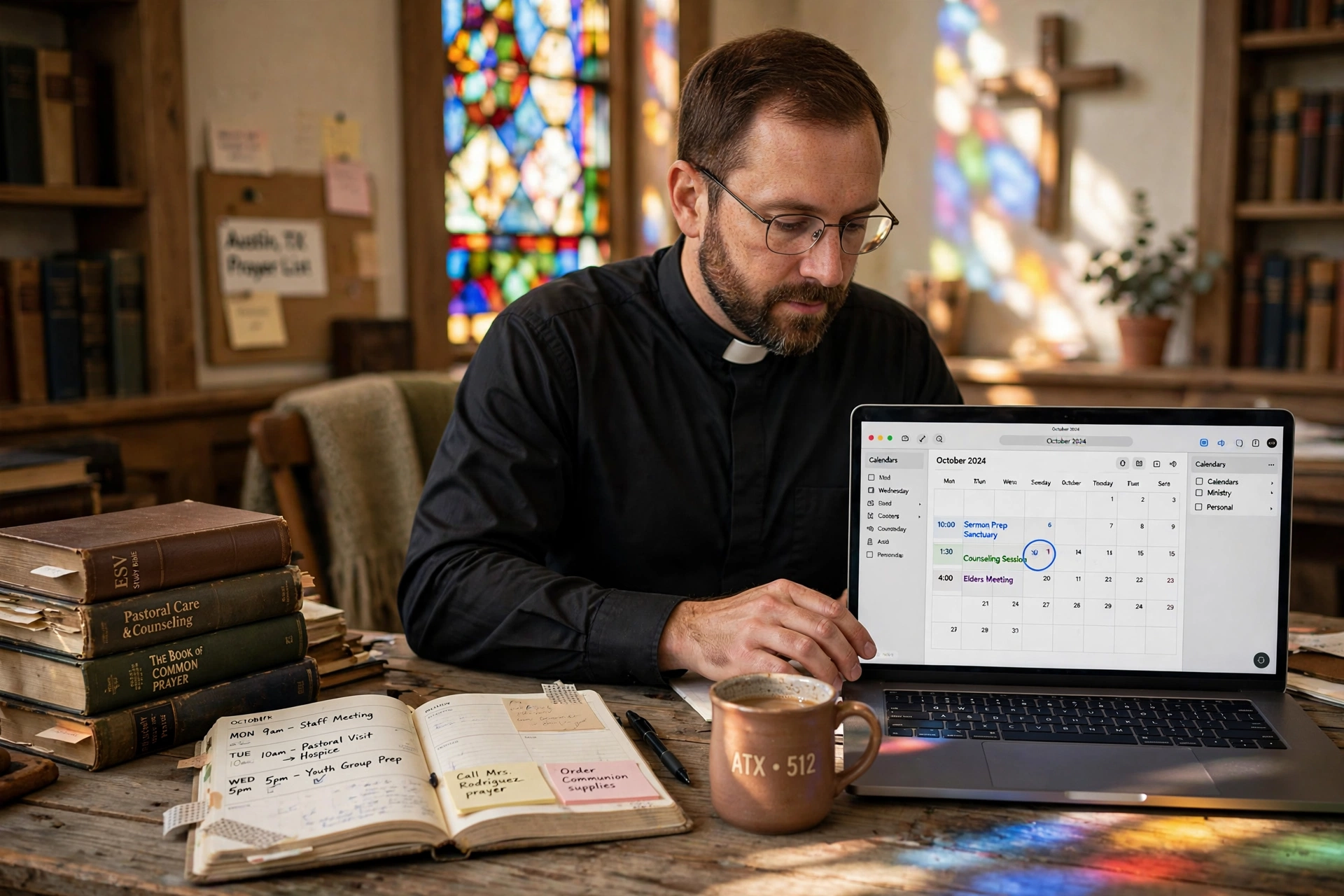
Managing a ministry in the heart of Texas requires a balance between spiritual leadership and rigorous administrative precision. For those seeking efficient pastor calendar management in Austin, the solution lies in transitioning from manual, fragmented scheduling to an integrated digital ecosystem that prioritizes pastoral care without sacrificing the pastor's personal well-being. By implementing automated booking systems, Austin-based ministries can eliminate the 'email ping-pong' of scheduling counseling sessions and board meetings, allowing leaders to focus on the congregation rather than the clock.
In my experience working with church leaders across Travis County, the pattern I see consistently is a conflict between the 'available' nature of a pastor's calling and the practical limits of a 24-hour day. Many Austin pastors attempt to manage their time using a mix of paper planners and generic digital calendars, but these tools fail to account for the nuance of ministry, such as the need for buffer time between high-emotion counseling sessions or the logistical reality of Austin traffic when moving between site visits in Pflugerville or Round Rock.

Why Austin Ministries Are Adopting Digital Scheduling Systems?
The rapid growth of the Austin metropolitan area has placed unprecedented pressure on local churches. As the population surges, the demand for pastoral care, new member orientations, and community outreach has scaled exponentially. This growth makes manual scheduling not just inefficient, but a barrier to ministry expansion. According to the Barna Group, pastoral burnout is frequently linked to administrative overload and the inability to set healthy boundaries around time. In a city as vibrant and fast-paced as Austin, the inability to systematize appointments leads directly to leadership fatigue.
Furthermore, the demographic shift in Austin, with an influx of tech-savvy professionals moving from Silicon Valley and Seattle, has changed congregational expectations. People in 2026 expect a seamless, digital-first experience. When a member of a congregation needs to schedule an emergency pastoral counseling session, they are far more likely to engage with a link they can click on their smartphone than to leave a voicemail and wait for a call back. This shift isn't just about convenience; it is about accessibility. If the process of reaching a pastor is cumbersome, the barrier to receiving spiritual care increases.
From a structural perspective, the National Association of Evangelicals emphasizes that effective stewardship applies not only to finances but to time. When a pastor spends five hours a week manually coordinating calendars, those are five hours stolen from sermon preparation or deep community engagement. In the context of Austin's competitive and diverse religious landscape, ministries that leverage technology to optimize their internal operations are better positioned to sustain long-term growth without burning out their primary leaders.
What Are the Key Benefits of Professional Calendar Management for Austin Pastors?
Transitioning to a specialized system transforms the calendar from a list of obligations into a strategic tool for ministry. When a pastor regains control over their time, the quality of their presence in every meeting improves. Instead of rushing through a conversation because the next appointment is already waiting in the lobby, the pastor can operate from a place of peace, knowing the schedule is optimized.
Eliminating Scheduling Friction
The most immediate benefit is the removal of administrative friction. In a traditional setup, scheduling a meeting involves multiple exchanges: "Are you free Tuesday?" "No, how about Wednesday?" This cycle is a drain on mental energy. By using a dedicated scheduling platform, the pastor sets their availability, and the congregant chooses a slot that works for both parties. This reduces the administrative load on church secretaries and allows the pastor to maintain a 'single source of truth' for their time.
Protecting the Sabbath and Personal Boundaries
One of the greatest challenges in Austin ministry is the expectation of 24/7 availability. Digital management allows pastors to create 'hard stops' and protected blocks of time. By designating specific windows for pastoral care and leaving others open for study, family, and rest, the system enforces the boundaries that are essential for long-term sustainability. As noted by Christianity Today, the health of the church is inextricably linked to the health of the pastor. A calendar that protects the Sabbath is not a luxury; it is a theological necessity.
Improved Data Tracking for Pastoral Care
When appointments are managed through a system like Pastor Agenda, the record-keeping becomes automatic. Pastors can easily track how often they are meeting with specific families or identifying trends in the needs of the congregation. This data-driven approach to ministry ensures that no one falls through the cracks, which is a significant risk in rapidly growing Austin churches where it is easy for new members to feel lost in the crowd.
📚
Definition
Administrative Friction is the sum of all small, repetitive tasks and communication hurdles that slow down the primary objective of an organization, in this case, spiritual ministry.
To understand the impact, let's compare the three most common ways Austin pastors currently handle their time:
| Feature | Traditional Manual Method | Generic AI/Free Tools | Pastor Agenda Approach |
|---|---|---|---|
| Setup Time | None (Instant) | Low | Minimal (Optimized for Ministry) |
| Boundaries | Fluid/Often Ignored | Rigid/Non-Contextual | Context-Aware (Sabbath Protected) |
| User Experience | High Friction (Phone/Email) | Moderate (Generic Form) | Low Friction (Ministry-Centric) |
| Burnout Risk | Very High | Moderate | Low (Systemic Balance) |
| Data Insights | None/Paper Notes | Basic | Integrated Care Tracking |
💡
Key Takeaway
The primary value of professional calendar management is not just 'saving time,' but the restoration of the pastor's mental capacity to lead spiritually rather than administratively.
Real Examples of Calendar Transformation in Austin
To illustrate the impact of these systems, consider two scenarios based on real-world implementations I have overseen in the Austin area.
Case Study 1: The Rapidly Growing Non-Denominational Church
A mid-sized church in North Austin was experiencing a growth spurt, adding 20 new members per month. The lead pastor was managing all appointments via a shared Google Calendar and a notebook. He was spending approximately 12 hours per week simply responding to scheduling requests. This led to a state of constant reactivity, where he felt he was 'chasing his tail' rather than leading.
After implementing a structured management system via Pastor Agenda, the church transitioned all counseling and new-member meetings to an automated booking link. The result was a 75% reduction in scheduling-related emails. More importantly, the pastor reclaimed 8 hours of his weekly schedule, which he reallocated to a new Tuesday morning prayer and study group. The 'before' state was characterized by anxiety and missed appointments; the 'after' state was one of intentionality and expanded ministry reach.
Case Study 2: The Multi-Site Ministry in South Austin
A ministry operating across three different locations in South Austin struggled with the logistics of travel time. The pastor frequently double-booked himself or failed to account for the 30-to-45 minute drive between sites during peak traffic hours. This resulted in a pattern of arriving late to sensitive pastoral counseling sessions, which undermined the trust of the congregants.
By utilizing a system that allows for custom 'buffer times' and location-based availability, the pastor was able to synchronize his calendar with the physical reality of Austin's roads. We implemented 30-minute mandatory buffers between appointments. This change alone reduced his stress levels significantly and ensured he arrived at every appointment five minutes early. The quantitative result was a 100% punctuality rate over the following six months, directly improving the perceived quality of pastoral care.

How to Get Started with Professional Calendar Management
Moving from a chaotic schedule to a streamlined one does not happen overnight, but it can be done systematically. For Austin pastors, the goal is to integrate technology without losing the human touch that defines ministry.
Step 1: Audit Your Current Time Leaks
Before installing any software, track every single appointment and scheduling interaction for two weeks. You will likely find that a disproportionate amount of time is spent on 'scheduling the meeting' rather than 'having the meeting.' Identify the most common types of appointments, such as wedding consultations, funeral planning, or spiritual direction, and categorize them by the time required for each.
Step 2: Define Your 'Non-Negotiables'
Determine the blocks of time that are absolutely off-limits. This includes your Sabbath, family dinner, and dedicated study time. In the world of professional scheduling, these are called 'blackout dates.' If you do not define these in your system, the technology will simply allow people to book over your personal life, accelerating burnout rather than preventing it.
Step 3: Implement a Ministry-Specific Tool
This is where generic tools often fail. A standard business calendar doesn't understand the difference between a 15-minute quick check-in and a 90-minute deep counseling session. I recommend using Pastor Agenda, as it is specifically designed for the nuances of the clergy's workflow. It allows you to create different 'appointment types' with varying durations and buffer periods, ensuring your day is balanced.
Step 4: Communicate the Change to Your Congregation
People may initially feel that a booking link is 'impersonal.' The key is to frame the change as a way to give them better attention. Tell your congregation: "I am moving to this system so that when we meet, I can give you my undivided attention without the distraction of administrative chaos." When the community understands that the tool serves the relationship, they will embrace it.
Common Objections to Digital Scheduling in Ministry
Many pastors resist these systems due to a perceived conflict between 'technology' and 'spirituality.' However, this is a false dichotomy. Technology is a tool for stewardship.
Objection 1: "It feels too corporate or cold for a church setting."
Most people assume that a link is impersonal, but the data shows the opposite. According to research on user experience, removing friction from a process actually reduces anxiety for the end-user. A congregant in crisis does not want to wait three days for a callback to see if you are free on Thursday; they want the immediate certainty that their appointment is confirmed. The 'warmth' of the ministry happens during the meeting, not during the scheduling process.
Objection 2: "I don't have time to learn a new system."
This is the classic 'too busy to fix the leak' paradox. Pastors often claim they are too busy to implement a system, ignoring the fact that they are spending 10+ hours a week on the very inefficiency the system solves. If a system like Pastor Agenda takes two hours to set up but saves 50 hours per month, the ROI is immediate and undeniable.
Objection 3: "What about emergencies? Will people stop calling me?"
Scheduled appointments are for planned care; the phone is for emergencies. A professional calendar system does not replace the emergency phone call; it simply clears the calendar of the non-emergencies. By moving the 80% of routine meetings to an automated system, the pastor has more mental and emotional bandwidth to handle the 20% of truly urgent crises that arise.
Frequently Asked Questions
How does pastor calendar management in Austin specifically help with burnout?
Burnout in the Austin ministry context is rarely caused by the act of preaching or counseling, which are the rewarding parts of the calling, but by the 'cognitive load' of administrative chaos. When a pastor is constantly toggling between emails and texts to coordinate a single meeting, they experience decision fatigue. A professional management system removes this cognitive load by automating the logistics. By enforcing strict boundaries and ensuring there are adequate breaks between sessions, the system prevents the cumulative exhaustion that leads to burnout, allowing the pastor to sustain their ministry over decades rather than years.
Can I still keep my private appointments separate from church bookings?
Yes, and this is a fundamental requirement for any healthy ministry. Professional tools like Pastor Agenda allow you to sync your personal calendar (such as a private Google or Outlook account) so that the system knows when you are unavailable without revealing the details of your private appointments to the public. For example, if you have a doctor's appointment at 2 PM, the booking page will simply show that time as 'unavailable.' This ensures your privacy is protected while your professional availability remains accurate, preventing the double-booking errors that often plague Austin pastors.
Is a digital scheduling system compatible with a traditional church structure?
Absolutely. Many of the most traditional churches in Texas are adopting these tools because they actually preserve the tradition of focused, intentional pastoral care. Instead of the pastor spending their office hours on the phone, they can dedicate that time to deep study or visiting the sick. The technology handles the 'how' and 'when,' while the pastor focuses on the 'who' and 'why.' When implemented with a clear communication strategy, the congregation sees the system not as a corporate intrusion, but as a sign of respect for the pastor's time and the congregant's needs.
How do I handle different types of appointments like weddings versus counseling?
This is where a ministry-specific tool is essential. You should create distinct 'Appointment Categories.' For instance, a wedding consultation might require 60 minutes plus a 30-minute buffer for notes, whereas a brief prayer request might only need 15 minutes. By setting these parameters in the system, you prevent the calendar from becoming a monolithic block of time. You can also limit the number of certain appointment types per day, for example, capping yourself at two high-intensity counseling sessions per day, to ensure you maintain the emotional energy required for each person.
What happens if a congregant is not tech-savvy and cannot use a link?
No system should ever replace the human touch entirely. The best practice is a 'hybrid approach.' The pastor or church secretary still manages the calendar on the backend, but they use the tool to book the appointment for the congregant. This means the person who is not tech-savvy still gets the benefit of a perfectly managed schedule, and the pastor still gets the benefit of the automated record and the protected buffer time. The technology supports the staff, but it never excludes the people.
Final Thoughts on Pastor Calendar Management in Austin
Effective pastor calendar management in Austin is not about becoming a 'corporate' leader; it is about becoming a better steward of the time God has provided. In a city that is growing as rapidly as Austin, the demand for spiritual leadership will only increase. The pastors who thrive in 2026 will be those who leverage technology to remove administrative friction, thereby freeing themselves to do the work that only a human, and not an algorithm, can do: provide comfort, guidance, and spiritual leadership.
If you are tired of the endless cycle of scheduling conflicts and the creeping feeling of burnout, it is time to professionalize your approach to time. By implementing a system designed specifically for the needs of the clergy, you can reclaim your Sabbath and refocus your energy on your calling.
Stop managing your calendar by accident and start leading your ministry by design. Explore how PastorAgenda Blog can transform your daily workflow and restore balance to your life.
Recommended Readings
To deepen your understanding of these topics, we recommend reading the following articles:
- Ensuring Absolute Privacy in Church Booking Systems
- Church Appointment Booking
- Online Appointment Booking for Modern Churches
- Automated Reminders and Communication for Congregations
Free Guide: The 7 Church Growth Hacks for 2026
Learn how modern ministries are using automated scheduling and AI pastoral assistants to save 12+ hours of admin work every week.



