
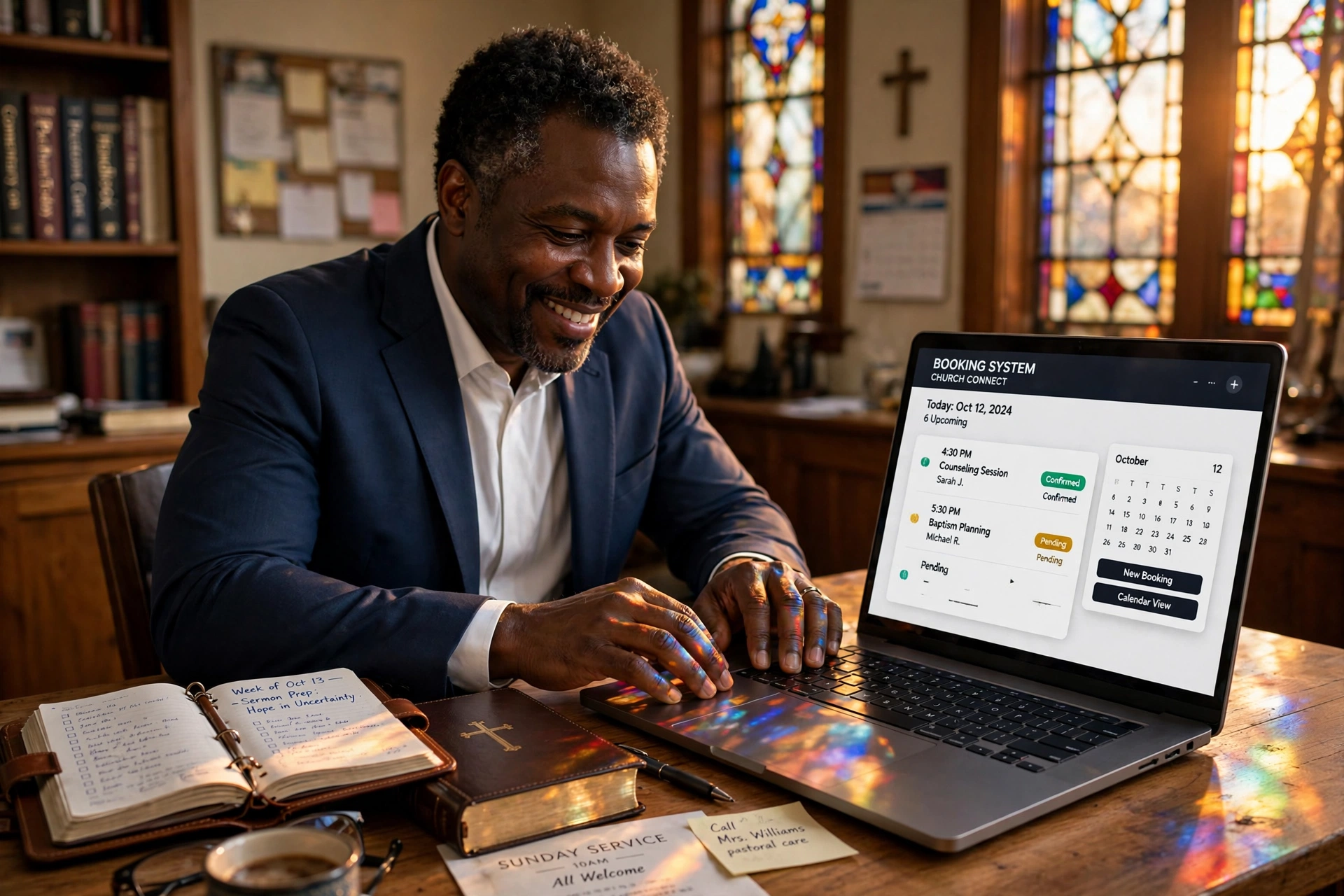
How to Implement an Efficient System for Online Booking for Pastors
Managing a ministry often feels like a constant battle between spiritual availability and administrative chaos. In my experience working with religious leaders, the most common point of failure is the "open-door policy" that leads to burnout. To solve this, implementing online booking for pastors allows a minister to transition from a reactive schedule, where the phone never stops ringing, to a proactive one, where time is intentionally allocated for prayer, study, and focused pastoral care. The core process involves syncing a professional digital calendar with a public-facing interface, setting strict availability boundaries, and automating confirmation messages to reduce no-shows.

What Exactly is Online Booking for Ministry?
When we talk about digital scheduling in a church context, we aren't just talking about a calendar. We are talking about a boundary-setting tool that protects the sanctity of the pastor's time while ensuring the congregation feels heard and valued.
📚
Definition
Online booking for pastors is a specialized application of appointment scheduling software that allows church members, visitors, and staff to reserve specific time slots for counseling, spiritual direction, or administrative meetings without the need for back-and-forth emails or phone calls.
The fundamental shift here is moving the "administrative burden" from the pastor to the user. Instead of a secretary spending three hours a week playing "calendar tag" with a grieving family or a new member, the user sees exactly when the pastor is available and claims a slot. However, this requires more than just a link; it requires a strategic configuration of "buffer times" and "category tags." For instance, a pastor should never schedule a high-intensity crisis counseling session immediately before a board meeting.
According to the Barna Group, pastoral burnout is often linked to the blurring of lines between professional ministry and personal life. By using a structured booking system, a leader can create "hard stops" in their digital presence, ensuring that their family time is mathematically blocked out and invisible to the public. This isn't about being less available; it's about being more present when you actually are available.
Why Does Digitizing Your Pastoral Calendar Matter in 2026?
The demand for pastoral care has evolved. In a post-pandemic era, the expectation for immediate, frictionless access to leadership has increased. If a member of the congregation is in a moment of spiritual crisis, they may not want to leave a voicemail and wait 48 hours for a callback; they want to see a window of availability and secure it immediately.
The impact of not digitizing this process is measurable in "administrative leakage." When a pastor handles scheduling manually, they lose significant cognitive energy to "micro-decisions", checking the calendar, confirming the time, sending the reminder. This fragmented attention reduces the quality of the sermon preparation and the depth of the pastoral counseling.
From a data perspective, the efficiency gains are substantial. Christianity Today has highlighted that leadership sustainability depends on the ability to delegate administrative tasks to systems. When you implement a digital booking flow, you typically reduce the time spent on scheduling by 70% to 80%. More importantly, you eliminate the "scheduling anxiety" that occurs when a pastor feels they are forgetting an appointment or double-booking a critical ministry event.
Furthermore, using a system allows for better data tracking. In my experience, pastors who track their appointment types (e.g. "New Member Orientation" vs. "Crisis Counseling") can identify trends in their congregation's needs. If 60% of your bookings are for crisis management, it's a signal that the church may need to invest in more lay-counseling training or a specialized support group, rather than the pastor carrying the entire load alone.
Practical Application: Step-by-Step Implementation
Implementing a booking system is a technical process, but it must be guided by a theological understanding of stewardship. You are stewarding your time so that you can better serve the flock.
Step 1: Audit Your Energy, Not Just Your Time
Before touching any software, map out your "prime time." Most pastors find that their deep-work windows (sermon writing and study) occur in the morning. Do not open your online booking for those hours. Instead, create "Ministry Blocks", specific 3-to-4 hour windows on Tuesdays and Thursdays, for example, where you are fully available for appointments.
Step 2: Define Your Appointment Types
Not all meetings are created equal. You should create different "event types" in your software. For example:
- Brief Check-in (15 mins): For quick administrative questions.
- Pastoral Counseling (60 mins): For deep spiritual guidance.
- New Member Intake (45 mins): For welcoming new families. By assigning different durations to different needs, you prevent the "time creep" where a quick question turns into a two-hour session.
Step 3: Set Up Automated Buffers
This is where most people fail. The mistake I made early on, and that I see constantly, is allowing appointments to be booked back-to-back. In a ministry setting, a counseling session often runs over, or the pastor needs ten minutes to pray and reset mentally before the next person arrives. Set a mandatory 15-minute "buffer" before and after every appointment.
Step 4: Integrate and Automate with Pastor Agenda
This is where Pastor Agenda becomes the essential tool. Instead of fighting with a generic corporate tool that doesn't understand church dynamics, Pastor Agenda provides a streamlined interface specifically for the religious context. You sync your primary calendar, set your ministry blocks, and share your unique link via the church website, email signature, or social media. The system handles the reminders, which significantly reduces the "no-show" rate that plagues many ministries.
💡
Key Takeaway
The goal of online booking isn't to make the pastor "easier to reach" at all hours, but to make the right appointments happen at the right times without administrative friction.

Comparing Scheduling Approaches for Ministry
Many leaders struggle to decide between a completely manual system, a generic corporate tool, and a purpose-built ministry solution. Here is how they compare based on operational efficiency and pastoral health.
| Feature | Manual (Paper/Email) | Generic AI/Corporate Tools | Pastor Agenda Approach |
|---|---|---|---|
| Time Spent Scheduling | High (Hours/Week) | Moderate (Minutes/Week) | Low (Automated) |
| Boundary Control | Poor (Reactive) | Moderate (Technical) | High (Ministry-Focused) |
| Congregation Experience | High Friction (Wait time) | Low Friction (Self-serve) | Low Friction (Intuitive) |
| Contextual Awareness | High (Personal) | Low (Generic) | High (Designed for Pastors) |
| Risk of Burnout | Very High | Moderate | Low |
Now, here's where it gets interesting: many pastors try to use a generic tool and find it feels "too corporate" or "too cold." The difference with a ministry-centric approach is the language and the flow. When a member of the congregation books a slot, they shouldn't feel like they are scheduling a sales call with a software vendor. The interface should feel like an extension of the church's care.
Common Questions and Misconceptions
There is a persistent myth in the church world that using a digital booking system is "impersonal" or "unspiritual." Most guides on this topic get this wrong by focusing only on the tech and not the heart.
Myth 1: "It removes the personal touch from ministry."
Actually, the opposite is true. When you stop stressing over the logistics of when to meet, you have more mental and emotional energy to actually be with the person. The "personal touch" happens during the appointment, not during the three emails it took to schedule it.
Myth 2: "My congregation will think I'm too busy for them."
Transparency actually builds trust. When a member sees that you have dedicated "Pastoral Care" blocks, they realize that you take their needs seriously enough to carve out specific, protected time for them. It communicates that the time spent with them is a priority, not an interruption.
Myth 3: "I can just use a free generic calendar."
Generic tools often lack the nuance required for ministry. They don't always handle the complex intersections of personal and professional calendars well, and they often lack the automated reminder sequences that are vital for people who are struggling with crisis or forgetfulness. Using a dedicated tool like Pastor Agenda ensures that the "hand-off" from the digital booking to the physical meeting is seamless.
Frequently Asked Questions
How do I prevent people from booking appointments during my sermon prep time?
The most effective way to protect your study time is by using "Availability Windows" rather than a general "Open" status. In your scheduling settings, specifically define the hours you are available for appointments. If you dedicate Monday and Tuesday mornings to sermon preparation, simply do not mark those hours as "available" in your system. This makes those blocks invisible to the user, meaning they cannot book a slot during your most critical work window. In my experience, the only way to truly protect your study time is to make it digitally nonexistent to the public.
Will online booking make me feel like I'm "on call" 24/7?
Paradoxically, online booking actually removes the "on call" feeling. When you don't have a system, you spend your entire day reacting to texts, calls, and "can you meet now?" requests. By directing everyone to a booking link, you establish a clear protocol. You are essentially telling your congregation: "I value you and want to give you my full attention, and this is the most efficient way for us to connect." Once the system is in place, the boundary is set by the software, not by you having to say "no" repeatedly, which reduces the emotional guilt associated with setting boundaries.
What happens if someone has an emergency that can't wait for a booking slot?
A booking system is for scheduled care, not emergency care. It is fundamental to communicate this distinction clearly. On your booking page, include a note that says: "For immediate emergencies or crisis situations, please contact [Emergency Contact/Church Office] or call 911." By separating the "Scheduled Counseling" path from the "Crisis Emergency" path, you ensure that the system handles the 90% of meetings that are non-urgent, leaving you free to handle the 10% that are true emergencies without your entire calendar collapsing.
Is it a security risk to put my availability online?
When configured correctly, there is virtually no risk. You are not sharing your home address or your private phone number; you are sharing a link to a set of available time slots. Most professional systems, including Pastor Agenda, allow you to keep your specific calendar events private. The user only sees "Available" or "Busy." They don't see why you are busy or where you are. This layer of abstraction is actually safer than the traditional method of shouting your availability across a church lobby or in an email thread that could be forwarded.
How do I handle "no-shows" when people book online?
No-shows are a common pain point in ministry. The solution is a three-pronged automation strategy: the initial confirmation, a 24-hour reminder, and a 2-hour "final check" notification. Statistics from the broader appointment industry show that automated reminders can reduce no-show rates by up to 40%. By using a system that sends these reminders via email or SMS, you prompt the member to confirm or reschedule. This respects your time and allows you to open that slot for someone else if the original appointment is canceled early.
Final Thoughts on Online Booking for Pastors
Transitioning to a digital scheduling system is not an admission that your ministry has become a business; it is a commitment to the stewardship of your time. When you implement online booking for pastors, you are removing the administrative noise that separates you from the people you are called to serve.
The shift from a reactive to a proactive schedule is often the single most impactful change a leader can make for their mental health and the health of their congregation. By setting clear boundaries, automating the "logistical dance," and protecting your study time, you ensure that when you finally sit down across from a member of your flock, you are fully present, rested, and spiritually prepared.
To begin reclaiming your time and professionalizing your ministry's accessibility, explore the tools available at PastorAgenda Blog. Stop fighting your calendar and start leading your people.
Recommended Readings
To deepen your understanding of these topics, we recommend reading the following articles:
- Ensuring Absolute Privacy in Church Booking Systems
- Church Appointment Booking
- Online Appointment Booking for Modern Churches
- Automated Reminders and Communication for Congregations
Free Guide: The 7 Church Growth Hacks for 2026
Learn how modern ministries are using automated scheduling and AI pastoral assistants to save 12+ hours of admin work every week.



