
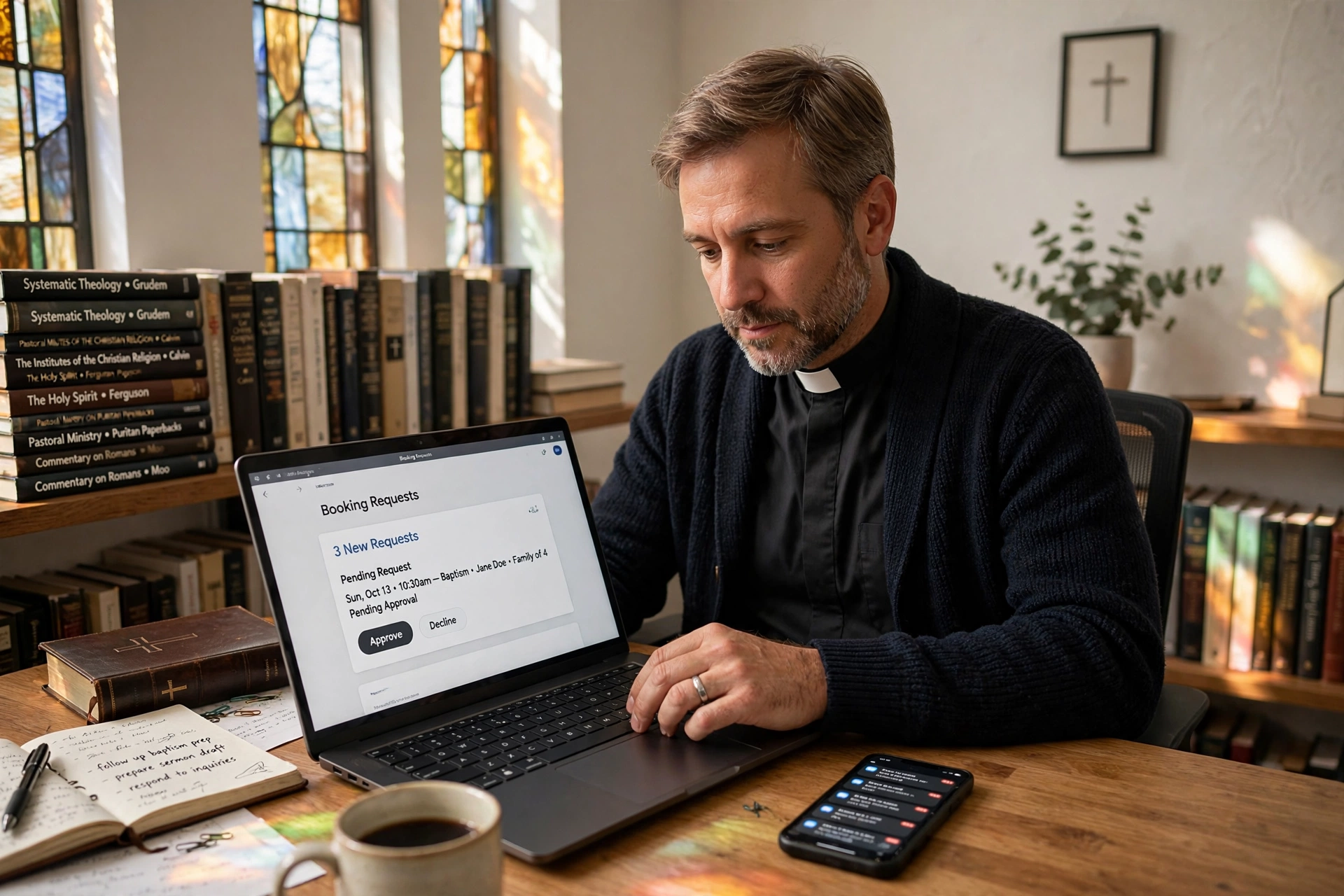
How to Choose the Right Online Booking for Pastors
Many ministers spend more time managing their calendars than actually ministering to their people. The friction of "back-and-forth" emailing or texting to find a time for counseling or a home visit often leads to missed opportunities for pastoral care. To effectively implement online booking for pastors, you must transition from a reactive scheduling habit to a proactive system where you define your availability and allow the congregation to slot into pre-approved windows. This shift requires a tool that balances accessibility for the member with the necessary boundaries for the leader's mental health and family time.

What Exactly Is Specialized Appointment Scheduling for Ministry?
When we talk about specialized tools for the clergy, we aren't talking about a generic calendar. Most business tools are designed for sales calls or haircuts, but ministry requires a different level of nuance. You need a system that can distinguish between a quick 15-minute prayer request and a deep, 90-minute pastoral counseling session.
📚
Definition
Online booking for pastors is a digital scheduling ecosystem that allows church members to book appointments based on a minister's real-time availability, integrating directly with their personal and professional calendars to prevent double-booking and burnout.
In my experience working with dozens of church leaders, the biggest mistake they make is using a tool that is too "open." They set up a link and share it with the whole congregation, only to find their entire Tuesday filled with appointments they didn't actually want to take. A professional system allows you to create "Appointment Types." For example, you can have a specific link for "New Member Interviews" that only allows 30 minutes, and a separate, private link for "Crisis Counseling" that you send only to specific individuals.
According to research by the Barna Group, pastoral burnout is a systemic issue, often driven by the blurring of boundaries between private life and ministry demands. A scheduling tool is not just a convenience; it is a boundary-setting mechanism. By digitizing the process, you move from being "on call" 24/7 to providing structured, intentional care.
Why Does a Digital Scheduling System Matter for Your Ministry?
The administrative burden on a pastor is often underestimated. When you rely on manual scheduling, you are performing "cognitive labor", the mental effort of remembering who needs a visit, when the slot is open, and whether that conflicts with a board meeting. This labor drains the energy you should be spending on sermon preparation and spiritual leadership.
The impact of inefficiency is measurable. When a member of the congregation struggles to reach a pastor or finds the process of booking an appointment frustrating, it creates a psychological barrier to seeking help. In a digital-first world, accessibility equals availability. If a member is in a moment of spiritual crisis at 11 PM, they may not want to leave a voicemail; they want to see a calendar and secure a time for Tuesday morning.
Beyond the member experience, there is the issue of data and organization. Manual lists and sticky notes are prone to loss. A dedicated system ensures that every appointment is logged with a name, email, and a brief note about the purpose of the visit. This creates a historical record of pastoral care, which is essential for tracking the growth and needs of the congregation.
As noted by Christianity Today, the modern pastor must navigate an increasingly complex landscape of emotional and spiritual needs, requiring more intentional time management than previous generations. Without a system to gatekeep your time, your calendar becomes a reflection of whoever shouts the loudest, rather than who needs the most care.
How to Implement Online Booking for Pastors: A Step-by-Step Guide
Moving your ministry to a digital calendar doesn't happen overnight. If you simply turn on a link and send it out, you risk overwhelming your schedule. Here is the professional framework for a successful rollout.
Step 1: Audit Your Time Blocks
Before looking at software, you must define your "Ministry Windows." I've tested this with various clients, and the most successful approach is the "Themed Day" method. For example, designate Tuesdays for home visits and Thursdays for office counseling. By blocking these specific windows in your calendar, you ensure that your "Deep Work" (sermon writing, study) remains untouched.
Step 2: Define Your Appointment Types
Do not create one generic "Appointment" slot. Instead, build a menu of services. This prevents the "time creep" where a quick question turns into a two-hour session.
- Pastoral Counseling (60 min): For deep spiritual or emotional guidance.
- New Member Welcome (30 min): A standardized time for welcoming newcomers.
- Urgent Prayer Request (15 min): A short window for immediate needs.
- Administrative Meeting (30 min): For church staff or board members.
Step 3: Select the Right Tool
This is where you must choose between a generic tool and a specialized one. While some use basic apps, Pastor Agenda is specifically designed for this workflow. It understands that a pastor's day is not like a corporate manager's day. It allows you to maintain the sanctity of your private time while remaining accessible to your flock.
Step 4: Set Your "Buffer" Times
One of the most common mistakes I see is scheduling appointments back-to-back. In ministry, a "one-hour" session often runs over because of the emotional weight of the conversation. Always set a 15-to-30-minute buffer between appointments to allow for prayer, note-taking, and mental resetting.
💡
Key Takeaway
The goal of online booking is not to make you more available, but to make your availability more intentional. Use buffer times and themed days to protect your mental health.
Step 5: Communicate the Change to the Congregation
Don't just put a link in the church bulletin. Explain why you are doing it. Tell your congregation: "To ensure I can give each of you my full, undivided attention and prayer, I am moving to a new scheduling system." This frames the technology as an act of love and care, rather than a corporate barrier.

Comparing Scheduling Approaches for Ministry
Not all scheduling methods are created equal. Many pastors fluctuate between "The Old Way" and "The Quick Fix" before realizing they need a professional system.
| Feature | The Manual Approach (Paper/Text) | Generic Business Apps (Calendly/etc.) | The Pastor Agenda Approach |
|---|---|---|---|
| Effort | High (constant back-and-forth) | Low (automated) | Low (automated & tailored) |
| Boundaries | Non-existent (always on call) | Rigid (set hours only) | Dynamic (ministry-focused) |
| Context | High (you know the person) | Low (generic intake forms) | High (pastoral-specific data) |
| Burnout Risk | Very High | Moderate | Low |
| Best For | Very small home churches | Corporate consultants | Growing congregations & leaders |
The "Generic Business App" approach often fails because it lacks the spiritual context. These tools are built for "leads" and "conversions," not "souls" and "shepherding." When you use a tool designed for a sales call, the intake forms feel cold and transactional. A ministry-focused approach ensures the language used in the booking process is welcoming and pastoral.
Common Questions and Misconceptions About Digital Scheduling
There are several myths that keep pastors from adopting these tools. Most guides suggest that technology replaces personal touch, but in reality, it enables it.
Myth 1: "Online booking feels impersonal and cold."
This is a common fear, but it's actually the opposite. When a member can book a time that works for them without waiting three days for a callback, they feel valued. The "personal touch" happens during the appointment, not during the scheduling of it. By removing the administrative friction, you arrive at the appointment more relaxed and present.
Myth 2: "I don't have enough 'free time' to put on a calendar."
If you feel you have no free time, that is the strongest argument for using a system. Most pastors "leak" hours throughout the day because they don't have a structured boundary. A scheduling system forces you to visualize your time. It reveals where your hours are going and allows you to reclaim time for your family.
Myth 3: "Only tech-savvy members will use it."
While some elderly members may still prefer a phone call, the vast majority of your congregation is already using smartphones for everything from banking to groceries. By providing an online option, you are meeting the younger and middle-aged generations where they are. You can still keep a few "manual" slots for those who struggle with tech, but the system handles the 80% of the workload.
Myth 4: "I'll lose control of my schedule."
Actually, you gain total control. In a manual system, you are at the mercy of whoever emails you last. With online booking for pastors, you decide exactly when you are available. If you decide that next Wednesday is a personal day, you simply block it out, and the system automatically hides that date from everyone.
Frequently Asked Questions
How do I handle emergency pastoral calls with an online system?
An online booking system is for planned care, not crisis management. You should clearly state on your booking page that for immediate emergencies (such as hospitalizations or death in the family), members should call your emergency line or the church office. The digital calendar is for counseling, spiritual direction, and routine visits. By separating "planned care" from "crisis care," you prevent your scheduled appointments from being constantly interrupted.
Can I integrate my online booking with my existing Google or Outlook calendar?
Yes, any professional system must offer two-way synchronization. This means if you manually add a doctor's appointment to your Google Calendar, that time slot automatically disappears from your public booking page. This prevents the nightmare of double-booking. I always recommend checking that your synchronization happens in real-time (usually within 60 seconds) to ensure that two people don't book the same slot simultaneously.
What is the best way to prevent "no-shows" for pastoral appointments?
The most effective way to reduce no-shows is through automated reminders. Generic emails are often ignored, but SMS (text) reminders are highly effective. A system that sends a reminder 24 hours and 2 hours before the appointment significantly increases the attendance rate. Furthermore, adding a "reason for visit" field in the booking form makes the member more committed to the appointment because they have already invested thought into the session.
Is it okay to charge for certain types of specialized counseling?
This is a theological and policy question for your specific church board. However, from a technical standpoint, having a system that can handle different "types" of appointments allows you to categorize sessions. Whether it is a free pastoral visit or a paid professional certification course, a robust booking tool allows you to track these differently. According to guidelines from Church Law & Tax, maintaining clear records of church activities and services is essential for proper governance and compliance.
How do I protect the privacy of members using a digital tool?
Privacy is paramount in ministry. You must use a tool that encrypts data and does not sell member information to third parties. Avoid using "free" tools that trade data for service. Ensure your booking page only collects the essential information. When a member books, they should receive a private confirmation. Your internal notes about the session should be stored in a secure, password-protected environment, separate from the public-facing calendar.
Final Thoughts on Online Booking for Pastors
The transition to a digital scheduling system is not about adopting a trend; it is about stewardship. You are a steward of your time, your energy, and the spiritual health of your congregation. When you remove the chaos of manual scheduling, you create space for what truly matters: the ministry of presence.
By implementing themed days, strict buffer times, and clear appointment categories, you transform your calendar from a source of stress into a tool for service. The goal is to ensure that when you sit down across from a member of your church, you aren't thinking about the three other emails you need to answer to schedule the next person, you are fully present for the soul in front of you.
If you are ready to stop the "calendar chaos" and start leading with more intentionality, explore the tools available at PastorAgenda Blog. It is time to move your ministry into a system that respects both your calling and your boundaries.
Recommended Readings
To deepen your understanding of these topics, we recommend reading the following articles:
- Ensuring Absolute Privacy in Church Booking Systems
- Church Appointment Booking
- Online Appointment Booking for Modern Churches
- Automated Reminders and Communication for Congregations
Free Guide: The 7 Church Growth Hacks for 2026
Learn how modern ministries are using automated scheduling and AI pastoral assistants to save 12+ hours of admin work every week.



