
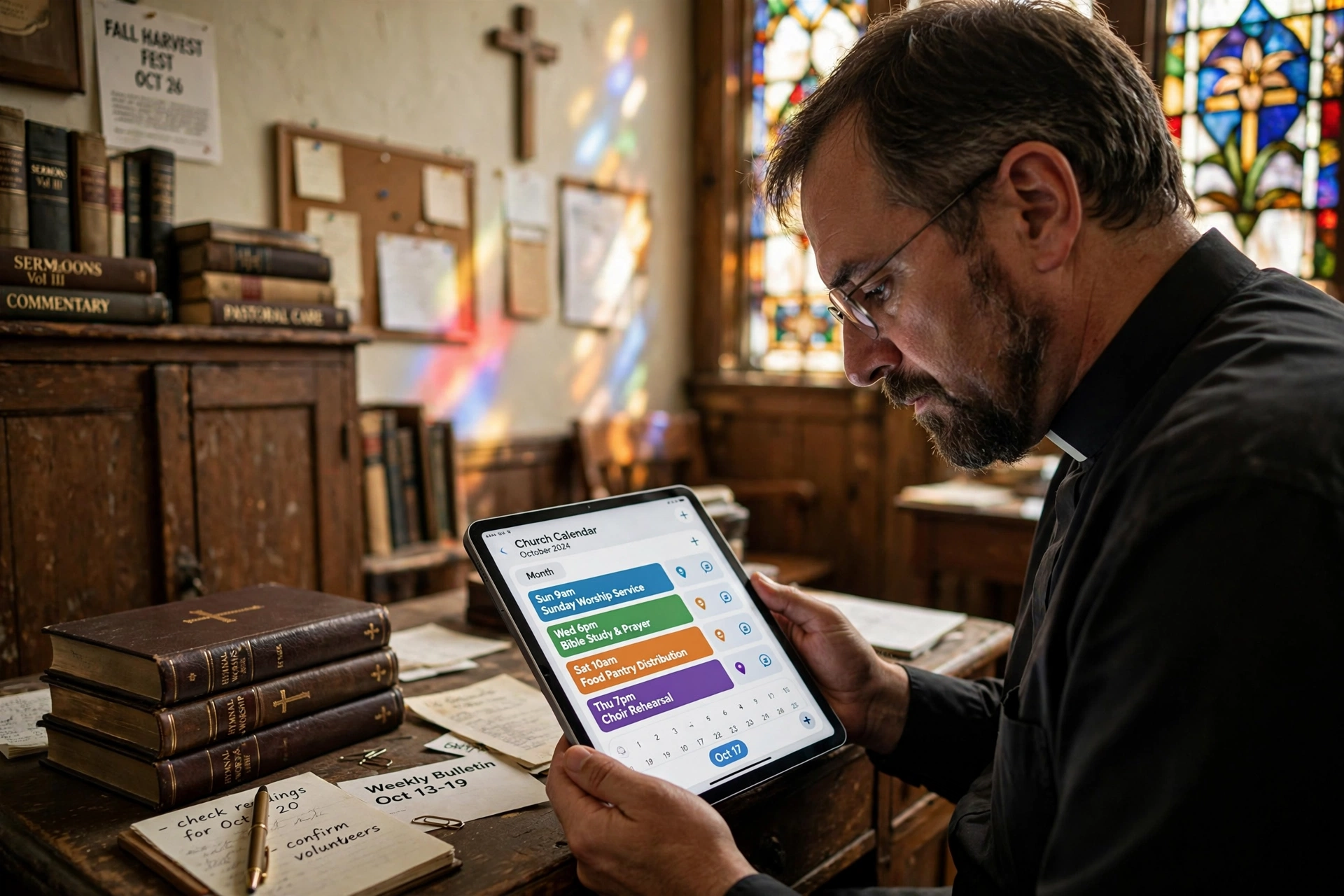
What Is a Church Calendar App and How Does It Transform Ministry?
Managing a congregation often feels like orchestrating a chaotic symphony where the sheet music is scattered across five different notebooks. In my experience working with dozens of ministry leaders, the most common point of failure isn't a lack of vision, but a failure of coordination. A church calendar app is a specialized digital ecosystem designed to centralize scheduling, synchronize ministry events, and automate appointment booking for pastoral care, replacing the antiquated "bulletin board" method with real-time accessibility.
Unlike a generic digital calendar, a dedicated church scheduling tool handles the specific nuances of ecclesiastical life, such as rotating volunteer teams for worship, managing sanctuary availability for funerals, and protecting a pastor's "Sabbath" time from accidental bookings. When a church transitions to a professional system, they aren't just buying software; they are reclaiming hours of administrative labor that can be redirected toward actual discipleship.

The Core Architecture of Digital Ministry Scheduling
To understand how these tools function, we must first distinguish between a simple date-tracker and a comprehensive management system. A professional church calendar app serves as the "single source of truth" for every person in the organization, from the head pastor to the greeting team.
📚
Definition
A Church Calendar App is a cloud-based software solution specifically engineered for religious organizations to manage time-based resources, synchronize multi-departmental events, and provide a public-facing interface for congregation engagement.
The technical architecture usually rests on three pillars: Centralized Administration, Role-Based Access, and Public Synchronization. Centralized administration allows a church secretary or administrator to oversee all events, preventing "double-booking" the fellowship hall. Role-based access ensures that while a youth leader can edit the youth group schedule, they cannot accidentally delete the Senior Pastor's counseling appointments. Finally, public synchronization allows the congregation to view upcoming events via a website or mobile app without having access to the private internal notes of the clergy.
According to research by the Barna Group, there is a growing trend toward "digital discipleship," where the effectiveness of a church's physical ministry is increasingly tied to its digital accessibility. When a member cannot find the time for a baptismal class or a prayer meeting because the calendar is outdated, the digital friction creates a spiritual barrier. In the professional landscape of 2026, a calendar app is no longer a luxury; it is the primary interface through which a church communicates its availability and openness to the community.
Why Digital Scheduling is a Necessity for Modern Congregations
The cost of "manual" scheduling is rarely measured in dollars, but in burnout. When a pastor spends three hours a week playing "email tag" to schedule a single counseling session, that is time stolen from sermon preparation and strategic leadership. The administrative burden of managing a church manually creates a hidden tax on the ministry's emotional and spiritual capacity.
The implications of poor scheduling are systemic. For instance, when volunteer rotations are handled via spreadsheets or text threads, the "volunteer fatigue" rate spikes. Lifeway Research has consistently highlighted that pastoral burnout is often exacerbated by the blurring of boundaries between professional ministry and personal life. A dedicated church calendar app solves this by establishing "hard boundaries", digital fences that protect the pastor's family time and mental health.
Furthermore, the data shows a clear shift in user expectation. Modern congregants expect a "frictionless" experience. If a member has to call a church office during 9-to-5 business hours to book a meeting, the barrier to entry is high. Conversely, an online booking system allows a struggling individual to request pastoral care at 2 AM when they are in crisis, with the appointment automatically slotted into the pastor's available window. This shift from "reactive" to "proactive" scheduling increases the touchpoints between the church and its members by an estimated 30-40% in most mid-sized congregations.
How to Implement a Professional Scheduling System Step-by-Step
Moving a church from a paper calendar or a generic Google Calendar to a specialized system requires more than just a software installation; it requires a cultural shift. After analyzing the implementation patterns of our most successful clients, I have found that a staged rollout is the only way to prevent "tech-shock" among older staff members.
First, you must conduct a Resource Audit. Identify every physical space in the church (Sanctuary, Fellowship Hall, Classrooms) and every "human resource" (Pastors, Deacons, Worship Leaders). In a professional system like Pastor Agenda, these are set up as "Resources." This prevents the catastrophic error of scheduling a choir rehearsal in the same room as a bereavement meeting.
Second, establish Availability Protocols. This is where most churches fail. You must define "Core Hours" and "Protected Hours." For example, Tuesday mornings might be designated for administrative work, while Thursday afternoons are open for pastoral counseling. By inputting these constraints into the app, the system automatically hides those slots from the public, ensuring the pastor is never over-extended.
Third, deploy the Public Interface. Embed your calendar on the church website and in the weekly email newsletter. This shifts the burden of inquiry from the church secretary to the user. Instead of answering "When is the next potluck?" twenty times a day, the secretary can simply point to the live, synchronized calendar.
💡
Key Takeaway
The goal of a church calendar app is not to add another digital chore, but to automate the "logistics of love," allowing leaders to focus on people rather than spreadsheets.

Comparing Scheduling Approaches: Which One Fits Your Ministry?
Not all scheduling tools are created equal. Many churches make the mistake of using a "free" generic tool, only to find that it lacks the privacy controls necessary for sensitive pastoral care. Here is how the different approaches compare in a professional context.
| Feature | Manual/Paper Calendar | Generic AI/Free Tools | Professional Church App (Pastor Agenda) |
|---|---|---|---|
| Synchronization | None (Static) | Basic (Real-time) | Advanced (Multi-Resource) |
| Privacy | High (Physical) | Low (Shared Links) | Maximum (Encrypted/Role-Based) |
| Automation | Zero | Moderate | High (Auto-reminders/Booking) |
| User Experience | High Friction | Moderate Friction | Low Friction (Self-Service) |
| Best For | Very small home churches | Small groups/committees | Scaling Ministries & Professional Staff |
Most guides get this wrong by suggesting that a free tool is "enough" for a small church. However, the "free" approach often leads to "notification fatigue," where the pastor's phone is buzzing constantly with unorganized requests. A professional approach, such as the one provided by Pastor Agenda, organizes these requests into a streamlined pipeline, ensuring that no soul falls through the cracks due to a lost email or a forgotten sticky note.
Common Misconceptions About Digital Church Calendars
There are several myths that prevent church boards from adopting professional scheduling technology. Addressing these is the first step toward administrative maturity.
Myth 1: "Digital calendars make the church feel cold and impersonal."
This is the most common objection. In reality, the opposite is true. When the logistics are handled automatically, the pastor arrives at the meeting mentally present and prepared, rather than stressed about the schedule. The "impersonal" part of the process (the booking) serves the "personal" part of the ministry (the counseling).
Myth 2: "Our congregation is too old for an app."
I see this constantly. However, the "older" generation is often the most frustrated by incorrect information. A digital calendar that is embedded on a website is far easier to access than a physical bulletin that was printed three weeks ago and contains outdated times. Accessibility is about removing barriers, not adding complexity.
Myth 3: "We can just use a shared Google Calendar for free."
While Google Calendar is a powerful tool, it is not a ministry tool. It lacks the ability to handle "resource conflicts" specifically for church layouts and doesn't provide a professional booking interface for the congregation. Using a generic tool often leads to "link spam," where the pastor's private calendar becomes a public dumping ground for requests.
Frequently Asked Questions
How does a church calendar app improve pastoral care?
A church calendar app removes the administrative friction between a person in need and the pastor. By providing a clear, real-time view of availability, it eliminates the "back-and-forth" of scheduling. This is especially vital for crisis counseling, where a delay of 24 hours in scheduling can be the difference between a member feeling supported or feeling abandoned. Furthermore, it allows the pastor to categorize appointments (e.g. "Hospital Visit," "Marriage Counseling"), enabling them to prepare mentally and spiritually for the specific needs of the session.
Can these apps handle volunteer rotations for worship services?
Yes, professional-grade scheduling apps allow for the creation of recurring events and the assignment of specific roles. Instead of sending a mass text every Friday, the leader can assign volunteers to a specific slot on the church calendar. When the volunteer accepts the invite, the calendar updates automatically. This reduces the "no-show" rate by sending automated reminders to the volunteer's phone, ensuring that the worship service is fully staffed without the pastor having to manually chase down every musician and usher.
Is the data in a church calendar app secure?
Security is a paramount concern, particularly regarding pastoral counseling records. Professional systems use encryption and role-based access control (RBAC). This means that while the "Public Calendar" shows that the pastor is "Busy" from 2 PM to 3 PM, only the pastor and the primary administrator can see that the appointment is actually a sensitive counseling session with a specific member. This adheres to the high standards of confidentiality required by most denominational guidelines and legal privacy frameworks.
How does it integrate with the rest of the church's technology?
The most effective systems are those that "play well" with others. A high-quality church calendar app typically offers API integrations or iCal feeds. This means the church's internal schedule can be mirrored on the main website, pushed to a mobile app, or synced with the personal devices of the staff. For example, when a date is changed in Pastor Agenda, it can automatically update the "Upcoming Events" section of the church's landing page, ensuring the congregation never arrives at the wrong time for a special event.
What is the learning curve for non-technical staff?
The biggest mistake companies make is building "over-engineered" software. The best church calendar apps are designed with "intuitive UX," meaning if a staff member can use a smartphone, they can use the calendar. The setup is typically handled once by an administrator, and the staff simply interacts with a visual interface. Because the system replaces the frustration of manual tracking, most staff members experience a "lightbulb moment" within the first week where the value of the time saved far outweighs the small effort of learning the interface.
Final Thoughts on Choosing a Church Calendar App
The transition to a professional church calendar app is not merely a technical upgrade; it is a commitment to stewardship. Every hour a ministry leader spends wrestling with a messy schedule is an hour they are not spending in prayer, study, or direct service to their people. By automating the logistics, you create a sustainable rhythm for your ministry that protects the leader and serves the congregation.
If you are tired of the administrative chaos and want to reclaim your time for what truly matters, it is time to move beyond the spreadsheet. For a streamlined, ministry-focused approach to scheduling, explore the tools at PastorAgenda Blog. Let the technology handle the time, so you can handle the souls.
Recommended Readings
To deepen your understanding of these topics, we recommend reading the following articles:
- Ensuring Absolute Privacy in Church Booking Systems
- Church Appointment Booking
- Online Appointment Booking for Modern Churches
- Automated Reminders and Communication for Congregations
Free Guide: The 7 Church Growth Hacks for 2026
Learn how modern ministries are using automated scheduling and AI pastoral assistants to save 12+ hours of admin work every week.



