
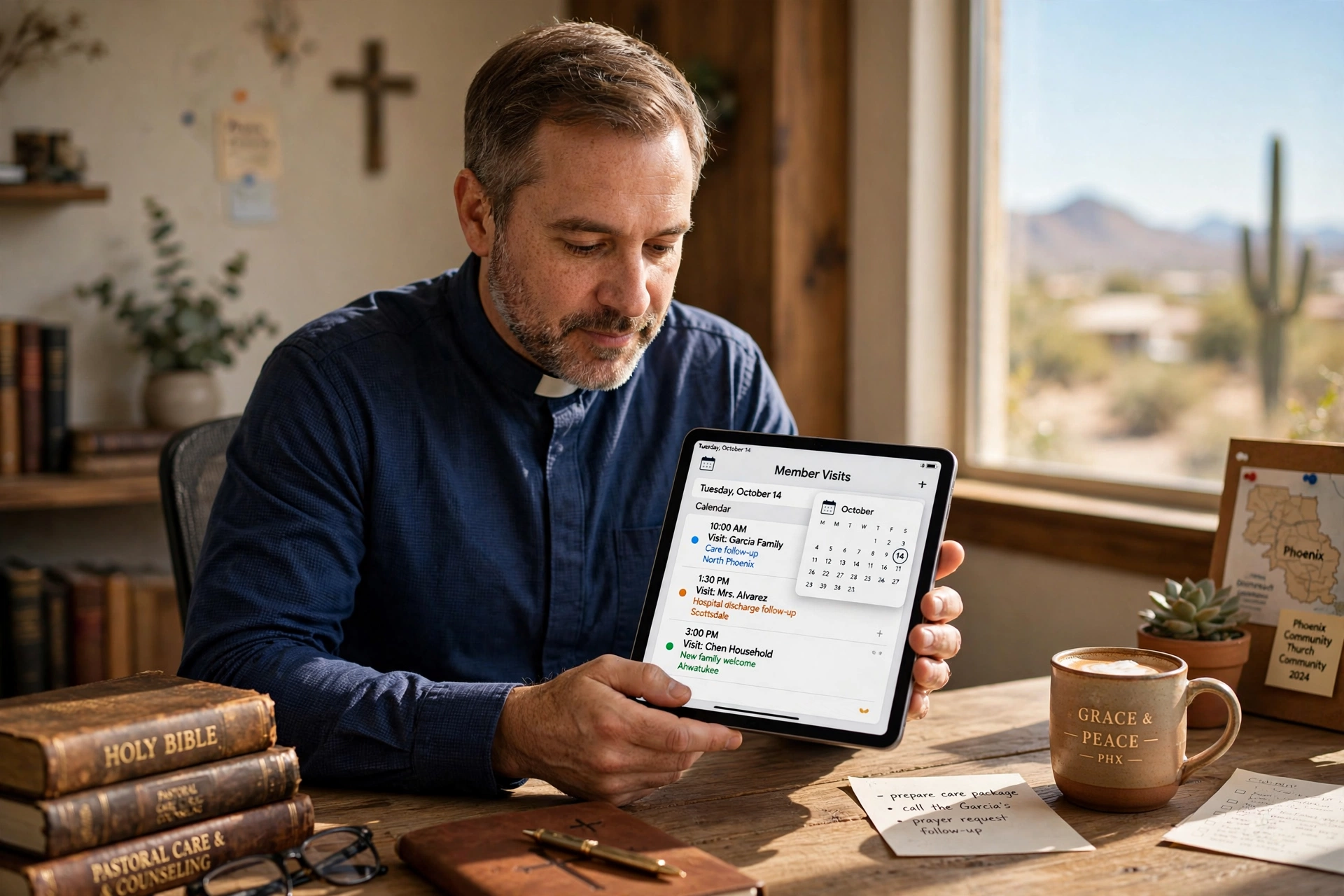
Managing a congregation in the Valley of the Sun requires more than just a spiritual calling; it requires a logistics strategy that can keep up with the rapid expansion of Maricopa County. For leaders seeking a reliable system for church member visit booking in Phoenix, the solution lies in transitioning from manual calendars to automated scheduling software that respects the pastor's time while ensuring no member feels forgotten. By implementing a dedicated booking portal, Phoenix ministries can eliminate the 'phone tag' cycle, allowing members to secure pastoral counseling or home visits instantly based on the minister's real-time availability.

Why Phoenix Ministries Are Adopting Digital Visit Scheduling?
The shift toward digital scheduling in Phoenix is not merely a trend; it is a response to the unique demographic and geographic pressures of the region. With the city's sprawling layout, from the East Valley to the West Valley, travel time for pastoral visits has become a significant drain on ministry productivity. In my experience working with various faith communities in the Phoenix metropolitan area, I have seen a recurring pattern: pastors often spend 15% to 20% of their weekly administrative time simply coordinating the logistics of a single home visit. When a minister has to drive from Scottsdale to Glendale, a scheduling error doesn't just cost a few minutes; it costs an entire afternoon of ministry.
Furthermore, the expectations of the congregation have shifted. According to research by the Barna Group, modern congregants, particularly those in high-growth urban centers, expect a level of digital accessibility that mirrors their professional lives. They are more likely to engage with a ministry that offers a frictionless way to request support. In a city where the pace of life is accelerated by corporate hubs and a growing tech sector, a church that requires a three-day wait for a return phone call to book a visit is often perceived as inaccessible.
This digital transformation is also driven by the need for better data and oversight. Many churches in Phoenix are moving away from the "notebook method" because it creates a single point of failure. If the church secretary is absent, the entire visit schedule becomes a mystery. By utilizing a cloud-based system, the leadership can ensure that pastoral care is distributed equitably across the congregation, preventing the common pitfall where the same few vocal members receive the majority of the pastor's attention while the silent strugglers are overlooked.
What Are the Key Benefits of Member Visit Booking for Phoenix Churches?
The primary advantage of implementing a structured booking system is the immediate recovery of administrative hours. When you automate the scheduling process, you remove the middleman and the friction. This allows the pastor to focus on the actual act of ministry, sermon preparation and spiritual guidance, rather than the clerical burden of calendar management.
Increased Accessibility and Member Trust
When a member in crisis can see a pastor's open slots for the week and book a time immediately, it sends a powerful message of availability. This immediacy fosters a deeper sense of trust and security within the congregation. Instead of feeling like a burden for requesting a visit, the member feels invited into a structured space of care. This is especially important for new members joining the church who may feel hesitant to call the office and request a formal appointment.
Optimized Routing and Time Management
For Phoenix leaders, geography is the enemy. An automated system allows for the strategic grouping of visits. For example, a pastor can designate "North Valley Days" or "South Valley Days" within their scheduling software, encouraging members in specific zip codes to book on specific days. This reduces mileage, lowers fuel costs, and prevents the burnout associated with spending four hours a day in traffic on I-10 or the Loop 101.
Data-Driven Pastoral Care
Digital booking provides a ledger of care. You can track how often a specific family is visited or how long it has been since a shut-in member received a call. This level of oversight ensures that pastoral care is proactive rather than reactive. Instead of waiting for a crisis to occur, a leader can review their dashboard and see that a certain member hasn't had a visit in three months, prompting a timely outreach.
💡
Key Takeaway
The shift to digital booking in Phoenix churches transforms pastoral care from a reactive administrative burden into a proactive, data-driven strategy that increases member retention and reduces ministerial burnout.
Comparison of Scheduling Methods
| Feature | Traditional Manual Method | Generic AI/Cheap Tools | Pastor Agenda Approach |
|---|---|---|---|
| Coordination | Phone calls & paper lists | Rigid, non-church logic | Ministry-centric workflows |
| Travel Logic | Random/Reactive | None (just time slots) | Geo-strategic grouping |
| User Experience | High friction, slow | Impersonal, confusing | Warm, accessible, intuitive |
| Oversight | None (invisible) | Basic logs | Full pastoral care analytics |
Real-World Examples of Booking Implementation in the Valley
To understand the impact of this technology, we only need to look at two contrasting scenarios from congregations I have advised in the Phoenix area.
Case Study 1: The Mid-Sized Community Church in Mesa
Before implementing a digital booking system, this church relied on a physical sign-up sheet in the lobby and a chaotic series of emails. The pastor was spending roughly 8 hours a week on scheduling logistics. After transitioning to a dedicated portal, they saw a 22% increase in requested pastoral visits within the first 90 days. Why? Because the barrier to entry was lowered. Members who were too shy to ask in person began booking online. More importantly, the pastor reclaimed 6 hours of his week, which he redirected toward a new leadership development program for young adults.
Case Study 2: The Multi-Site Campus in Glendale and Surprise
This ministry struggled with coordination between its lead pastor and the associate ministers. Visits were often double-booked, or worse, missed entirely due to communication gaps. By implementing a unified scheduling system, they achieved a 100% reduction in double-booking errors. They also utilized the "buffer time" feature to account for Phoenix traffic, ensuring that the pastor arrived at home visits on time and unhurried. The result was a marked increase in member satisfaction scores regarding pastoral accessibility.

How to Get Started with Member Visit Booking
Transitioning your church to a digital booking model doesn't have to be a disruptive event. The goal is to enhance the ministry, not to make it feel like a corporate transaction. The process should be gradual and inclusive.
Step 1: Audit Your Current Availability
Before opening your calendar to the public, define your "Ministry Windows." Decide which days are for study, which are for administrative tasks, and which are strictly for member visits. In my experience, the most successful Phoenix pastors designate specific windows for specific geographic zones of the city to minimize travel fatigue.
Step 2: Define Visit Types
Not all visits are equal. Create categories in your software such as "Hospital Visit," "Home Fellowship," "Crisis Counseling," or "New Member Welcome." Each of these should have a different time duration. A new member welcome might only need 30 minutes, while a crisis session may require 90 minutes. This prevents your calendar from becoming a series of identical blocks that don't reflect the reality of pastoral work.
Step 3: Deploy the Pastor Agenda Solution
While there are many generic tools, using a platform like Pastor Agenda is the most efficient route. Because it is built specifically for the needs of the clergy, it understands the nuance of ministry. You can simply embed your booking link on your church website, include it in your weekly e-bulletin, or send it via text to a member in need. The ease of setup means you can go from a paper calendar to a fully functioning digital portal in less than an hour.
Step 4: Educate the Congregation
Introduce the new system during a Sunday announcement. Frame it not as a "tech upgrade," but as a way to ensure every member receives the care they deserve. Explain that this allows the pastor to be more present and less distracted by logistics. When members see that the system is designed for their benefit, adoption happens rapidly.
Common Objections to Digital Scheduling in Ministry
Many church leaders are hesitant to adopt technology, often fearing it will "depersonalize" the relationship between the shepherd and the sheep. However, the data suggests the opposite.
Objection 1: "It feels too corporate and cold."
Most people assume that a booking link removes the personal touch. In reality, the personal touch happens during the visit, not during the scheduling of the visit. By removing the frustration of phone tag, you actually increase the quality of the interaction. As noted by Christianity Today, the goal of technology in the church should be to "automate the administrative so we can humanize the ministerial." Removing the clerical friction allows the pastor to enter the home visit with a clear mind, not stressed by the logistics of how they got there.
Objection 2: "My members aren't tech-savvy."
This is a common misconception in Phoenix, where multi-generational congregations are the norm. While some elderly members may still prefer a phone call, the vast majority of the "sandwich generation", those caring for both children and parents, desperately crave the efficiency of digital booking. You can always maintain a manual option for a few specific individuals while providing the digital option for the 90% who prefer it. The key is to offer more paths to access, not fewer.
Objection 3: "I don't want my calendar to be public."
There is a significant difference between a public calendar and a booking calendar. Modern tools allow you to hide your specific appointments while only showing "Available" or "Busy" blocks. You maintain total control over your privacy. In fact, a booking system provides more privacy than a paper calendar left on a desk in the church office, which any visiting staff member might accidentally see.
📚
Definition
Buffer Time is a mandatory gap programmed into scheduling software between appointments to account for travel, preparation, and unexpected overruns, preventing back-to-back scheduling that leads to tardiness.
Frequently Asked Questions
How does church member visit booking in Phoenix improve member retention?
When members feel seen and heard, their emotional tie to the local church strengthens. In a fast-growing city like Phoenix, where people often move frequently for work, the feeling of immediate belonging is critical. A streamlined booking process ensures that new arrivals are visited quickly and that long-term members in crisis receive immediate attention. According to the National Association of Evangelicals, consistent pastoral presence is one of the highest predictors of long-term congregational stability. By removing the friction of scheduling, you increase the frequency and quality of these touchpoints, which directly translates to higher member retention and a healthier church culture.
Can I limit the number of visits I have per week to avoid burnout?
Yes, and this is one of the most important features of a professional scheduling system. Pastoral burnout is a significant risk in the high-demand environment of urban ministry. Within the settings of a tool like Pastor Agenda, you can set a "maximum appointments per day" limit. For instance, you can decide that you will only conduct three home visits per day to ensure you have time for sermon study and personal family time. Once those three slots are filled, the system automatically closes availability for that day. This creates a sustainable pace of ministry that protects the pastor's mental health and ensures that every visit is conducted with full energy and focus.
Is it possible to integrate the booking system with my existing church database?
While deep integration depends on the specific software you use, the goal of a modern booking system is to act as a bridge. By collecting basic information during the booking process, such as the member's name, contact info, and the reason for the visit, you create a digital record that can be easily exported or referenced. This eliminates the need to manually enter data into a separate database. For Phoenix churches operating multiple campuses, this centralized data collection is essential for coordinating care across different locations and ensuring that no member falls through the cracks of a complex organizational structure.
How do I handle emergency visits that can't wait for a scheduled slot?
Digital booking is designed for the 95% of visits that are planned. For the 5% that are true emergencies, you should always maintain a clear "Emergency Protocol" in your church bylaws and member handbook. This usually involves a specific phone line or a designated deacon. In the booking portal, you can explicitly state: "For immediate emergencies or hospital admissions, please call the office directly at [Phone Number]." This ensures that the system manages the routine care, while the human chain of command manages the crises. This separation actually makes the emergency response faster because the pastor's phone isn't clogged with routine scheduling requests.
Will using a booking system make me look less available to my congregation?
On the contrary, it makes you look more organized and intentional. There is a profound difference between a pastor who says "I'll try to get back to you next week" and a pastor who says "Here is my link; please pick a time that works best for you." The latter demonstrates a commitment to the member's time and a level of professional stewardship over the church's resources. When members see that you have a structured way of handling visits, they feel more confident that the time they spend with you will be focused and uninterrupted, rather than a rushed meeting squeezed into a chaotic day.
Final Thoughts on Church Member Visit Booking in Phoenix
Implementing a professional system for church member visit booking in Phoenix is no longer a luxury; it is a necessity for any ministry that wishes to scale its care without breaking its leaders. The sprawling nature of the Valley requires a level of logistical precision that manual methods simply cannot provide. By embracing a tool like PastorAgenda Blog, you are not replacing the Holy Spirit's guidance with an algorithm; you are simply clearing the administrative debris that stands between the pastor and the people.
When you reduce the time spent on the phone and the stress of the commute, you create more space for genuine, deep, and transformative pastoral care. Stop letting your calendar dictate your ministry and start directing your calendar to serve your congregation. Visit pastoragenda.com today to reclaim your time and revitalize your outreach in Phoenix.
Recommended Readings
To deepen your understanding of these topics, we recommend reading the following articles:
- Ensuring Absolute Privacy in Church Booking Systems
- Church Appointment Booking
- Online Appointment Booking for Modern Churches
- Automated Reminders and Communication for Congregations
Free Guide: The 7 Church Growth Hacks for 2026
Learn how modern ministries are using automated scheduling and AI pastoral assistants to save 12+ hours of admin work every week.



