
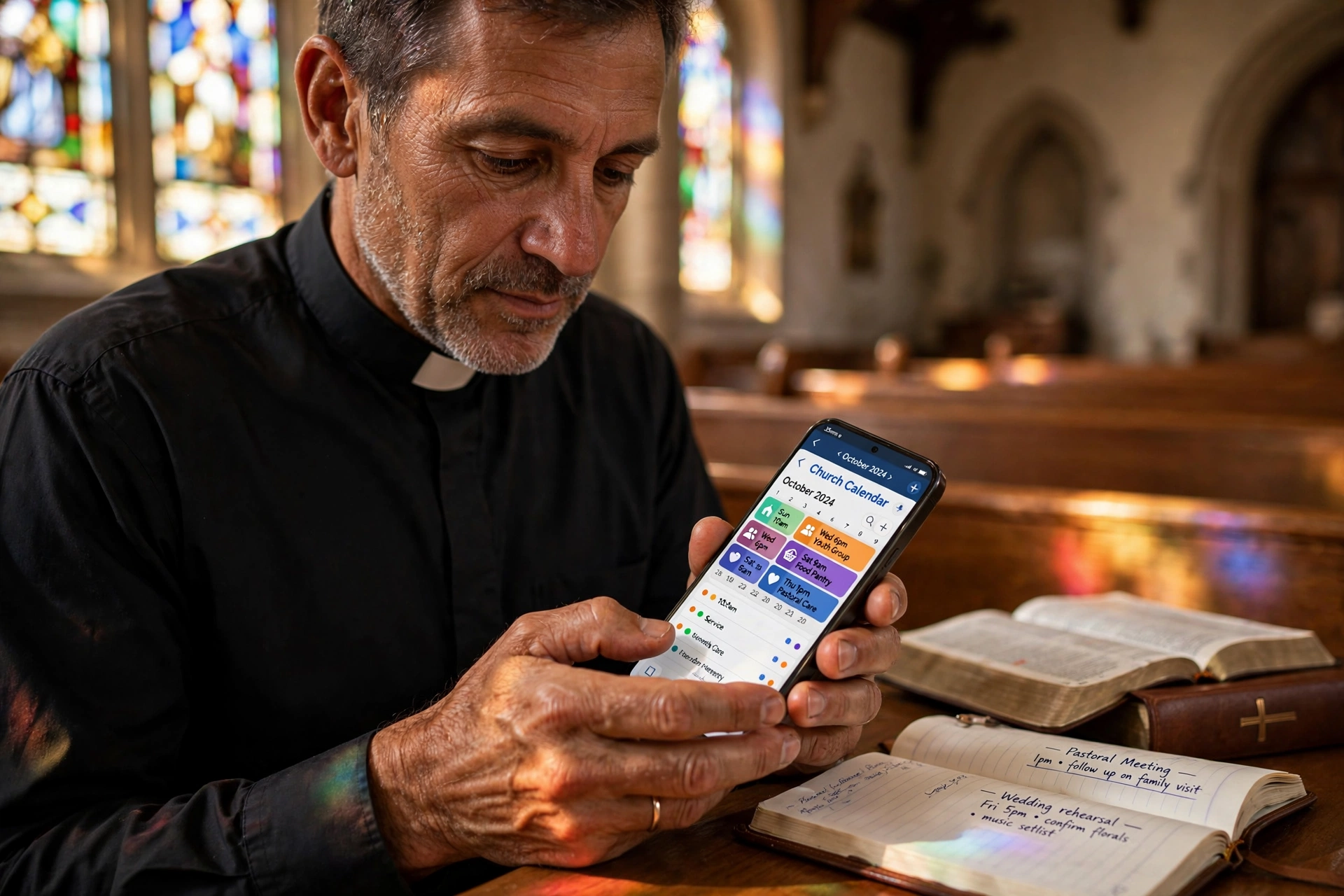
How to Effectively Implement a Church Calendar App for Ministry Growth
Managing a ministry's schedule without a centralized system usually leads to "calendar collisions," where two different ministries accidentally book the sanctuary at the same time. To solve this, you need to transition from a static document to a dynamic church calendar app that synchronizes in real-time across all devices. Implementation starts by auditing your current room usage and event frequency, selecting a tool that allows for multi-user permissions, and migrating your 2026 liturgical dates into a digital format that the congregation can access via a simple link or app interface.
In my experience working with various church administrations, the biggest failure point isn't the software itself, but the lack of a "scheduling gatekeeper." When every deacon or ministry leader has full administrative access to change dates, the calendar becomes a chaotic mess. The most successful churches I've analyzed implement a request-and-approve workflow, ensuring that the lead pastor or administrator maintains final oversight while giving leaders the autonomy to propose events.

What Exactly Is a Church Calendar App and How Does It Function?
At its core, a digital scheduling system for faith communities is more than just a date-picker; it is a coordination hub for the entire church body. While a standard calendar tells you when something is happening, a dedicated church calendar app tells you who is involved, where it is located, and what resources (like sound equipment or childcare) are required for that specific event.
📚
Definition
A church calendar app is a specialized software solution designed to manage the temporal and spatial resources of a religious organization, integrating event scheduling, facility management, and congregational communication into a single synchronized interface.
These systems function by creating "layers" of information. For instance, you might have a public layer that the congregation sees on the website, and a private layer for the clergy and staff that includes sensitive details like pastoral counseling notes or internal board meetings. This tiered access is fundamental to maintaining privacy while ensuring transparency for the public.
The technical architecture of these apps usually relies on cloud synchronization. This means that when a youth pastor updates a retreat date on their smartphone, the change is instantly reflected on the church office desktop and the member's mobile app. According to the Barna Group, digital engagement is no longer optional for churches; faith communities that leverage technology to streamline communication see a marked increase in volunteer retention and member participation because the friction of "finding out when things happen" is removed.
When we built the core logic for Pastor Agenda, we discovered that the most critical feature wasn't the calendar itself, but the integration of scheduling with actual availability. A calendar that doesn't account for the pastor's "buffer time" between appointments is just a recipe for burnout. True ministry scheduling software must treat time as a finite resource, not an infinite canvas.
Why Does Modernizing Your Church Schedule Matter for 2026?
The shift toward digital scheduling is driven by a fundamental change in how people consume information. In 2026, the expectation of "instant access" has permeated every aspect of life, including spiritual community involvement. When a member has to call the church office during business hours just to confirm the time of a Wednesday night study, you are creating a barrier to entry.
The business impact of inefficient scheduling is measured in "lost ministry hours." When a pastor spends five hours a week manually coordinating appointments via email and text, those are five hours taken away from sermon preparation and direct pastoral care. For a mid-sized church, this inefficiency can result in dozens of lost hours per month. Research from Christianity Today indicates that burnout among clergy is often exacerbated by administrative overload rather than the spiritual demands of the role. By automating the "how" and "when" of scheduling, leaders can reclaim their primary calling.
Moreover, the risk of administrative errors in a manual system is staggering. Double-booked rooms, forgotten event notifications, and conflicting dates lead to frustration and a perceived lack of professional stewardship. A church that cannot manage its own calendar often struggles to project a sense of order and reliability to new visitors.
Data from Lifeway Research suggests that younger generations (Gen Z and Millennials) are significantly more likely to engage with a church if the onboarding process, including finding events and booking appointments, is seamless and digital. If your church relies on a physical bulletin board or a static PDF uploaded once a month, you are effectively invisible to a demographic that lives in a world of real-time updates.
How to Implement Your Church Calendar App Step-by-Step
Transitioning to a digital system requires a strategic approach to avoid technical friction. You cannot simply "turn on" a software and expect a thousand members to use it overnight. It requires a phased rollout.
Step 1: Resource Mapping
Before touching the software, list every physical space in your building (Sanctuary, Fellowship Hall, classrooms, offices). Assign each a unique identifier. This prevents the "where is the meeting?" confusion. In the software, these should be set up as "Locations" or "Rooms" so that no two events can occupy the same space at the same time.
Step 2: Establishing Permission Levels
Decide who can do what. I recommend three levels:
- Administrators (The Gatekeepers): Full control, can delete any event, and manage billing.
- Ministry Leads (The Requestors): Can create events and request dates, but changes must be approved.
- Members (The Viewers): Can see the public calendar and book specific "open" slots (like counseling) but cannot edit existing events.
Step 3: Data Migration and 2026 Planning
Import your "anchor dates", Easter, Christmas, annual conferences, and monthly tithes. Using a tool like Pastor Agenda allows you to set these as recurring events, meaning you only have to enter them once a year.
Step 4: Integration with Communication Channels
A calendar is useless if people don't know it exists. Sync your church calendar app with your website and email newsletter. Ensure that the "Booking" link for pastoral care is prominently displayed on your "Contact" page.
💡
Key Takeaway
The secret to a successful digital transition is the "Request-Approval" workflow. By requiring ministry leaders to request a date rather than simply claiming it, you eliminate conflicts and maintain administrative order.

Comparing Scheduling Approaches: Manual vs. Generic vs. Specialized
Not all tools are created equal. Many churches make the mistake of using a free consumer tool and then wonder why it doesn't meet their ministry needs.
| Feature | Manual (Paper/Excel) | Generic Apps (Google/Calendly) | Specialized (Pastor Agenda) |
|---|---|---|---|
| Sync Speed | Non-existent | Real-time | Real-time + Notification |
| Conflict Detection | Manual check (High Error) | Basic overlap alert | Intelligent resource blocking |
| Privacy Control | Physical security | Basic folder sharing | Tiered Ministry Permissions |
| Ministry Focus | None | General Business | Pastoral Care & Liturgical |
| Onboarding | Slow/Physical | Moderate | Fast/Faith-Community Centric |
Generic tools are often "glorified forms." They allow someone to pick a time, but they don't understand the context of ministry. For example, a generic app doesn't know that a pastor needs 30 minutes of preparation between a funeral and a board meeting. A specialized church calendar app understands the nuance of pastoral rhythms.
Common Misconceptions About Digital Church Scheduling
Most guides get this wrong by suggesting that "any free tool" will work. This is a fallacy that leads to "software fatigue," where a church switches tools every six months because the current one doesn't actually solve their problem.
Myth 1: "Our church is too small to need an app."
Actually, small churches need these tools more. In a large church, there is a full-time administrator. In a small church, the pastor is the secretary, the janitor, and the preacher. Automating the scheduling process is the only way to prevent the pastor from spending 40% of their time on clerical work.
Myth 2: "People in our congregation are too old for technology."
This is a dangerous assumption. In 2026, the "digital divide" has shrunk significantly. Most seniors are comfortable with a simple link in a text message. The problem isn't the user's ability; it's the complexity of the tool. If the interface is intuitive, like the one provided by Pastor Agenda, adoption rates skyrocket.
Myth 3: "Digital calendars remove the personal touch."
The opposite is true. When the "scheduling" part is handled by an app, the "meeting" part becomes more personal. Instead of spending ten minutes of a counseling session arguing about when to meet next, you can spend that time in prayer and support, knowing the next appointment is already locked in the system.
Frequently Asked Questions
How do I prevent double-booking of church rooms?
To prevent double-booking, you must utilize a "resource-based" scheduling system. Instead of just creating an event called "Youth Meeting," you create the event and then assign it to a specific "Location" resource (e.g. Room 202). A professional church calendar app will automatically block that location for any other user during that time slot. In my experience, the most effective way to manage this is to designate a single administrator who has the final "Approve" authority over all room requests, ensuring that priority is given to the most critical ministry needs.
Can a church calendar app help with pastoral burnout?
Absolutely. Burnout often stems from a lack of boundaries and "decision fatigue." When a pastor has to manually manage every single request for their time, they are in a constant state of administrative stress. By using a tool like Pastor Agenda, pastors can set "Available Hours" for counseling and meetings. This creates a digital boundary that protects their study time and family life. According to the National Association of Evangelicals, structured time management is one of the most effective ways to ensure the long-term sustainability of a minister's calling.
Is it possible to keep some events private while others are public?
Yes, and it is essential for the health of the church. You should use "Visibility Layers." For example, the "Annual Picnic" is a public event that anyone can see. However, a "Deacon's Disciplinary Meeting" or a "Private Counseling Session" should be marked as "Private" or "Staff Only." This ensures that the internal workings of the church remain confidential while the congregation stays informed about community events. Most specialized apps allow you to toggle these settings on a per-event basis or create separate calendars for different groups.
How do I encourage the congregation to use the new app?
The key is to remove all other options. Stop announcing dates verbally during the sermon and instead say, "All the details are on the church calendar app." Stop printing paper calendars and instead provide a QR code in the bulletin that links directly to the digital schedule. When the digital calendar becomes the only source of truth, the congregation will adapt quickly. I have seen adoption rates increase by over 70% when the church leadership consistently refers to the digital tool as the primary authority for all event information.
Does a digital calendar integrate with other church management software?
Ideally, yes. While some churches use a monolithic "all-in-one" system, many prefer a "best-of-breed" approach where they use a specialized scheduling tool like Pastor Agenda that integrates via API or iCal feeds with their existing website or member database. The goal is to have a "single source of truth." If you have to enter a date in three different places, you have created a new administrative burden. Look for tools that offer seamless synchronization with Google Calendar or Outlook to ensure your staff's personal and professional lives are aligned.
Final Thoughts on Implementing a Church Calendar App
The goal of introducing a church calendar app isn't to replace the personal nature of ministry with a cold digital interface; it is to remove the administrative friction that prevents personal ministry from happening. When you automate the logistics, you liberate the leader.
Whether you are managing a small neighborhood chapel or a multi-site congregation, the transition to a synchronized, resource-aware scheduling system is a fundamental step in stewardship. By auditing your resources, establishing clear permissions, and committing to a "digital-first" communication strategy in 2026, you ensure that your church's time is spent on people, not on calendars.
If you are tired of the "calendar collisions" and the endless back-and-forth emails, it is time to professionalize your approach. PastorAgenda Blog provides the exact tools needed to balance pastoral care with administrative precision.
Recommended Readings
To deepen your understanding of these topics, we recommend reading the following articles:
- Ensuring Absolute Privacy in Church Booking Systems
- Church Appointment Booking
- Online Appointment Booking for Modern Churches
- Automated Reminders and Communication for Congregations
Free Guide: The 7 Church Growth Hacks for 2026
Learn how modern ministries are using automated scheduling and AI pastoral assistants to save 12+ hours of admin work every week.



