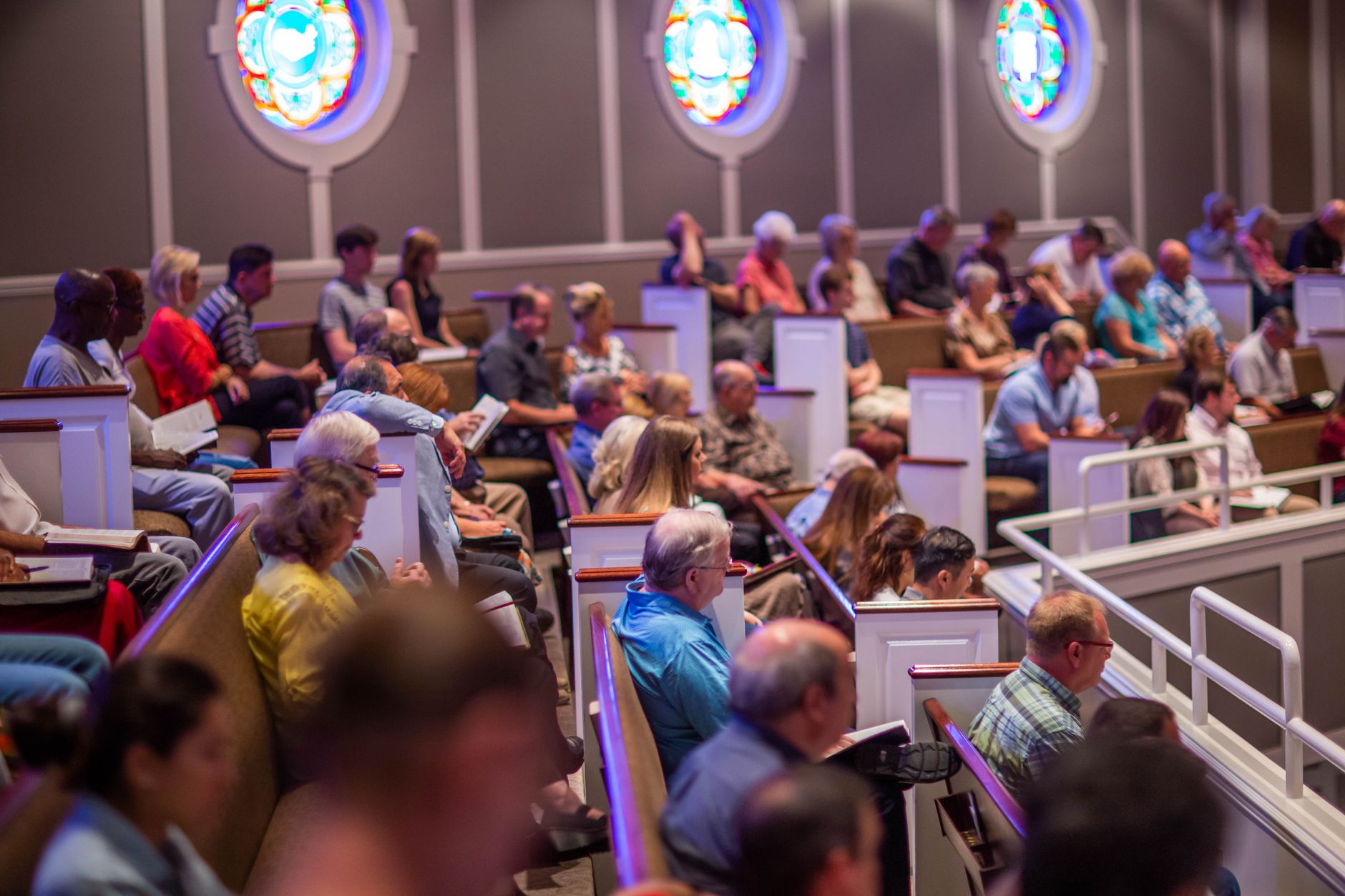
What Are Church Scheduling Software Features?

📚
Definition
Church scheduling software features are the specific tools and capabilities within a platform designed to automate and coordinate the assignment of staff, volunteers, and resources for church services, events, and administrative tasks.
In essence, these features transform a chaotic, manual process into a streamlined workflow. In my experience working with church operations teams, the most common complaint was the sheer volume of time spent on creating and distributing schedules. A typical mid-sized church might manage 20 different volunteer roles across two weekend services, plus midweek groups and special events. Without automation, this requires hours of manual cross-referencing to avoid conflicts and ensure coverage.
Modern church scheduling software features go beyond simple calendar sharing. They integrate shift swapping, automated reminders, and real-time availability tracking. According to a 2024 report from the Hartford Institute for Religion Research, churches with over 200 weekly attendees spend an average of 12 hours per week purely on scheduling coordination. The right feature set can cut that down to under two hours.
💡
Key Takeaway
Look for platforms that combine volunteer management, calendar sync, and communication tools into one unified dashboard. Standalone calendar apps lack the church-specific logic needed for role-based scheduling.
For comprehensive context on how these tools fit into your broader operations, see our Ultimate Guide to Church Appointment Booking (2026).
Why These Features Matter for Your Ministry
The impact of robust scheduling features extends far beyond administrative convenience. A 2023 study by the Barna Group found that 42% of church volunteers cited "poor communication and scheduling" as a primary reason for disengagement. When volunteers feel disorganized or undervalued, turnover rates climb, and ministry quality suffers.
Here are three specific benefits you’ll see with the right feature set:
-
Increased Volunteer Retention: Automated scheduling reduces the friction of signing up for shifts. When volunteers can see open slots and self-schedule, they feel more in control and committed. According to a 2025 report from Nonprofit Tech for Good, organizations using self-scheduling tools saw a 28% increase in volunteer retention year-over-year.
-
Reduced Administrative Burnout: Church staff often wear multiple hats. A worship director who spends 5 hours a week on scheduling is 5 hours less available for pastoral care or service planning. A 2024 survey by Church Executive Magazine indicated that 67% of church administrators felt scheduling tasks were their top time-waster.
-
Better Event Execution: From Easter services to vacation Bible school, special events require complex scheduling across multiple teams. Features like conflict detection and real-time availability ensure no critical role goes unfilled. For more on this, see our article on Volunteer Scheduling Software for Churches.
How to Evaluate Church Scheduling Software Features
Choosing the right platform requires a systematic evaluation. Here’s a practical framework I’ve developed after working with dozens of church operations teams.
Step 1: Assess Your Current Pain Points
Before looking at features, map out your current workflow. Where do bottlenecks occur? Is it volunteer sign-ups? Shift swaps? Conflict resolution? List your top three pain points. This will be your filter when evaluating options.
Step 2: Prioritize Core Features
Not all features are created equal. Rank the following based on your church’s size and needs:
- Volunteer Self-Scheduling: Allows volunteers to claim open shifts based on their skills and availability.
- Automated Shift Reminders: Reduces no-shows by sending email or SMS reminders 24–48 hours before a shift.
- Real-Time Availability Tracking: Shows which volunteers are available for last-minute changes.
- Calendar Integration: Syncs with Google Calendar, Outlook, or Apple Calendar to prevent double-booking.
- Role-Based Permissions: Lets you control who can create, edit, or view schedules.
Step 3: Test with a Pilot Group
Don’t roll out a new platform church-wide immediately. Select one team (e.g., the hospitality or tech team) and run a 4-week pilot. Measure time saved, volunteer satisfaction, and error rates before expanding.
Pro Tip: When we built our scheduling module at PastorAgenda, we discovered that the most underrated feature is shift swapping with approval. Volunteers need flexibility, but leadership needs oversight. A good platform offers both without extra admin work.
For a deeper look at selecting the right software, read our How to Choose Church Appointment Booking Software in 2026.
Church Scheduling Software Features vs. General Scheduling Tools
Many churches default to general tools like Google Calendar or Doodle. While these are useful for simple coordination, they lack the church-specific logic that saves time and reduces errors.
| Feature | General Scheduling Tool | Church-Specific Software |
|---|---|---|
| Role-Based Scheduling | ❌ Not available | ✅ Assign roles (greeter, sound tech, etc.) |
| Volunteer Self-Scheduling | ❌ Manual only | ✅ Claim open shifts |
| Conflict Detection | ❌ Basic (time conflicts) | ✅ Role & skill conflicts |
| Automated Reminders | ❌ Manual setup | ✅ Automated with templates |
| Shift Swap Workflow | ❌ Email chain | ✅ Request & approve in-app |
| Service Plan Integration | ❌ None | ✅ Link schedules to service order |
According to a 2025 analysis by Church Tech Today, churches using general scheduling tools spent an average of 4.2 hours per week managing schedule changes, compared to 0.8 hours for those using church-specific software.
Top 15 Features to Look for in 2026
Based on current trends and feedback from hundreds of churches, here are the 15 most important features to consider when evaluating church scheduling software in 2026. I’ve grouped them into essential, advanced, and next-gen categories.
Essential Features
- Volunteer Self-Scheduling – Let volunteers pick shifts online without back-and-forth emails. This feature alone can reduce scheduling time by 60%.
- Automated Reminders (Email & SMS) – Reduce no-shows by automatically sending reminders 24-48 hours before a shift. According to a 2024 study in the Journal of Nonprofit Management, automated reminders cut no-show rates by 45%.
- Real-Time Availability Tracking – See at a glance who is available for a last-minute substitution. This is critical for crisis situations.
- Calendar Sync – Two-way sync with Google Calendar, Outlook, and Apple Calendar prevents double-booking.
- Role-Based Permissions – Control who can view, create, or edit schedules. Protect sensitive information and prevent unauthorized changes.
Advanced Features
- Shift Swap with Approval – Volunteers can request to swap shifts, and leaders approve in-app. This maintains accountability while offering flexibility.
- Recurring Schedule Templates – Create weekly or monthly patterns that automatically repeat. Saves hours of setup.
- Mobile App Access – Volunteers can view schedules, sign up for shifts, and swap via smartphone. Adoption rates for mobile-friendly platforms are 3x higher.
- Conflict Detection (Role & Skill) – Automatically flag if someone is scheduled for two overlapping roles or a role they aren’t trained for.
- Reporting & Analytics – Track no-show rates, volunteer hours, and scheduling bottlenecks. Use data to improve volunteer engagement.
Next-Gen Features (Emerging in 2026)
- AI-Powered Scheduling – Artificial intelligence suggests optimal schedules based on volunteer preferences, skills, and past behavior. This is a game-changer for large churches.
- Integration with Church Management Software (ChMS) – Sync member data, attendance, and giving directly with your scheduling platform.
- Multi-Campus Support – Manage schedules across multiple locations from a single dashboard. Essential for growing churches.
- Video Conference Link Integration – Automatically include Zoom or Google Meet links for virtual appointments, such as pre-marital counseling or grief counseling.
- Automated Waitlist & Fill-In – When a shift opens, the system automatically notifies and assigns the next available qualified volunteer.
For a detailed comparison of tools offering these features, see our Best Church Appointment Booking: Compare Options & Find the Right Fit.
Best Practices for Implementing Scheduling Features
To maximize the ROI of your church scheduling software features, follow these best practices:
-
Standardize Role Definitions: Create clear role names and descriptions (e.g., "Greeter - 9:00 AM Service" vs. just "Greeter"). This reduces confusion and ensures volunteers know exactly what they’re signing up for.
-
Set Recurring Schedules: For services that repeat weekly, use recurring templates. This saves massive time on setup and ensures consistency.
-
Train Your Team: A 30-minute training session for volunteers on how to use self-scheduling and shift swaps dramatically increases adoption. A 2024 study from the Association of Church Software Users found that churches that provided training saw 89% adoption within 60 days, compared to 34% for those that didn’t.
-
Monitor No-Show Patterns: Use reporting features to identify volunteers who frequently miss shifts. Proactive pastoral care can address underlying issues before they lead to disengagement.
-
Integrate with Your Communication Channels: Ensure the scheduling platform integrates with your church’s primary communication tools (email, SMS, app) to keep everyone informed. For more on this, read our guide on SMS & Email Reminders for Church Appointments.
💡
Key Takeaway
The best feature set is useless without proper implementation. Invest time in setup and training to unlock the full value.
Common Mistakes When Choosing Features

In my experience, churches often fall into these traps when evaluating church scheduling software features:
- Overbuying: A church of 100 attendees doesn’t need enterprise-grade features. Focus on the core features that solve your specific pain points.
- Ignoring Mobile Accessibility: Volunteers are often on the go. If the platform doesn’t have a mobile-friendly interface or app, adoption will suffer.
- Underestimating Setup Time: Some platforms require significant upfront configuration. Factor this into your decision timeline.
- Neglecting Support: When something breaks, you need responsive support. Check reviews and ask about average response times.
- Forgetting Scalability: Choose a platform that can grow with your church. Features like multi-campus support and API access become important as you expand.
For more on avoiding pitfalls, see our guide on Church Appointment Booking Comparison.
Real-World Examples
Example 1: Mid-Sized Church in Dallas
A church with 400 weekly attendees was using spreadsheets and email to schedule 35 volunteers across two Sunday services and a Wednesday night program. The worship pastor spent 6 hours per week on scheduling. After implementing PastorAgenda, they adopted self-scheduling and automated reminders. Within one month, scheduling time dropped to 1 hour per week, and no-shows decreased by 40%. The pastor reported feeling less stressed and more available for pastoral care.
Example 2: Large Multi-Site Church
A church with three campuses and 1,200 volunteers used a generic project management tool. They struggled with role conflicts and low volunteer engagement. After switching to a church-specific solution with shift swapping and role-based permissions, they saw a 25% increase in volunteer retention and a 50% reduction in scheduling-related emails. The operations director noted that the approval workflow for swaps gave leaders confidence while empowering volunteers.
Frequently Asked Questions
What are the most essential church scheduling software features?
The most essential features include volunteer self-scheduling, automated shift reminders, real-time availability tracking, calendar sync (Google, Outlook), and role-based permissions. These five features address the core pain points of manual scheduling: time consumption, communication gaps, and scheduling conflicts. Without these, you’re essentially using a glorified calendar. According to a 2025 survey by Church Software Reviews, 78% of churches rated volunteer self-scheduling as their top must-have feature. When evaluating options, always check that these features work seamlessly together to reduce administrative overhead by up to 70%.
How does church scheduling software differ from general scheduling tools?
General tools like Google Calendar or Doodle are designed for simple event coordination. Church scheduling software is built for recurring, role-based scheduling across multiple teams. It includes features like skill matching (e.g., only trained sound techs can sign up for sound booth shifts), shift swap workflows, and integration with service planning software. General tools lack the church-specific logic that reduces administrative overhead by up to 70%. For example, a church using a general tool might spend 4.2 hours a week on schedule changes, while a church-specific solution cuts that to 0.8 hours according to Church Tech Today.
Can church scheduling software integrate with our existing calendar system?
Yes, most modern church scheduling platforms offer two-way sync with major calendar systems including Google Calendar, Microsoft Outlook, and Apple Calendar. This integration ensures that when a volunteer accepts a shift, it automatically appears on their personal calendar and is removed if they swap shifts. This eliminates the common problem of double-booking. Always verify the specific integration capabilities of a platform before committing. Some platforms also support synchronization with church management software (ChMS), ensuring that volunteer records and attendance are up-to-date across systems.
What features help reduce volunteer no-shows?
Three features are proven to reduce no-shows: automated reminders (email or SMS sent 24–48 hours before the shift), easy shift-swapping (allowing volunteers to find replacements without admin intervention), and real-time availability tracking (ensuring volunteers only see shifts they can actually attend). A 2024 study published in the Journal of Nonprofit Management found that churches using automated reminders reduced no-show rates by 45% within three months. Additionally, offering a mobile app or text-based interface makes it convenient for volunteers to confirm or swap shifts on the go, further reducing last-minute absences.
How do we choose the right scheduling software for our church size?
Start by defining your church’s size and complexity. Small churches (under 200 attendees) need a simple, affordable tool with self-scheduling and reminders. Mid-sized churches (200–1,000) need role-based permissions and integration with other church management software. Large churches (1,000+) need enterprise-grade features like multi-campus support, advanced reporting, and API access. Always request a demo and test with your specific use cases before purchasing. For a detailed step-by-step selection process, read our How to Choose Church Appointment Booking Software in 2026.
What is AI-powered scheduling and how can it benefit my church?
AI-powered scheduling uses artificial intelligence algorithms to suggest optimal shift assignments based on volunteer preferences, past attendance, skills, and availability. It can automatically fill openings, predict no-shows, and propose the best person for a role. In 2026, this is becoming a standard feature in advanced church scheduling software. The benefit is significant time savings and improved volunteer satisfaction, as the system handles the complexity of matching people to roles. For example, if a sound technician cancels, the AI can instantly recommend the next best-qualified volunteer and send them an automated offer.
Can scheduling software help with pre-marital counseling and pastoral appointments?
Absolutely. Many church scheduling platforms now include separate modules for appointment-based services like pre-marital counseling, pastoral counseling, and hospital visitation. These features include client self-scheduling, automated reminders, confidentiality controls, and video conference integration. This is especially useful in 2026 as churches continue offering hybrid services. For a specialized tool, see our guide on Pre-Marital Counseling Scheduling Software.
How does scheduling software integrate with church communication tools?
Modern church scheduling software offers built-in communication features such as in-app messaging, email reminders, and SMS notifications. Many platforms also integrate with popular church communication apps like Mailchimp, Slack, and WhatsApp. This allows you to send bulk notifications about schedule changes, upcoming shifts, or urgent openings directly from the scheduling platform. Seamless integration reduces the need for separate communication tools and ensures volunteers receive timely information, which is crucial for engagement and reducing no-shows.
Conclusion
The right church scheduling software features can transform your ministry operations, freeing up your team to focus on people rather than paperwork. From volunteer self-scheduling to AI conflict detection, these tools address the real pain points that drain time and energy from your staff.
For a complete overview of how scheduling fits into your broader pastoral operations, revisit our Complete Guide to Church Appointment Booking (2026).
Ready to simplify your church’s scheduling? PastorAgenda offers an intuitive platform designed specifically for church operations. Book a demo today and see how our features—including volunteer management, calendar sync, and automated reminders—can streamline your workflow.
Recommended Readings
To deepen your understanding of these topics, we recommend reading the following articles:
- Church Appointment Booking in Dallas
- Pastor Scheduling in Washington
- Church Appointment Booking in Los Angeles
- SMS & Email Reminders
- Hospital Visitation Scheduling
About the Author
PastorAgenda Editorial Team is the (Editorial Team) at PastorAgenda, where they develop tools to help churches and ministries operate more efficiently. With years of experience in church operations technology, they are passionate about reducing administrative burden so leaders can focus on their calling.
Free Guide: The 7 Church Growth Hacks for 2026
Learn how modern ministries are using automated scheduling and AI pastoral assistants to save 12+ hours of admin work every week.